Results 26 to 50 of 328
- 07-23-2010, 05:12 PM #26
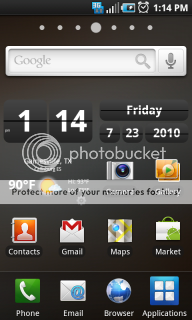
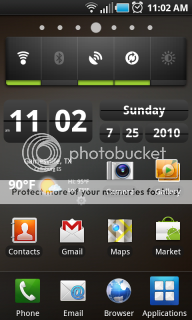
Heres Mine:
(can you tell i loved my Stock Nexus One)
- 07-23-2010, 05:30 PM #27
- 07-23-2010, 05:36 PM #28
- 07-23-2010, 06:10 PM #29
- 07-23-2010, 06:17 PM #30
No problem,
Your going to have to Root your Captivate and then modify a file to allow outside source applications to be installed (since AT&T locked that out). After all that, you just basically google it and download straight on your phone. It will install and your good to go. I havent checked here but there are how-to's on the XDA forums if you are looking into doing that.
Hope it Helps! - 07-23-2010, 06:22 PM #31

- 07-23-2010, 07:42 PM #32
- 07-24-2010, 01:41 AM #33
- 07-25-2010, 01:48 AM #34
- 07-25-2010, 09:29 AM #35
- 07-25-2010, 09:48 AM #36
- 07-25-2010, 09:49 AM #37
- 07-25-2010, 11:24 AM
Thread Author #38
Next
- 07-25-2010, 09:39 PM #39
- 07-25-2010, 10:03 PM #40
- 07-26-2010, 01:00 AM #41
- 07-26-2010, 02:42 AM #42
- 07-26-2010, 05:17 AM
Thread Author #43
- 07-26-2010, 01:36 PM #44
- 07-26-2010, 06:02 PM #45
- 07-26-2010, 06:36 PM #46
Currently using 5 screens, ADW as my Launcher. It seems a lot faster than TouchWiz, and you can add a 5x4 grid which I prefer. I will try to order the screens just as they appear on my device. Home in the middle, 2 screens on each side.
Outdoors & Fitness <== Internet <== Home ==> Productivity ==> Media & Games - 07-27-2010, 01:14 PM #47
Here are all my screens from left to right. Center is my home screen.


I really like having this in landscape mode for the homescreens.Last edited by clipse; 07-27-2010 at 01:21 PM.
- 07-27-2010, 01:26 PM #48
I guess I don't understand the need for taking up additional screen real estate to put a second clock on the screen. There's one in the upper corner. I don't need a giant rendition of the time staring me in the face when a quick glance to the corner will do.
- 07-27-2010, 04:09 PM #49
- 07-28-2010, 09:30 AM #50
Here's my home screen, rather simple!


Reply