- 03-20-2011, 03:13 PM
Thread Author #1
[How To][Links] Themes, ROMs, Kernels, Boot Animations 10-24-11
Primer: Welcome to the Top Post of the Themes, ROMs, Kernels, Boot Animations/Combined Resources thread. The goal of this thread is to help posters find the links, and help needed to get all they can from their phones. If you are new to this forum and are not exactly sure what you want to learn or need some pointers before taking the plunge; please consider starting here: [How To] First time rooting walk-through.
Resource Locater Index:
Post #2 - Theme Principles and Instructions for Installation
Post #3 - Theme Links
Post #4 - Current 2.3 & 2.2 ROMs and Working Kernels
Post #5 - AOSP, MIUI, and other MTD Themes
Post #6 - Addons, Patches, Apps and Eye Candy
Post #7 - Boot Animation Installation Instructions
Post #8 - Boot and Shutdown Animation Links
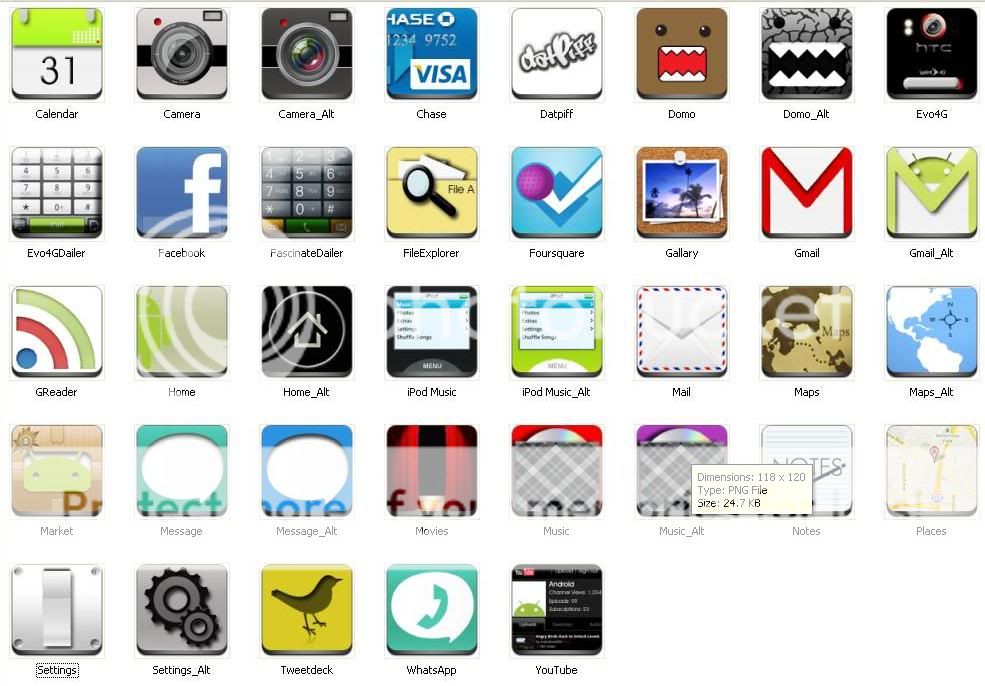
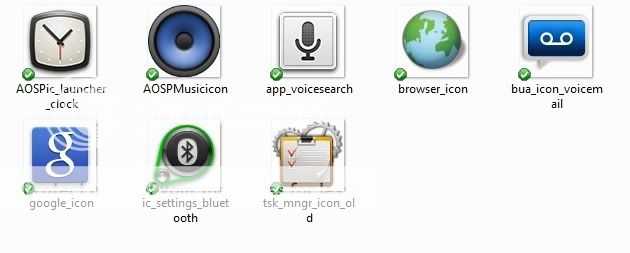
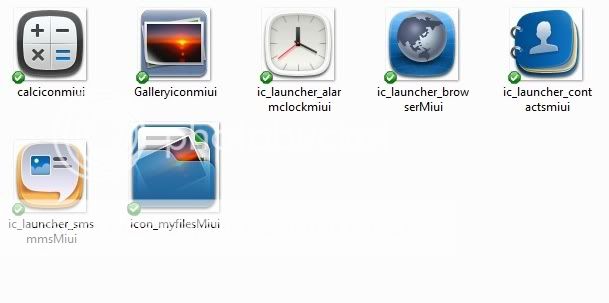
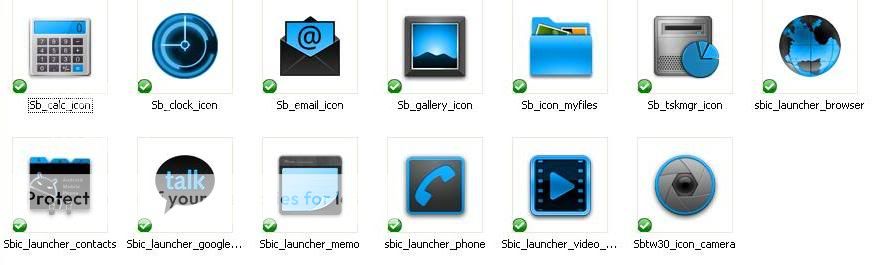
Post #9- Changing out Icons
Post #10 - Boot and Shutdown Sounds
Post #11 - Live Wallpapers [How to Make them] - in process
Post #12 - Links to Clockwork Mod Recoveries (old and new)
More Resources:
Samsung Fascinate Tools and quick links - DroidXcon
[GUIDE] Fascinate Beginners rooting - Must read for starting out.
[Odin] Froyo leaked packaged custom ROMs w/root and clockwork
[How to] Install and Use Clockworkmod Recovery w/Screen captures
[How To] Use Voodoo kernels
[How To] [Discussion] Improve Battery Life
[Guide] Apps that are safe to remove once rootedLast edited by JaeKar99; 10-24-2011 at 07:11 AM. Reason: Fixing/changing things
Confucius: “Never use a cannon to kill a fly.” - Take off and nuke it from orbit.. ~~^^~~Thanked by 45:+ Show/Hide list of the thanked -
aerichards1977, rgm1266, bigjobber69, Bond32, bsgmax, bubbadogg14, chopper73, ckrenek23, curley1441, donnie02, dwitherell, FearTheGhost13, goomacher, Jazz84, JeremytheIndian, jlk_250, JOrtenzi, jpr122955, Landshark, Les3631, marinedaddy#ac, MegaSoundwave76, Mellen_hed, mudbutt13, Phattmatt68, phommk, putney1477, rion_j, Robtao, rrainz, SAHARAT, schu9120, Sheepdog Elite, SirValtam, soondolee, spinwizard, Tr4ck3rx, triddirt, txarsoncop, vjoaquin, weygandttw, whip357, Ytaay
- 03-20-2011, 03:13 PM
Thread Author #2
Theme Principles and Instructions for Installation~ Updated: 5/29/11
Theme Install Instructions:
General principles & Instructions:
1. Make certain the theme you have chosen is developed for the ROM you are currently running. Theme makers will design themes with specific ROMs in mind for proper fit and function. ROM examples: , , , , , , Superclean 2.x, etc. Flashing a theme on an incompatible ROM can (will) cause some rather disastrous outcomes. I try to make sure that all this information is specified on the download page – if it is not there click the link in the developer name. This will take you to the developer page and there will be more details.
If you are just starting out and need clarification on flashing or CWM Sheepdog Elite - has put together a fantastic thread to help. -> link - Most recent CWM Recoveries are listed here
Download and Installation Instructions:
1. Once you have established your ROM you have and the theme you want match up. Ensure that you have either the red or orange CWM depending on what is asked for by the theme maker (red should work well for the time being). Download that theme to your computer.
2. Then attach your phone via the usb cable and connect usb storage via the phone.
3. Copy the downloaded theme zip file to your sdcard.
4. When the copy is completely loaded to the phone disconnect and boot into recovery.
5. Back up your current ROM… This may be necessary for restoration given the phone does not boot properly (or at all) after installation of the theme.
6. Once back up is complete you may choose to clear your cache partition and/or the Dalvik cache. There are some who choose not to do this step and have not suffered any unpleasant outcomes.. (and others have their phones become bricks).. It is at your discretion. However, it is recommended by many theme builders.
7. Once you choose to clear cache (or not) – navigate to install zip from sdcard.
8. Navigate to the location where you saved the theme zip file on your sdcard.
9. Install the zip.
10. If you get the error “script not supported or outdated” the theme is using the older Amend script and you are using the newer CWM orange – you need to boot into CWM red to get the theme to apply.
11. Once the file has installed return to the main menu and reboot phone. It will take about 2-4 minutes to reboot be patient.
Flashing Theme over Theme: - Updated
This action is typically not a problem. Please keep in mind there are some theme developers that will theme a few applications or just a few parts of the ROM (shallow theming), and there are some who will theme almost all aspects of the ROM and will add custom animations and transitions (deep theming).
The more involved (deeper) themes will be larger in size (85 megabytes vs. 33 megabytes) and the developer will have usually a list of apps that they have modded on their development thread ( please check developer name for link). If you are considering a theme flash that is going to apply a shallow theme over a deep theme you will likely get remnants of the deep theme. Multiple flashes of the lesser theme will not remove these artifacts.
To fully remove all the artifacts you will need to clear your caches (dalvik and cache partition) and re-flash your base ROM to replace all the applications, framework files, and other themed components. Let your base ROM fully reboot and install before you flash the theme - if you do not; you will encounter a bootloop requiring a battery pull and you will have to start over by entering CWM by (power+vol up+ vol down) then reflash your base ROM again, and let it completely reboot. Boot into recovery then install the theme of your choice. If you are going to put a deeper theme over a shallower theme you should experience no issues of artifacts or remnants.
Some Cautions:
Some users (me) have experienced odd behavior from the phone after flashing many (3+) themes consecutively. These side effects are: phone contacts self-delete and force close when you try to access them. Best case scenario: Flash a new theme.. Worst case scenario: This will require a D-cache wipe and base ROM re-flash. This does not appear to be as frequent now that ED01 is now released, the new CWM 3-30, and many more are out.. Please post if you continue to have these issues.
Always keep in mind there is a way out if things get really bad. – Please read and review this thread: Samsung Fascinate Rooting, EB01, Return to Stock, Remove System Apps, Other How-ToLast edited by JaeKar99; 05-29-2011 at 08:32 AM. Reason: Adding in details
Confucius: “Never use a cannon to kill a fly.” - Take off and nuke it from orbit.. ~~^^~~Thanked by 32:+ Show/Hide list of the thanked -
aerichards1977, bigcez74, Bond32, bubbadogg14, curley1441, decaydance99, donnie02, drbg781, anub, esrakes24, fandango#ac, FearTheGhost13, goomacher, hostmatty, iarehelopilot, ITF36059, JeremytheIndian, jtpariz, Landshark, mikethemedic, mjt1265, mudbutt13, papa54, Phattmatt68, phommk, rion_j, wanderer82680, schu9120, Sheepdog Elite, Tr4ck3rx, vjoaquin
- 03-20-2011, 03:14 PM
Thread Author #3
Theme Links - Updated Daily.
Warning: Upating to CommROM 2.1 will clear some of your theme elements.. All themes that are listed here for CommROM 2.0 will NOT work on CommROM 2.1 (expect boot loops)..
2.3 Themes
TSM Resurection Black Alien -
-||
TSM Resurection Pinkie -
- ||
TSM Resurection Blue Midnight -
- ||
2.2 (Froyo) Themes: –(Arranged by Developer name)
notta:
ED05-Powerwash -Port Inspired NeonBT WIP - - Updated: 9/15/11
- - || Must see Developer page for download links and install instructions.
Bigloof:
ED05 [Powerwashed Only] Midnight / Steel Blue -
- - ||
kenesis:
ED01 ComROM ~ 2.0 *Transparent-Myst * - - Link updated: 6/15/11
- - ||
makav3ll1 (aka TheMuffStuff):
ED01 Miui Inspired TMS (Evil Fascination only) -
- - ||
ED01 ComROM ~ 2.0/EF 3.6Fascinating Charge 2.0 - - Updated: 6/03/11]
- - || - ||-
ED01 ComROM ~ 2.0 - Fascinating Xperience 2.0 - - Updated: 6/4/11
- - ||
ED01 Evil Fascination ~ 3.6 BlurWiz v2.0 - - Updated: 7/22/11
- - ||
ED01 CommROM LgWiz 1.0 -
- - ||
thefunkbot:
ED01 Community Rom~2.1 TouchWiz4 v3.0 - - Updated: 6/22/11
- - || - TouchWhiz status bar -||- - black status bar
ED01 Community ROM~ 2.1 Crysis Revolution v4.0 - Updated: 6/20/11
- - || Downloads: -||-
gunnermike53:
ED01 Comm ROM~ 2.1 Yellow Version 1.0 - gunnermike53 - New
- - ||
ED01 Comm ROM~ 2.1Pinkie Version 1.0 - gunnermike53 - New
- - ||
ED01 Comm ROM 2.0Glowing Blue Style 4.0 -
- - ||
ED01 Comm ROM 2.0 White Chrome v3.0 -
- - ||
ED01 CommROM~ 2.0 Fascinate Detox 2.0 (port) - gunnermike53 - Updated: 6/05/11
- - ||
ED01 Community ROM~ 2.1 GM53 DiddyRemix Version 2.2 - gunnermike53 - Edify- CWM 3.0 only- Updated: 6/24/11
- - ||
ED01 Community ROM~ 2.1 Black Alien Version ~ v 4.1 - gunnermike53 - Updated: 6/23/11
- - ||
ED01 Community ROM~ 2.0 Red Volt v 3.0 - - Updated: 6/09/11 - Errors Corrected Framework folder
- - || Downloads: -||-
ED01 Community ROM~ 2.0 Blue Midnight v3.0 - gunnermike53 - Updated: 6/03/11
- - ||
jspidah:
ED01 Community ROM~ Minimalist Stock or Acc Batt - Newest CWM 3.0.2.8.x.ti
- - || Downloads: -||-
sunder74:
ED01 CommROM ~ 2.0 Fascinate_EnV - - - Updated 6/13/11
- - ||
nitsuj17:
ED01 CommROM ~2.0 - Sense Enhanced V4.1 - - Updated 6/14/11
- - || -||- (new pulldown icons)
MIUIwiz 1.0 ONLY GingerWiz V1 -
- - ||
Updated 5.16 Miuiwiz beta test available...in rom form -
- - || - - - - - link to icons page.
nitroglycerine33:
~~ ED01Nitro Honeycomb v4.3!! - Updated: 5/31/11
- || -
GrainOsand:
ED01 CommROM ~ 2.1 HighVoltage_Renergized_V2.0(TW4 Launcher) - - Updated 7/11/11
- - || - Updated with Pandora and GVoice
ED01 CommROM ~ 2.1 TeamCarbon/BigLoofs_STEEL BLUE V3.1 - - Updated: 6/25/11
- - || (Theme will overwrite Swype Beta)
Theming Addons:
[HOW TO] Changing out themed Swype - Lttlwing16
Please see link in developer name for instructions and downloads.
Older Themes Moved Here
AOSP and Kaosinate ROMs & Themes moved to Post #3 -> here
Boot Animations & Shutdown Animations have moved to -> HereLast edited by JaeKar99; 10-25-2011 at 06:16 AM. Reason: Adding/Updating Theme Links: 10/25/11
Confucius: “Never use a cannon to kill a fly.” - Take off and nuke it from orbit.. ~~^^~~Thanked by 28:+ Show/Hide list of the thanked -
aerichards1977, Bond32, Brettdacosta, bubbadogg14, curley, curley1441, decaydance99, donnie02, drbg781, anub, esrakes24, FearTheGhost13, gunnermike53, JeremytheIndian, JOhnGalt1975, Landshark, mjt1265, mudbutt13, Phattmatt68, phommk, rion_j, wanderer82680, schu9120, Sheepdog Elite, squatch81, Tr4ck3rx, vjoaquin
- 03-20-2011, 03:14 PM
Thread Author #4
Current 2.2 & 2.3 ROMs, Kernels & Radios
2.3 (Gingerbread) ROMs
EH03 Full Verizon ROM -
Now with a SuperClean version.
Fully Bloated and Binged... not rooted.. See link in dev name for downloads, and install instructions.
EI20 GeeWiz 2.0 *BETA* EI20 TouchWiz Debloated -
Initial Release - see links, instructions and install via the dev link..
Vicious-MIUI-FascinateMTD-1.10.7 -
Initial Release - see links, instructions and install via the dev link..
EI20 TSM Resurrection 1.0 (touchwiz4/tsm parts) -
IFollow UP Release - see links, instructions and install via the dev link..
EH09 based 2.3. PWGB v2.0b2 TW-Based - - Updated
Please see link for instructions, downloads and known bugs.
TSM Pool Party 1.4 (MTD) -
Please see link in developer name to obtain links and install instructions.
Biffmod Fascinate v1.3 - 2.3.5 AOSPish -
Please see link in developer name to obtain links and install instructions.
MTD Vanilla Gingerbread v7 -
Please see link in developer name for download, install instructions. V2 Now available via ROM Manager - yes it works with MTD ROMS - Updated: 8/30/11
EC09 ComRom GB 0.1 (ugb) *initial release* - nitsuj17
Please see link in developer name for download, install instructions and WARNINGS. Updated patches: 7/13/11
[ODIN][Released by p3droid] Leaked Gingerbread EC09 Full Stock package - DroidXcon
It appears that Ginger-Break v1.2 will root this version -
EC09 NAMELESS v4.1 - based on EC09 Gingerbread Leak - - Updated: 4/21/11
- Must see OP for instructions and install.
EC09 TechnoROM v1 test [based off of NAMELESS] -
- Must review OP link in developer name for installation instructions.
CyanogenMod 7. Build 11 - - 7/17/11 -
Please see instructions for download and install on the developer page (name link). Final Working Build!!
{AOSP}{Custom Gingerbread}OMFGB 1.3.0 Nightlies -
Please see instructions for download and install on the developer page (name link).
[ROM] MIUI FascinateMTD 1.7.22 -
Please see instructions for download and install on the developer page (name link).
2.2 Roms
[ODIN][CWM]ED01 Stock ROM/Kernel/Recovery -
Offering an update for those who need a quick way back to ED01.. see link in dev name for downloads and options.
ED05 "GeeWhiz" v.1 TouchWiz Debloated - - Updated 8-19-11
Please see developer link in name for installation, downloads and instructions.
ED05 - Powerwashed (Final) and Debloated Touchwiz ED05 ROM - - Updated: patched to v 1.1
Voodoo version of ED05 - see links in developer post for downloads and install instructions.
ED05 - VzW full factory froyo restore with radio and kernel -
This is a 7zip file. you will need to download - unzip (extract) then flash the file in ODIN.
This file also contains the Samsung drivers.
ED01 CommROM v2.1 (patch update) - - Please see download link (developer name for install instructions. - Updated: 6/20/11
This ROM requires: Full data wipe, Dalvik wipe, cache wipe.. prior to install to avoid possible issues.
- No wipe needed. Must be flashed over CommROM 2.0
Full Roms w/ Kernels:
- Script corrected. 6/4/11
md5: 1092A4F02F668521D633670A80BA127C
(many phones cannot run this kernel)
md5: 369579739FF3CA10144300B78BFBCC9C
md5: 5118f303b7b32c080c1a7331ca34b936
Full Roms (no kernel)
md5: 6e982ed5c98f25383fc80ce1fd48bc6d
[ED01] MIUIWiz - 1.1 - - Updated: 6/07/11
This is a themed ROM.. - - | | Download and install directions -> Please seek link in developer name.
[ROM] [CM7] [GINGERBREAD] Kaoscinate V7.0. - -
Must read the install instructions on the developer OP.. There are still errors and FCs must read and follow instructions.
ED01 Evil Fascination Version 3.6 ROM - - Updated: 5/26/11
See link in developer name.. for download and install instructions.
ED01 Community ROM (aka Kangbang) - Adrynalyne - Updated: 5/07/11
- Instructions on developer OP... Voodoo ONLY - Please validate that the size of the download - getting errors from this download site.
-||- TouchWhiz Calendar notifications may cause FC issues - -||- (requires CommROM 1.0) -|||- Does not require 1.0:
ED01 Stock - Rooted/ED01 Debloated/Debinged - Adrynalyne
(does not have Radio, CMR, or kernel) || More Debloated and DE-Binged : - Not fully tested (does not have Radio, CMW, or Kernel)
Get to ED01 (Official Froyo) Quickly - See Post in developer link - Adrynalyne
Gingerbread Themed Aosp (full ROM) -
- - || Downloads/instructions - See link in developer name.
Flashable Radio/Modems - Updated: 6-09-11
Please read, understand and follow the instructions in the original - >
Updates to ED04
Available Radios: Links -
:
2.3 Kernels:
CM7/MIUI Glitch V12 Beta -1.7GHz OC/UV-Voodoo -
See Developer Link for downloads and install instructions.
[cm7 or miui] OTB (fascinatemtd) -
Please see instructions for download, performance and install on the developer page (name link).
[CM7/MIUI][16/07/11] Glitch V12 Beta -1.7GHz OC/UV-Voodoo-Smooth and fast - - Updated: 8/27/11
Please see instructions for download, performance and install on the developer page (name link).
2.2 Kernels:
ED01 OC UV Voodoo EnderstSpecial Froyo TouchWiz based - - Updated 6-01-11 - (All Overclock warning apply)
- Enderst Special - Undervolted -50mv and Overclocked to 1.2 GHz
- 4/7 Standard voltage - Overclockable
- Test 4/7 Overclockable to 1.2 and 1.3GHz
- OTB (TouchWiz CWM3 Voodoo OC adjustable) - Warning: Must read for install and use! - Updated.
- OTB (Reloaded) - Updated: 4/20/11
- OTB Version 1.2 (CWM 3) installed.
- OTB v 1.3
- OTB v1.4
- OTB v1.5
- OTB v1.6
~~~~~~~~~~~~~~~~~
- Voodoo Only..
~~~~~~~~~~~~~~~~~
ED01 Kernels - PeanutButta Jelly Time - - Updated: 8/08/11
- May Correct Missed Call Issue
EC01 Kernel For TouchWiz -
- Updated 4/16/11
- Updated 4/16/11
EC10 Kernels with (dummy tether module) - Adrynalyne
EB16 Kernels with (dummy tether module)- Adrynalyne
EB01 Kernels:
Needing advice on Voodoo? - check out -> How to Voodoo (gunnermike53)
If you are just starting out and need clarification on flashing or CWM, Sheepdog Elite - has put together a fantastic thread to help. -> link.
Boot Animations Installation Instructions and Links can be found -> here
DL30 Roms and Themes moved -> - Here
DJ05 and DL09 - ROMs Themes and Kernels LinkLast edited by JaeKar99; 11-18-2011 at 03:25 PM. Reason: Updating: 11/16/11
Confucius: “Never use a cannon to kill a fly.” - Take off and nuke it from orbit.. ~~^^~~Thanked by 33:+ Show/Hide list of the thanked -
aerichards1977, bigcez74, bigjobber69, Brettdacosta, briguyy, bubbadogg14, curley, curley1441, decaydance99, donnie02, drinkhere, anub, FearTheGhost13, jeremyroot, JeremytheIndian, JOhnGalt1975, Landshark, mudbutt13, papa54, Phattmatt68, phommk, rion_j, rrainz, wanderer82680, schu9120, semibru, Sheepdog Elite, spinwizard, sushiguy732, Tr4ck3rx, vjoaquin, Ytaay
- 03-20-2011, 03:15 PM
Thread Author #5
AOSP, MIUI, and other MTD Themes, Updated: 9/17/11
Themes for CM7 and AOSP, MIUI, and other MTD builds: - UPDATED: 9-17-11
CM7 Themes List -
Please see thread for links and install instructions.
Pulldown Toggles For JT's Vanilla GB [Build GRJ90 0811] -
||
Cleanest Transparent Gray Vanilla GingerBread 2.3.5 ROM -
- - ||
'MURDER' for JT's Vanilla GingerBread 2.3.5 ROM - - - || Downloads available via developer link.
'BLIZZARD' - for JT's Vanilla GB 2.3.5 rom -
- - || Downloads available via developer link.
BLIZZARD for JT's version 7 Vanilla ROM - REMIXED and TRANSPARENT -
- - || Download available via developer link
Chopper's Mash Up For Vanilla GB [Build GRJ90 V3 080411] -
- - ||
"FUSTER CLUCK" - for JT's 2.3.5 Vanilla GingerBread rom -
- - || Downloads available on the developer pageLast edited by JaeKar99; 09-17-2011 at 09:41 AM.
Confucius: “Never use a cannon to kill a fly.” - Take off and nuke it from orbit.. ~~^^~~Thanked by 12:+ Show/Hide list of the thanked
- 03-20-2011, 03:15 PM
Thread Author #6
Addons, Patches, Apps, and Eye Candy - Updated: 7/09/11
Addons; Patches; and some Eye Candy:
EC09 (2.3) - SB Mods/TSM Parts -
Please see link in developer name for downloads and install instructions. EC09 warnings apply (sdcards may become toast).
Themed Dropbox Icon - Lttlwing16 - This is an .apk file - copy to sdcard and install -
How to Update to Swype 3.0 (beta) -
See instructions in developer link.
Amazon Kindle Apk for use on CommROM if the market version FC's.. - - Install by placing on sdcard and using file explorer to install.
Power to Search Button/Added Camera[All TW blds] -
Please see post in developer name for downloads and install instructions.
EC01 ED01 - Sbrissen Mods / TSM Parts 1.0 - - Updated: 6/08/11
Please see link in developer name for information and install instructions.
Whats included: No Full Batt popup, Reboot options, Clock Options, Acc Batt., 6 Lockscreens, Music controls, AOSP Phone answer,.
Themed Launcher2.apk (CommROM launcher) -
Edify Flashable Zip ->
Car Dock and Amp - Edify Flashable Zip - >
Themed Swype Keyboard -
Currently not fully compatible with CommROM 1.3 see - [HOW TO] Changing out themed Swype.apk
Wallpaper Super Pack (122 Walls) - JaeKar99 - DO NOT flash this zip.. open on computer and transfer to phone.
- A collection of wallpapers from current and defunct themes, Android related, colorful backgrounds, and some odds and ends.. completely family suitable.
Wallpaper Super Pack II (84) More walls - JaeKar99- DO NOT flash this zip.. open on computer and transfer to phone.
- Collection of darker Android images and some cool outside landscapes.. completely family suitable.
Additional Add-ons for ED01 – These are Edify (CWM 3.0.2.7x) -
AOSP Desk Clock - Flashable - - imnuts
ED01 and EC01 SGS2 TW Launcher -
||
Clockwork Mod Recovery v3.x with voodoo- Edify - times_infinity
Downloads: || - Use only if you are planning to start flashing Kernels, ROMs, Themes, and other items that have been labeled as "Edify", "Flash in CWM3" - or "Orange Recovery" - This version does not support Amend Scripts.
EC10 - Froyo TW Samsung *v3.0* DeliveryReports/"Screen On"Notif/SMStoMMS - -
- See info developer links..
300 Flashable Font Packs - Change your system fonts the easy way! -
Must read and follow instructions on the developer page (downloads located there) See link in developer name.
EC01 Battery Mods -
||
Samsung Boot Logo Mod (Not bootanimation, SAMSUNG power on logo) -
Please see link in developer name for installation instructions and image links.
EC10 (Mesmerize ROM) - Nameless_v3 Accurate Battery 3 Apr 2011 **Beta4 -
[Mod] Froyo Samsung Car Cradle (Works With AOSP Player/Pwramp/Pandora/AG) - Adrynalyne
Please see link in Developer name for download links and install instructions.
Collection of TW Mods/Improved TW Experience -
Please see link in developer name for instructions, downloads, and features.
MOD:Settings (Calibration, Stay Awake, DUN) - Adrynalyne
ScreenShots: - - || Downloads: -||-
EB16 v2.0* Froyo TW Samsung-SMS Delivery Reports/"Screen On" Notification/SMS-to-MM - - Updated: 3/3/11
Please read details of fix in the developer name link.
EB01 Experimental Battery-Mod-Automator - Chris3D
New Option - Instructions and details included. See link in developer name.
Getting Hulu to work on Fascinate for Froyo -DroidXcon
Please link in developer name for instructions and downloads. - Updated 2/24/11Last edited by JaeKar99; 09-17-2011 at 09:40 AM. Reason: Adding more resources
Thanked by 17:+ Show/Hide list of the thanked
- 03-20-2011, 03:16 PM
Thread Author #7
Boot Animation Installation Instructions
Boot Animation Installation Methods A & B:
Boot Animation Installation Method A: Flashing in Recovery
Use this method only if instructions read “Flash in Recovery” – if it is not specified you will need to use method B. – If you are not familiar with using Clockwork Mod Recovery please see this review: [How to] Install and Use Clockworkmod Recovery w/Screen captures (DroidXcon)
1. Boot into recovery. – CWMRed will likely be required due to the age of the boot animation and that the script has not been updated.
2. Note these files are rarely named “bootanimation.zip” they are typically named to indicate the name of boot animation by the developer.
3. Select install .zip from sdcard then choose zip from sdcard.
4. Select “yes”. Note if it does not flash or gets hung up it is a zip file that is not developed to be flashed. You will need to use Method B.
Boot Animation Installation Method B: Manually replacing the bootanimation.zip (intermediate)
1. Download and copy the “bootanimation.zip” file to your sdcard. – If the file you downloaded is not labeled bootanimation.zip the kernel will not recognize it and it will not play when the phone is booted. Renaming to “bootanimation.zip” is easier on the computer and you may want to do that renaming before coping to sdcard.
2. You will need a file manager with super user permissions and rights. There is a couple on the market – Root Explorer or Super User. Must ensure that R/W is enabled. I am using Root Explorer in these images.
3. In the file manager navigate to the system/media folder (root of the phone) you will see a file named “bootanimation.zip”. Rename it “bootanimation.zip.old”. Or delete it. You can always re-flash the base ROM.

4. Using your file manager navigate to your sdcard and find the bootanimation.zip file and copy it..

5. Navigate back to your system/media folder on the root of the phone and paste the file. You should see the file in the directory. If the file manager did not copy the file.. you do not have the file manager set up for r/w capabilities.

6. Once you have the file in that location you should see your new boot animation when you restart your phone.
7. Restart your phone. You may need to restart twice for the animation to work.
You now have a new boot animation installed.
Overlapping Boot Animations (explanation and fix):
1. When looking into the folders in the root of the phone: the stock boot animation file will be a single qmp file, labeled "bootani.qmp". A custom boot animation will be labeled "bootanimation.zip" - There are also reports of files named: bootsamsung.qmg and bootsamsungloop.qmp that willl also overlap.
2. When flashing or installing kernels that are looking for either of these two files if both are present you will see two different boot animations.. they will overlap each other. If both are missing you will get a sideways "Android" text page during boot because the kernel is looking for a boot animation file and cannot locate it.
3. (the fix) If you have this event take place do the following to correct it: 1. Delete the bootani.qmp file in system/media, & 2. Install a custom bootanimation.zip file, installing it to that location.
How to change a Shutdown Animation: (Very Basic): More details pending
1. Unless it specifies (Flash in Recovery) Shutdown animations must be copied/moved or pushed to the phone into the correct directory.
2. Info: These (zip) files contain a series of image files 'png' and they are numbered sequentially what gets played fist -> last.. you can unzip the shutdown.zip file(usually another folder labeled 'Shutdown) and copy all the contents or that folder directly to that folder in the "system/media/video/shutdown" on the phone.
Replacing the old folder with the new folder and contents.. Keep in mind that many ROMS and Themes do NOT have shutdowns and this folder may not exist and you will be required to make this folder and copy the shutdown into it..
Keep in mind if you look inside a Theme or ROM and you find the folder structure system/media/video/shutdown that ROM/Theme does have a shutdown - and you can extract it, remove it, or replace it with the one you want.Last edited by JaeKar99; 05-03-2011 at 12:05 PM.
Confucius: “Never use a cannon to kill a fly.” - Take off and nuke it from orbit.. ~~^^~~Thanked by 14:+ Show/Hide list of the thanked
- 03-20-2011, 03:16 PM
Thread Author #8
Boot and Shutdown Animation Links. Update:~~ 10/07/11~~
Boot Animations:
MIUI (mtz) - Import via theme manager/engine from sdcard. New: Still image previews should now be available.
Ice Cream Sandwich (Nexus Prime Boot) - ported by JaeKar99
|| || ||
Liquid Honeycomb - JaeKar99 – New
|| || ||
Blue Hole (like Black Hole) – JaeKar99 – New
|| || ||
Blu Plazma II – JaeKar99 – New
|| || ||
Flyin Vs – JaeKar99 – JaeKar99 – New
|| || ||
Pool Party (mtd only) – JaeKar99 – New
||
Quake – JaeKar99 – New
|| || ||
Resonance – JaeKar99 – New
|| || ||
Simpsons Kanged – JaeKar99 – New
|| || ||
Speedo II – JaeKar99 – New
|| || ||
Andromeda - JaeKar99
|| || ||
Blue Hallway - JaeKar99
|| || ||
Bubbles - JaeKar99
|| || ||
Glass Rings - JaeKar99
|| || ||
Countdown~2~Droid - JaeKar99 - End loops with spinning Droid.
|| || ||
Colour DNA Boot Animation - JaeKar99
|| || ||
Pyral - JaeKar99
|| || ||
MachinAzul - JaeKar99
|| || ||
Red Hex Tunnel - JaeKar99
|| ||
M-FraClock - JaeKar99
|| ||
Red Binary Boot Animation - JaeKar99 - New
|| ||
Warp Vortex Boot Animation - JaeKar99 - New
|| ||
Molecules Boot Animation - JaeKar99 - New
|| ||
Red Vortex Boot Animation - JaeKar99 - New
|| ||
Jolly Roger Boot Animation - JaeKar99 - New
|| |
Android Blues Boot Animation - JaeKar99 ~~ CM7 install only
||
Clock Gears III Boot Animation - JaeKar99 - new
|| - Flash in Any CWM
Dolby Countdown Boot Animation - JaeKar99 - new
|| - Flash in Any CWM ||
Dolby in the Dark Boot Animation - JaeKar99 - New
|| - Flash in any CWM [] ||
Honey Bee (Honeycomb Boot Versions): (these boots are designed for a different device but have been formated to center on the fascinate)..
Honey Bee Blue Boot Animation -
|| - Flash in Any CWM
Honey Bee Green Boot Animation -
|| - Flash in Any CWM
Honey Bee Red Boot Animation -
|| - Flash in Any CWM
Fourth of July Android America Boot Animation – JaeKar99
|| – Flash in any CWM
Android + Linux Boot Animation – JaeKar99
|| – Flash in any CWM
Purple Hazze Boot Animation – JaeKar99
|| – Flash in any CWM
Hyper Space Loading Boot Animation – JaeKar99
|| – Flash in any CWM
Blue Droid Eye Boot Animation - GrainOsand did the color mod, I assembled.
|| - Flash in any CWM
Electric Blue Honeycomb - GrainOsand did the color mod, I assembled.
|| - Flash in any CWM
Flaming Blue Skull Boot Animation (by request Color Mod) - JaeKar99
|| - Flash in any CWM
Bubble Pop - Boot Animation (HD) {very large file size} - JaeKar99 - New
|| - Flash in any CWM
Alice Through the Looking Glass - Boot Animation (HD) {large file size} - JaeKar99 - New
|| - Flash in any CWM
Ring Dream (Blue) - Boot Animation (HD) - JaeKar99 - New
|| - Flash in any CWM
Elegant Android Boot Animation - Jaekear99
|| - Flash in any CWM
Generation X - Boot Animation - - Optimized and repacked by JaeKar99
|| - Flash in any CWM
Modern Warfare 3 Boot Animation - Cred: - Repacked and resized for the Fascinate.
|| - Flash in any CWM
Tool Band Tribute Boot Animation - JaeKar99 - New
|| - Flash in any CWM
AeNomloy (odd energy shape) Boot Animation - JaeKar99 - New
|| - Flash in any CWM
EMS Tribute Boot Animations (as per request) but not downloaded - JaeKar99
#1 - || - Landscape Display
#2 - || - Portrait Display
Modified Dinc Boot Animation - JaeKar99 - new
|| - Flash in any CWM
Scrolling Lines of Code Boot Animation - JaeKar99 - new
|| - Flash in any CWM
Blooming Rose Boot Animation - JaeKar99 - new
|| - Flash in any CWM
Popping Bubble Boot Animation - JaeKar99 - new
|| - Flash in any CWM
Ghost of Havoc Boot Animation- JaeKar99 - new
|| - Flash in CWM 2.x or 3.x
Android vs Apple III - Boot Animation- JaeKar99 - new
|| - Flash in CWM 2.x or 3.x (new upload - suspected corruption in the file)
Boot-y - Boot Animation (done as a joke) - JaeKar99 - new very limited release
|| - Flash in CWM 2.x or 3.x
Android Crumble Boot Animation - - New
|| ||
Google Shudown Animation (with sound) - from CommROM - repacked..
||
Galaxy S BIOS - Boot Animation - JaeKar99
|| - Flash in CWM 2.x or 3.x ||
Android Zapps Apple (side on) Boot Animaton - JaeKar99 (per request)
|| - Flash in CWM 3.x or
Bubble Android Boot Animation - JaeKar99
|| - Flash in CWM 3.x or 2.x
Liquid Havoc II Boot Animation(next installment in the Havoc family) - JaeKar99
|| - Flash in CWM 3.x or 2.x
Hairy Havoc Boot Animation (saga continues) - JaeKar99
|| - Flash in CWM 3.x or 2.x
Final Havoc Boot Animation (the end - Fixed) - JaeKar99
|| - Flash in CWM 3.x or 2.x
Liquid Havoc (Wild Cousin to Blue Havoc) - JaeKar99- re-edited to improve video flow
|| - Flash in CWM 2.x or 3.x
Blue Cross Boot Animation IV - JaeKar99
|| - Flash in CWM 3.x or 2.x
Trapcode Boot Animation - JaeKar99
| - Flash in CWM 3.x or 2.x
Pacman Boot Animation - Davey11 - Cred: Androidman
|| - Flash in CWM
Flaming Skull Boot Animation - JaeKar99 - New
|| - Flash in CWM 2.x -||- - Flash in CWM 3.x
Zombies in the graveyard: 2 kinds - Repack by JaeKar99.. newish
On a Black Background: || - Flash in CWM 2.x -|| - Flash in CWM 3.x
On a White Background: || - Flash in CWM 2.x -|| - Flash in CWM 3.x
Nexus 1 Boot Animation - Reloaded - Thanks fits the fascinate better..
|| - Flash in CWM 2.x -|| - Flash in CWM3.x
Shutdowns from the Epic 4G [Port] - Ported by davey11 - Updated to 3.x - Thanks again davey11
-|| - Flash in CWM
-|| - Flash in CWM
-|| - Flash in CWM
-|| - Flash in CWM
VRays Boot Animation - JaeKar99 - New
|| - Flash in CWM 2.x -||- - Flash in CWM 3.x
Magic Red Orb Boot Animation (HD) - JaeKar99 - New
|| - Flash in CWM 2.x -||- - Flash in CWM 3.x
The One - Ring Boot Animation - JaeKar99 - New
|| - Flash in CWM 2.x -||- - Flash in CWM 3.x
String Energy Boot Animation - (HD) - JaeKar99 - New
|| - Flash in CWM 2.x -|| - - Flash in CWM 3.x
Sci-Fi Android Boot Animation - JaeKar99
|| - Flash in CWM2.x -||- - Flash in CWM3.x
Android "BIOS" - Fascinate specific/custom! - - Made Flashable by davey11
|| Downloads: -|| - ||
Blue Havoc (blue midnight theme - without tags) - JaeKar99
|| - Flash in CWM2.x -||- - Flash in CWM 3.x
Fascinating Vortex - JaeKar99
|| - Flash in CWM2.x -||- - Flash in CWM3.x
Golden-Gears - Jaekar99
|| - e- Flash in CWM2.x -||- - Flash in CWM3.x
Butterflies II - Looped - JaeKar99 - Updated 4/13/11
|| - Flash in CWM2.x -||- - Flash in CWM3.x
Android peeing on Apple Boot Animation - JaeKar99
|| - Flash in CWM2.x -||- - Flash in CWM3.x
Bokeh Loop - Sense Like boot animation - JaeKar99
|| - Flash in CWM2.x -||- - Flash in CWM3.x
Red Flare - Very Basic Boot Animation - JaeKar99
|| - Flash in CWM2.x -||- - Flash in CWM3.x
Android Vs Apple Lol - Funny - Odd -
|| - Flash in CWM2.x -||- - Flash in CWM3.x
Boot Helix Multiple Colors - [Port] Fascinate Logo installed -
(minus logo) || - Flash in CWM
- Flash in CWM
3D CM7BootAnimation Any fascinate rom -
||
Blue Helix - [Port] Epic 4G -
|| - Flash in CWM
Red Helix - [Port] Epic 4G -
|| - Flash in CWM
Green Helix - [Port] Epic 4G -
|| - Flash in CWM
Fuchia Boot - [Port] Epic 4G -
|| - Flash in CWM
Alien Head Blue - Goes with the Black Alien Theme (minus the gunnermike tag) - JaeKar99
[COLOR="DarkRed"]- Flash in CWM2.x -||- - Flash in CWM3.x
Alien Head Orange - Black Alien Theme (tag free) - JaeKar99
|| - Flash in CWM2.x -||- - Flash in CWM3.x
Butterflies (for the ladies) - JaeKar99
|| - Flash in CWM2.x -|| - Flash in CWM3.x
Call Of Android - COA -
|| - Flash in CWM2.x -||-- Flash in CWM3.x
New - from the Mesmerize forums:
Pink Circles: ||
Love (bees/hearts): ||
Chrome: ||
Nexus Boot: ||
Thumbprint of God - JaeKar99
-
- Loops and extends - Flash in CWM - Updated: 4/13/11
Laser Andriod Engraver - - Mod by JaeKar99
|| - Flash in CWM2.x -||- - Flash in CWM3.x ||
SuperClean 2.x - Electric Purple Honeycomb
|| - Flash in CWM2.x -||- - Flash in CWM3.x
Scrolling Numbers -
-
Nitrovivid Boot Animation - Galaxy S version
Windows Boot Animation for WP7 Revolution (Windows Phone) -
3D Blue Bumblebee (honeycomb)
|
MS Windows Boot:
|- Install via Recovery
Call of Android Boot animation -
| - Use Copy Method
Midnight V1.2 Boot Animation (requested)
No Preview Available |
Aperture Science Boot Animation - (Flash in Recovery) - Fascinate Specific.
|
Screaming Driod 2.2 Boot Animations -
| | Cyanogen
| | Unbranded
Halo Reach - Auntie Dot
|
Android - Alien Boot Animation
|
Carbon Fiber Boot Animation
|
Boot Animation - BIOS (Flash in Recovery)
|
Thumb Print Analyzer Boot Animation(Flash in Recovery)
- Flash in Any CWM
Haters Gonna Hate Boot Animation
|
Android Scribble v2 Boot Animations- Lots of versions: (this works well on Fascinate)
Cyanogen-Mod: |
Pink: |
Red: |
Yellow: |
Green: |
Scribble Shutdown Animations (no preview yet)
(Flash in Recovery)
Android scribble w/yellow color burst |
Android scribble w/no color burst |
Android scribble w/green color burst |
R2D2 Boot Animation
Android beating Apple with Bat Boot Animation (Flash in Recovery)
|
Matrix Falling Character Boot Animations (multiple colors)
|
|
|
-
Cyborg Boot Animation
| Download:
Decepticon Boot Animation
Preview Video -
Download:
Boing by Qteknology
Download:
SackBoy Boot Animation[/B]
Download:
Metropolis by Qteknology Boot Animation
Download:
Green Rage Boot Animation(Red Rage recolored by thenestor)
Download
Download:
Nexus 1 Boot Animation
Nexus
The Droids Boot Animations
| AndroidGlow1
| AndroidGlow2
| AndroidMinimal1 Green
| no Preview AndroidMinimal1 Blue
| AndroidParticles1 Green
| no Preview AndroidParticles1 Blue
AndroidParticles2
Stock Boot Animation (for those who must have it)
Galaxy S Shutdown Animation -Last edited by JaeKar99; 10-09-2011 at 04:11 PM. Reason: Updating.. boots
Confucius: “Never use a cannon to kill a fly.” - Take off and nuke it from orbit.. ~~^^~~Thanked by 18:+ Show/Hide list of the thanked
- 03-20-2011, 03:17 PM
Thread Author #9
Updated: Icon Replacment - Updated: 5-16-11
Changing Icons in Launcher Pro: - Thanks Lttlwing16
- Download the icon or icon folder to the sd card
- Check the gallery and ensure the icon can be found (if not, move the icon using file manager to a folder that exists in the gallery, i.e. Photos, or create a folder named Icons)
- Long Press on the Home screen you would like the shortcut to appear.
- Select 'Shortcuts' from pop up-menu
- Select applications
- Select application you are trying to create a shortcut for (music, mms, calc etc)
- It should bring up an EDIT SHORTCUT , and an option to change the name/icon
- Press the icon to change it.
- Select the folder in the gallery containing the icon you want and select the corresponding icon
- Select OK
- Move the shortcut wherever you want it.
Disclaimer:Lttlwing16 or JaeKar99 DO NOT claim any credit for producing these icons. We have simply extracted them from ROMs and Themes so that they may be used across any set up with Launcher Pro. If you want to thank someone for them, PLEASE thank those who themed them or produced them. We just picked them and made them available.
Credits:
Unknown Icon Pack - raadius -
Samsung Touchwiz
Superfrankenclean 2.9.2 (AOSP icons) - Adrynalyne
http://forum.androidcentral.com/veri...c10-based.html
Comm Romm/Kangbang (themed AOSP icons)--Adrynalyne/Team Sbrissen
http://forum.androidcentral.com/veri...om-v1-3-a.html
Nitrodark Honeycomb v 4.2.1--nitroglycerine
Touch of Blurv2.9--sunder74
EC01 Miui/Ginger Hybrid (ec01) - nitsuj17
ED01 Community Rom~1.3 TouchWiz4 - thefunkbot
ED01 CommROM ~1.3 TeamCarbon/BigLoofs_STEEL BLUE V1.75 - GrainOsand
Now for the icons:
______________________________________________________________________________________________________________

Download Unknown Icons ->
______________________________________________________________________________________________________________

Download AOSP Icons - >
______________________________________________________________________________________________________________

Download KangBang Icons - >
______________________________________________________________________________________________________________

Download Mui Ginger Hybid Icons - >
______________________________________________________________________________________________________________

Download NitroDark Honeycomb Icons -
______________________________________________________________________________________________________________

Download Steel Blue Icons - >
______________________________________________________________________________________________________________

Download Touch of Blur Icons - >
______________________________________________________________________________________________________________

Download TouchWhiz Icons - >
______________________________________________________________________________________________________________

Download TouchWhiz4 Icons - >
______________________________________________________________________________________________________________Last edited by JaeKar99; 05-16-2011 at 03:02 PM.
Confucius: “Never use a cannon to kill a fly.” - Take off and nuke it from orbit.. ~~^^~~Thanked by 13:+ Show/Hide list of the thanked
- 03-20-2011, 03:17 PM
Thread Author #10
Boot and Shutdown Sounds
Please keep in mind that the current available kernels (DL30, EB01, and EB16) do NOT support sound when playing boot animations - Shutdown sound does work. This will ONLY apply for EA28, DL09 and DJ05 kernels... More detailed instruction sets are coming.
Boot and Shutdown Sound File Placement/Format:
Startup sound:
1) DL a new sound file. There are a lot of sites on the Internet that will provide free access to many sounds. is one of them. Registration is required for download. Downloads are in an .aif format.. That will require a file converter (good to have for shutdowns and other sound file modifications).... I prefer . Not a lot of bells and whistles, but gets the job done. You can use also.
2) Convert to a .wav file. It may need to be renamed to PowerOn.wav. This is done easier on the computer.
3) Put PowerOn.wave on SD card
4) Open Root Explorer or Super Manager
5) Navigate to /system/etc
6) Rename "PowerOn.wav" to "PowerOn.wav.old" (In the case of some custom ROMS there may not be any PowerOn.wav)
7) Navigate to where you placed the DL'ed .wav file on the sdcard
8) Copy
9) Navigate back to /system/etc folder paste
You have now set up your boot animation to have sound effects.
Shutdown sound: -
1) DL a new sound file
2) Convert to .ogg file - rename it 'shutdown.ogg'
3) Put on SD card
4) Open Root Explorer or Super Manager
5) Navigate to /system/media/audio/ui
6) Rename "shutdown.ogg" to "shutdown.ogg.old"
7) Navigate to the DL'ed/renamed 'shutdown.ogg' file - on sd card
8) Copy
9) Navigate back to /system/media/audio/ui and paste
New Link:
piizzadude was fantastic enough to share a long list of shutdown sounds - > Link - Please remember to thank him {button}
You have now set up your phone to have shutdown sounds
Sample wav files for download:
- Android peeing on Apple start up..Last edited by JaeKar99; 05-13-2011 at 08:11 AM.
Confucius: “Never use a cannon to kill a fly.” - Take off and nuke it from orbit.. ~~^^~~Thanked by 13:+ Show/Hide list of the thanked
- 03-20-2011, 03:18 PM
Thread Author #11
Live Wallpapers - Download and Custom Made
Live Wallpapers:
How to make and install... In progress.
Live wallpapers can be assembled from a collection of png files. For the sake of explanation (png) files are graphic image files. They are primarily used for icons, and other images in the Android software. Many of the boot animations that are listed in this thread are composed of sequential png files that are good candidates for the assembly of live wallpapers.
This post is designed to help beginners to learn how graphic files can be assembled and used to help augment the fun and functionality of their phones. If you are not familiar or comfortable with the use of 7zip, WinRAR, paint, and converting file formats. You should avoid taking this project on until you are more familiar. If you do choose to take this on please share your successes with the rest of the forum.
To begin the development of live wallpapers you will need to download -
Note: This is a zipped file and must be extracted to your computer. It is important that you have some prerquisite software installed: Java in ur environmental path (to check go start -> run -> cmd -> "java -jar" - enter
Do u see "command not found" ? if so go to java.com and install it, otherwise ur fine.
Once you have this installed you will need to become familiar first with the naming convention for the png files: they must start with 'n' (ex. n01.png, n02.png.. n23.png.... n300) -You cannot alter this convention. I have opted to use a separate folder to store these image files until I am ready to move them to the assembly folder. If the boot animation has many files that are broken over two subfolders (part0 and part1) you will still need to name them accordingly and then copy them to the correct file. The max number of image files is 300.

If the files are in that you are going to use are in jpg format - they must be converted to png format. I have used paint to do this and will change the name of the file at the same time. There are programs available for converting if you so desire.
Once you have assembled the image files you will need to copy them to the 'placeimages' folder in the main folder of the live wallpaper creator. - Caution: any leftover jpg files will cause issues (white screens) with the wallpaper as it is displayed. (note: there is a pre-installed boot animation in that folder already) - remove or copy out before you start the batch process.
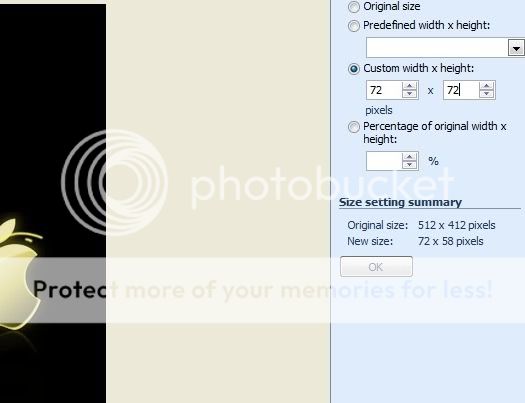
You can add an icon to the apk – this is done by creating or editing a png image file with your choice of image – size must be 72 x 72 to fit in the location correctly. This must be labeled ‘icon.png’ – only.

Copy the ‘icon.png’ file in the “placeimages” folder with the other png image files.
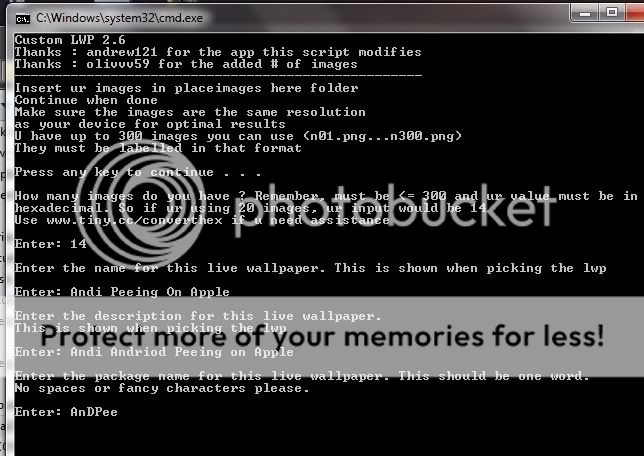
You will need to count the number of ‘n’ files and this will need to be converted to a hexadecimal sum for the installation process… DO NOT count or include the icon file in the count. – This can be done on many online converters here is a .
If you use a number (not hex sum) – you will get a white screen upon your attempts to run the live wallpaper.

Having all the files in the correct location, hex number ready, start your live wallpaper builder..
Take your time to fill in the required fields in the command prompt window. Once you have completed the process you will get the developed live wallpaper apk file…

Copy to your phone’s sdcard then install like any other application. Access through the wallpaper settings and adjust size and frame rates..
It will take some time and practice to find, and adjust png files that are the correct size and definition. Be patient. Expect failures. Don’t give up.
Here are some examples of Boot Animations that have been extrapolated into Live Walls:
- Super Clean Boot Animation
- Nitro's Boot Animation
- Unbranded.
These are .apk files that must be installed via file manager. (copy to sdcard, find with file manager, tap file - install)
Do not flash.Last edited by JaeKar99; 03-25-2011 at 07:23 AM.
Confucius: “Never use a cannon to kill a fly.” - Take off and nuke it from orbit.. ~~^^~~Thanked by 4: - 03-20-2011, 03:18 PM
Thread Author #12
CWM, Nandroid Restore Fix
Newest Recoveries:
times_infinity
- *last updated 5.8 (version 3.0.2.8.x.ti)
jt1134
*last updated 3/30 (version 2.5.1.x) - Append - - -|| -
gizmodroid
(reference for cwr issues) *last updated 4.8.11 (version 2.5.1.x updated)
tonu42
*last updated (version 3.x)
- apend flash only..
Edify version - Will install Busybox and su..Last edited by JaeKar99; 07-09-2011 at 03:26 PM.
Confucius: “Never use a cannon to kill a fly.” - Take off and nuke it from orbit.. ~~^^~~Thanked by 4: - 03-20-2011, 05:42 PM #13
So its been over a week since i've flashed or dld anything........itching big time. Has anyone had any luck with the spb mobile app/theme shark found? I can't seem to get it to install off file manager. "parse error".
My new sig is going to be "any ideas what i'm doing wrong"? - 03-20-2011, 05:45 PM #14
Question about step #5 in post 2.
How do you back up your current rom? I'm on Superclean 2.9.1. Is that when you backup using Titanium Backup or do I need to do something else also? Thanks. - 03-20-2011, 05:46 PM
Thread Author #15
Confucius: “Never use a cannon to kill a fly.” - Take off and nuke it from orbit.. ~~^^~~ - 03-20-2011, 06:09 PM #16
- 03-20-2011, 06:15 PM
Thread Author #17
- 03-20-2011, 06:19 PM
Thread Author #18
Two options: Reflash the base ROM SC 2.8 - Or - If you backed up your ROM prior to the theme flash you can restore that backup..
Word of caution - are getting ready to try out different themes: there is a known issue with trying to restore backups of themed ROMs. There are boot loops and posters get stuck at the boot animation. Always backup your base ROM after a fresh install that you can restore back to when trying out different themes.Confucius: “Never use a cannon to kill a fly.” - Take off and nuke it from orbit.. ~~^^~~ - 03-20-2011, 07:04 PM #19
Ha ha! Thanks for reminding me of one more thing I need to do Jaekar. I forgot when I put my testing off to the side I wanted to see if it was possible to fix permissions through adb while the phone was still in cwm since fix permissions is not working in cwm. That would hopefully alleviate the problem of restoring a nandroid.
Shouldn't we treat this world like the Garden of Eden and avoid the apple at all costs?
Sometimes you go to the circus...........Sometimes the circus comes to you.
Instructions on how to flash ROMs, Kernels, Patches, and Mods through clockworkmod recovery, CWM: DroidXcon's CWM Thread
If you add me on Google+, please list your AC username as a nickname so I know who you are. - 03-20-2011, 08:15 PM
Thread Author #20
Confucius: “Never use a cannon to kill a fly.” - Take off and nuke it from orbit.. ~~^^~~ - 03-20-2011, 08:48 PM #21Shouldn't we treat this world like the Garden of Eden and avoid the apple at all costs?
Sometimes you go to the circus...........Sometimes the circus comes to you.
Instructions on how to flash ROMs, Kernels, Patches, and Mods through clockworkmod recovery, CWM: DroidXcon's CWM Thread
If you add me on Google+, please list your AC username as a nickname so I know who you are. - 03-20-2011, 08:56 PM
Thread Author #22
You do not have to boot into recovery.. Just plug the phone in to the computer and use adb via terminal or by (what I do) - open the MSDOS prompt in the folder where adb lives.. then type:
adb shell
fxpms
that will do it... I will then reboot either by typing (reboot) then enter or unplug the phone and use the power options.Confucius: “Never use a cannon to kill a fly.” - Take off and nuke it from orbit.. ~~^^~~ - 03-20-2011, 10:00 PM #23
- 03-20-2011, 10:06 PM
Thread Author #24
Confucius: “Never use a cannon to kill a fly.” - Take off and nuke it from orbit.. ~~^^~~ - 03-20-2011, 10:15 PM #25
Got it figured out. I was thinking you could only do nandroid backup thru rom manager. Another question: If I end up not liking the theme I installed is the order of getting back to the clean rom i just backed up as follows?
1. Flash EB01 Froyo modem
2. Flash SC 2.9
Would I need to delete anything before I did the above? Thanks for being patient with another newbie!


Reply