System Time Problem

lyingfromyou

Well-known member
May 5, 2011
746
45
28
I recently traveled back and forth between time zones. I have been home for a day now and my system time is still an hour ahead...

I know I can manually set it to Central but how can I get the phone to recognize it automatically again using network settings? I have tried rebooting already..

Thanks
 
I recently traveled back and forth between time zones. I have been home for a day now and my system time is still an hour ahead...

I know I can manually set it to Central but how can I get the phone to recognize it automatically again using network settings? I have tried rebooting already..

Thanks
How about toggling airplane mode on and off ?
 
Just like rebooting my phone, it starts up with the correct time, then jumps an hour ahead a minute later.

Same thing happened with Airplane Mode just now..

I appreciate the advice.

Wonder if it's WiFi related or what..?
 
Just like rebooting my phone, it starts up with the correct time, then jumps an hour ahead a minute later.

Same thing happened with Airplane Mode just now..

I appreciate the advice.

Wonder if it's WiFi related or what..?
It shouldn't be wifi related. When you go into the settings does the time display in eastern time zone? Or is it just in the notification bar at the top
 
Try toggeling between setting time manually and reboot the phone and then after it reboots set it to automatic. See if that fixes it.
 
It shouldn't be wifi related. When you go into the settings does the time display in eastern time zone? Or is it just in the notification bar at the top

If I have it set to Network it doesn't show which Time zone.

When I switch over to manual, it is set to Eastern

Try toggeling between setting time manually and reboot the phone and then after it reboots set it to automatic. See if that fixes it.

So far, so good!

Hopefully it sticks.. Usually would have flipped back ahead by now.

I appreciate it!
 
Do you live near the border between timezones?

No.. Pensacola, FL.

I was in Ohio over the weekend


Try toggeling between setting time manually and reboot the phone and then after it reboots set it to automatic. See if that fixes it.

It has unfortunately jumped back ahead.. No biggie! I appreciate it either way.

I'll just have to leave it on manual.. Just bugs me that it worked before and not now
 
I'd also contact your carrier and see if it's a known issue with them.
 
I promise I'm not making this stuff up..

No matter what I do my time jumps ahead after reboot.

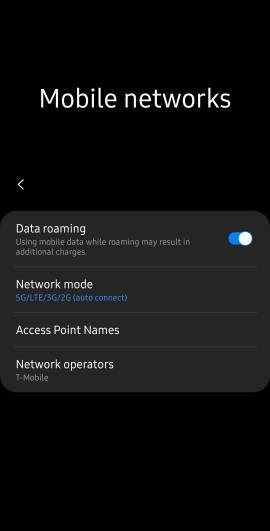
I've reset my network settings to hopefully realign my phone with nearby cell towers assuming it would recognize the correct time zone

Even after I manually set my phone to Central timezone it will revert to network time settings after next reboot. I have also tried the other tips or advice given.

I'm not going to do a factory reset because that's alot of work to fix the time issue I'm having.

I appreciate all the help. If anyone can thing of anything else, I'd be happy to try! Thanks!
 
I promise I'm not making this stuff up..

No matter what I do my time jumps ahead after reboot.

I've reset my network settings to hopefully realign my phone with nearby cell towers assuming it would recognize the correct time zone

Even after I manually set my phone to Central timezone it will revert to network time settings after next reboot. I have also tried the other tips or advice given.

I'm not going to do a factory reset because that's alot of work to fix the time issue I'm having.

I appreciate all the help. If anyone can thing of anything else, I'd be happy to try! Thanks!
Have you tried network reset like mentioned ?
Also go to your APN and choose reset
 

Trending Posts

Members online

Forum statistics

Threads
960,210
Messages
6,981,486
Members
3,164,433
Latest member
mnundy1