Some youtuber, maybe Flossy, had an optimizer button on his edge panel that he could swipe and hit within a second. I am still looking for that panel option if anyone is aware of what they were using.
Some youtuber, maybe Flossy, had an optimizer button on his edge panel that he could swipe and hit within a second. I am still looking for that panel option if anyone is aware of what they were using.
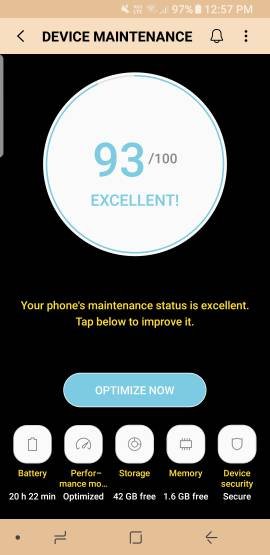
I don't even know what device optimization is. I have no widget for it and can't find it anywhere in the settings on my stock N8 with Verizon. Are you all with a different provider?
That's all I have on my Edge Panel!!! And, I reduced the button size down to about 1/2" and moved it way up near the power button. It activates as soon as you swipe the button because it's the only thing I have! I clear all my open apps at the end of the day, charge the battery and then run the optimize app and put it on the night stand and go to bed! I usually hit it once or twice during the day when I think of it, too!
That's what I thought!! Everybody kept saying to just download it for the edge panel and I don't even have that option on Verizon and never could find it in settings, either. Thought I was going crazy (more than normal) for a second.
Wow that sucks, why would Verizon do that? You might have to download 3rd party if you can't find it in the Galaxy app store. But when you have it you can use Bixby to automate your optimizations with a command.
Because it is usually unnecessary. Everything in there is for making your device run smoother and faster. If you wipe it it will just redo everything you just deleted wasting memory and data. There memory is there too be used, it has 6b gigs to be used. The cache is to load pics and webpages faster.
Wow that sucks, why would Verizon do that? You might have to download 3rd party if you can't find it in the Galaxy app store. But when you have it you can use Bixby to automate your optimizations with a command.





 Facebook
 Twitter
 Instagram