

- Nov 22, 2025
- 1
- 0
- 1
Google Play: NoiseCraft: dB Sound Meter
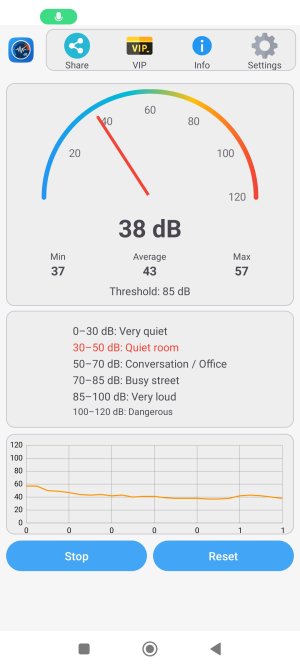
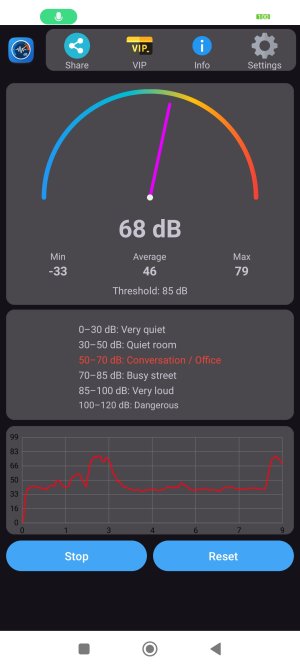
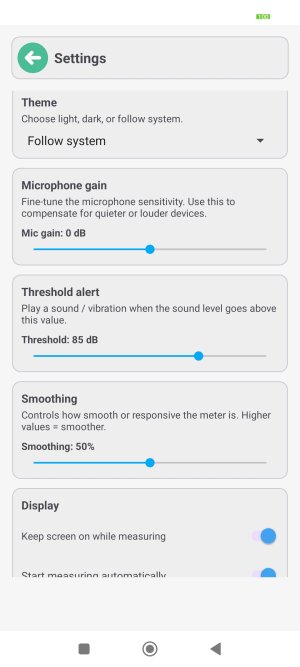
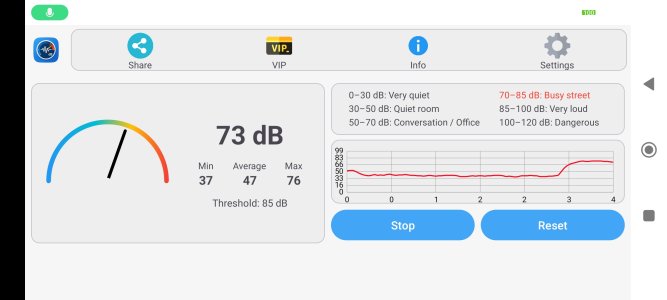
NoiseCraft shows how loud your world really is – from quiet rooms and offices to busy streets, concerts and roaring engines. Watch the arc gauge, follow the history graph, set custom alerts, and tune the app to match your microphone and your ears.
 Real-time dB meter for everyday use
NoiseCraft uses your phone’s microphone to estimate sound level in decibels (dB). It’s perfect for:
* Checking how loud your environment is.
* Comparing traffic noise on different streets
* Monitoring music volume in your car or studio
* Keeping an eye on loud tools, machines or appliances
* Seeing how noisy a café, bar, gym or club really is
Everything is shown in a smooth gauge plus a scrolling graph, so you can see how the sound changes over time.
 Clean gauge with live categories
* Elegant semi-circular gauge that moves like a car speedometer.
* Color gradient from cool blue to hot red as the sound gets louder
* Big, readable current dB display in the center
* Live Min / Avg / Max values so you see how the noise evolves
* Instant noise categories, such as:
---- Very quiet
---- Quiet room
---- Conversation / Office
---- Busy street
---- Very loud
---- Dangerous
The current category is highlighted in color, so you always know where you are on the loudness scale at a glance.
 History graph & acoustic trends
NoiseCraft keeps a time chart of the sound level:
* Smooth line chart of recent dB values
* Adjustable Y-axis range (e.g. focus on 40–100 dB)
* X-axis in seconds, so you see how noise changes over time
* Great for comparing different rooms, windows, doors, or microphones
Perfect for audio enthusiasts, musicians, DJs, podcasters, streamers and acoustics nerds who want more than just a single number.
 Smart noise alerts & thresholds
* Stay in control of loud environments:
* Set your own dB threshold (e.g. 80 dB, 85 dB, 95 dB…)
* When the level goes above the threshold, you can enable:
 Sound alert
 Haptic vibration
Use it to remind yourself to turn the volume down, close a window, move back from a speaker, or take a break from the noise.
 Fine-tune your microphone & smoothing
Not all microphones are the same – so NoiseCraft lets you calibrate and smooth:
* Mic gain slider (–10 dB to +10 dB) to adapt to your device
* Smoothing slider to choose between ultra-responsive or calmer readings
* Optional calibration offset, so you can match another meter or your own reference
This makes NoiseCraft more useful for relative measurements (before/after, here/there, this setup vs that setup).
 Themes & customization for audio geeks
Make the app match your style and your setup:
* Light, Dark, or System theme
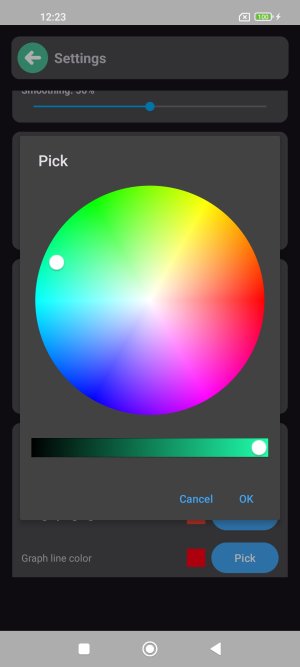
* Choose your needle color for the gauge
* Choose your category highlight color
* Choose your graph line color
Whether you’re using NoiseCraft on a phone, tablet or in landscape mode on a stand, the layout adapts for a clear, studio-style dashboard look.
 Share your sound snapshots
Want to show someone how loud it really is?
* Share text summaries (current / min / max / average dB)
* Share a screenshot of the gauge and history graph
Great for sending to friends, neighbors, building managers, bandmates or colleagues.
 Important disclaimer
NoiseCraft is designed for convenient, everyday noise awareness and relative comparisons.
It is not a certified professional sound level meter, and it must not be used for official, industrial, safety, medical or legal measurements.
Always follow your local regulations and protect your hearing responsibly.
Google Play link: https://play.google.com/store/apps/details?id=com.beshevgames.noisecraft
If you love sound, music, acoustics and clean visual tools, NoiseCraft gives you a beautiful dB meter, history analyzer and alert system in your pocket.
Last edited by a moderator:



 Facebook
 Twitter
 Instagram