
Hello I've had my S7 for a few weeks now and most thing going smoothly but having issues with a few things. First of all The Game tool option is not appearing in settings under advanced features so I have no way of switching it on. When I first got the phone some notifications came up about Gaming but I ignored them so I don't know if that could have had an effect but surely that so should't. I did also have to do one of those updates so I don't know if that update has had an effect on the phone or something.
Secondly the multi screen option just does not seem to work with me. I have tried it both ways, long pressing the recent button but nothing happens at all and tried it the other way to and nothing seems to happen. I have also checked everywhere in settings to see if there's something I need to do but I cannot find anything. It's a bit annoying that the 2 features that make the phone special somewhat just don't seem to work for me. It feels like I'm just using a faster version of the S3 with a few features and missing out on some of the good ones! Has anyone else had any issues with this and is there any way round this?
Thanks
Secondly the multi screen option just does not seem to work with me. I have tried it both ways, long pressing the recent button but nothing happens at all and tried it the other way to and nothing seems to happen. I have also checked everywhere in settings to see if there's something I need to do but I cannot find anything. It's a bit annoying that the 2 features that make the phone special somewhat just don't seem to work for me. It feels like I'm just using a faster version of the S3 with a few features and missing out on some of the good ones! Has anyone else had any issues with this and is there any way round this?
Thanks
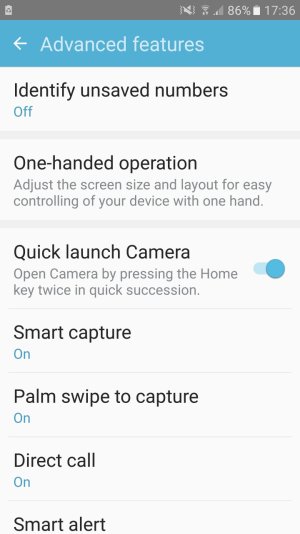
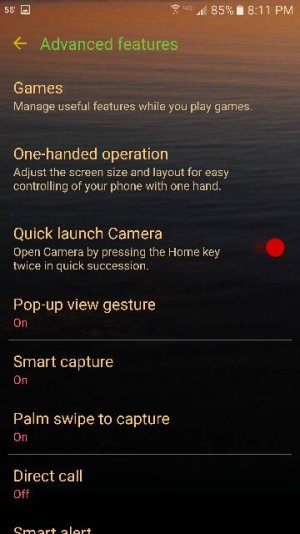



 Facebook
 Twitter
 Instagram