Help connecting my phone in my new Infiniti G37

maxpower49

Well-known member
Mar 3, 2011
47
1
0
I just got a 2010 Infiniti G37. It has a USB port, but no aux input and no Bluetooth audio streaming (wtf Infiniti?). It reads and plays iPods and iPhones just fine. I can not get it to recognize my android phone at all (Motorola triumph running stock 2.2 rooted). It will recognize flash drives though. I think the problem with the phone is it takes a few seconds to click 'connect USB storage' and then 'ok' before it reports itself as a mass storage device. By that time the car is already reporting an error. I have tried with debugging on and off... Makes no difference. So, is there any tweak, app, or hack I can do to force my phone into USB mode (without the prompts) every time I connect it?

This is actually a pretty important feature to me and I'm disappointed I can't get my phone and new car to play nice. Might even consider switching to an iPhone if there is no other option. :( Please help.

Thanks.
 
I have exactly the same problem and have found no solution, other than playing through the FM radio which is not satisfactory. Any solution or ideas would be much appreciated. Thanks.

By the way, the base G37 has an aux input, and models with the nav system have Bluetooth audio streaming.
 
Set the default USB connection mode to "Disk drive?"

Based on Herbritt's response, me thinks you need to review your G37's manual in greater detail. You might only have an RTFM obstacle. ;)
 
Solved!!!

For the first time ever!
How to get BLUETOOTH AUDIO from your PHONE to your NON NAVIGATION INFINITY.
NO its NOT a $150 GROM unit!
It's totally free!
Donations accepted if you like/use the method I discovered and have the spare cash. Asking 6 bucks. $1 dollar for every month it took me to figure this out LOL.

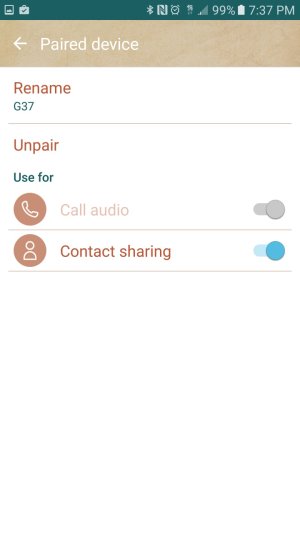
Step 1. Connect your phone to the car Bluetooth for call Audio. You probably already have this set up. If so, make sure your Bluetooth is on connected to the car.

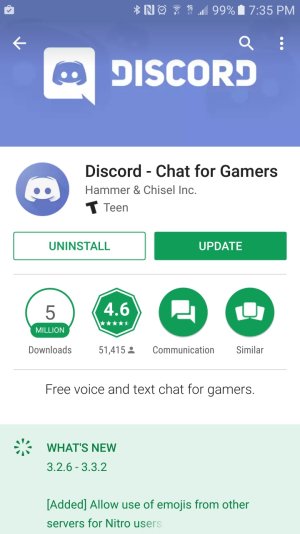
Step 2. Download an app called Discord, and create an account. This is a great app for chatting with gamers. I use it for chatting about stocks.

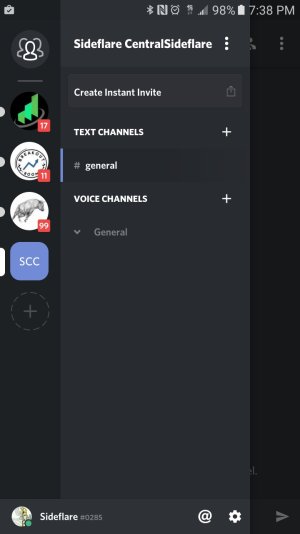
Step 3. Open the sidebar on the left side of the screen. This is where your chat rooms are located. At the bottom there is a plus sign inside of a circle.

Step 4. click on the plus sign..

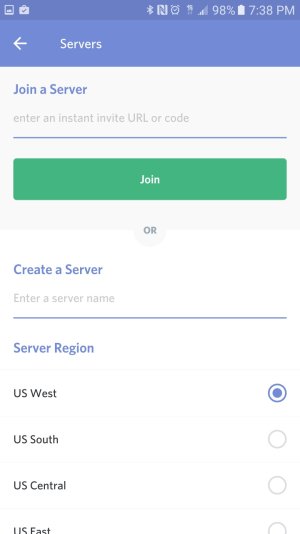
Step 5. You are now presented with an option to join or create a server. Give your server name and click create at the bottom.

Step 6. In the left-hand side bar click on your newly created server.

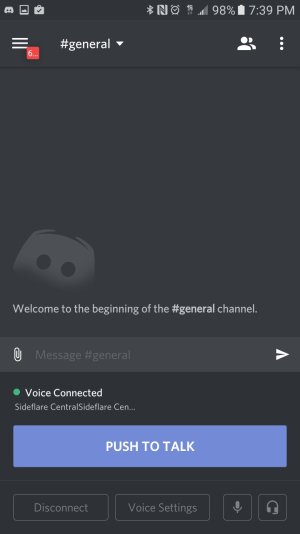
Step 7. You are not presented with options for text and voice channels. Under voice channels click General.

VOILA! You will be the only person in your voice chat room and your phone will initiate a data-based phone call. The vehicle will see it as an actual phone call and the timer will start on your cars center console. You can now switch apps and play any audio or video and the audio will stream to your car speakers.

If you actually receive a phone call while this is going on you will be able to answer it because Discord is not actually using your phone line!

6 bucks for the discovery and write-up
Honor system

paypal.me/Leavines/6
 

Attachments

  • Screenshot_20170202-193720.jpg
    Screenshot_20170202-193720.jpg
    75.8 KB · Views: 4
  • Screenshot_20170202-193544.jpg
    Screenshot_20170202-193544.jpg
    143.9 KB · Views: 4
  • Screenshot_20170202-193822.jpg
    Screenshot_20170202-193822.jpg
    82.4 KB · Views: 4
  • Screenshot_20170202-193840.jpg
    Screenshot_20170202-193840.jpg
    69.1 KB · Views: 4
  • Screenshot_20170202-193908.jpg
    Screenshot_20170202-193908.jpg
    72.2 KB · Views: 4