

- Jul 21, 2016
- 136
- 6
- 18
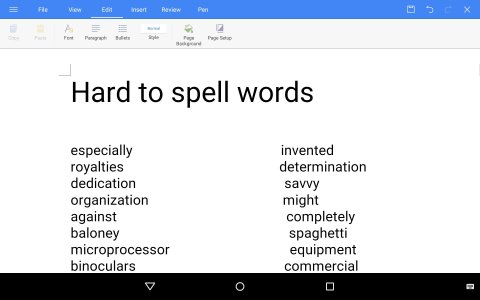
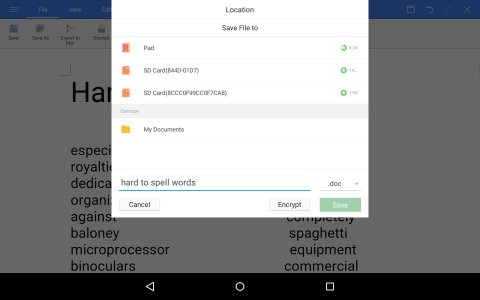
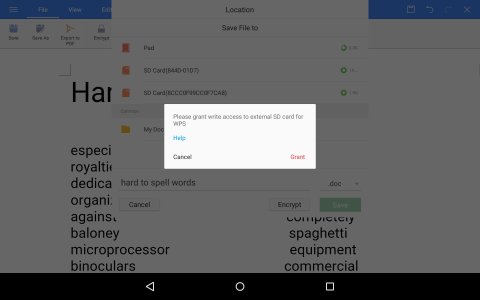
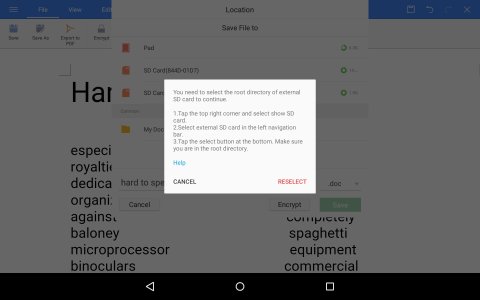
This is on a ZTE K90U tablet OS V6.0.1 I am setting up 2 text files that I made on my laptop OS Win7, saved to a USB flash drive so the files can be read on the tablet . I got the type C micro to regular cell phone adapter for the ZTE K90U tablet. I can now read the file on the USB flash drive in the tablet. But I am having a problem with file save in the Android version of MS Word. I can't figure out how to save the file with "save as" after making changes to the file. The regular save doesn't work. When I use the "save as" button, well take a look at the screen captures. They are in order. Screen capture1 is the file. Screen capture2 is after I hit the "save as" button. Screen capture3 is asking for the ok to write to the file on the USB flash drive. Screen capture 4 is the reselect screen. And I keep going around and around and around. It is driving me nuts. I could use some help please.
Steve
Steve



 Facebook
 Twitter
 Instagram