

- May 29, 2011
- 141
- 0
- 0
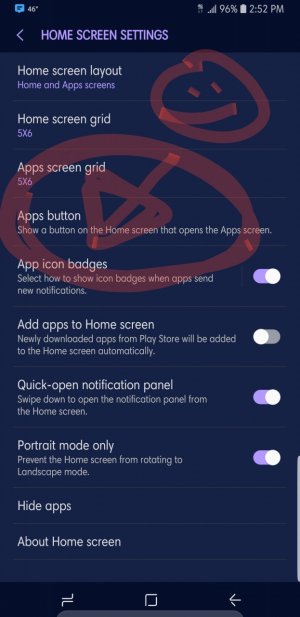
Usually when I get a new phone I install a launcher, play around until I get bored and then live with the results (never ideal). With my new S9+ I wanted to improve on my launcher experience. I was ok with the "Samung Experience" (Touchwiz?) but not all that satisfied with it. I had use Nova Launcher on my S6 Edge for a while but got frustrated with how completed it seemed. I ended up using the Microsoft launcher on that phone which seemed easier to use and configure. On my S9+ I decided to try Nova again and installed it. I got some really strange looking screens. I changed the default back to the Samsung launcher, but lost the apps button (still missing) and the apps drawer/list. No matter what I tried I could not get either back. So I gave up and installed the Microsoft launcher. Now at least I have an apps list but still not apps button.
Any suggestions for the launcher dummy?
Any suggestions for the launcher dummy?




 Facebook
 Twitter
 Instagram