mulitpe download arrows keep reappearing after update to 4.4 om my samsung s3

maxelcat

New member
Dec 23, 2013
4
0
0
Hi

I jumped in and upgraded mu Samsung s3 yesterday to 4.4

Now I find many download arrows in my notification area. I go and clear them and a few seconds later they are all back again. It is showing me all the pdfs and so forth that I have ever download. I keep clearing it, and seconds later the list is back again.

Also, the keyboard has reset itself back to the qwerty keyboard. I want it to be the type of keyboard that has several letters per button (sorry don't know what's its called) but I just can't seem to find how to set it.

I'd appreciate any help

Many thanks

Edward
 
Same problem here two.

The downloads appear to relate to some old photographs stored in a file called "downloads".
 
Hi

I jumped in and upgraded mu Samsung s3 yesterday to 4.4

Now I find many download arrows in my notification area. I go and clear them and a few seconds later they are all back again. It is showing me all the pdfs and so forth that I have ever download. I keep clearing it, and seconds later the list is back again.

Also, the keyboard has reset itself back to the qwerty keyboard. I want it to be the type of keyboard that has several letters per button (sorry don't know what's its called) but I just can't seem to find how to set it.

I'd appreciate any help

Many thanks

Edward

Hi there,

For the download arrows go to your apps open the Downloads app (square box with big arrow pointing down) Tap "other download" on top right then tap "clear list" at the bottom. :)

For the keyboard... sorry I have no clue how to fix that. :/
 
:D
Hi there,

For the download arrows go to your apps open the Downloads app (square box with big arrow pointing down) Tap "other download" on top right then tap "clear list" at the bottom. :)

Fredd17, I love you. Merry Christmas or whatever floats your boat!! :D
 
I want it to be the type of keyboard that has several letters per button
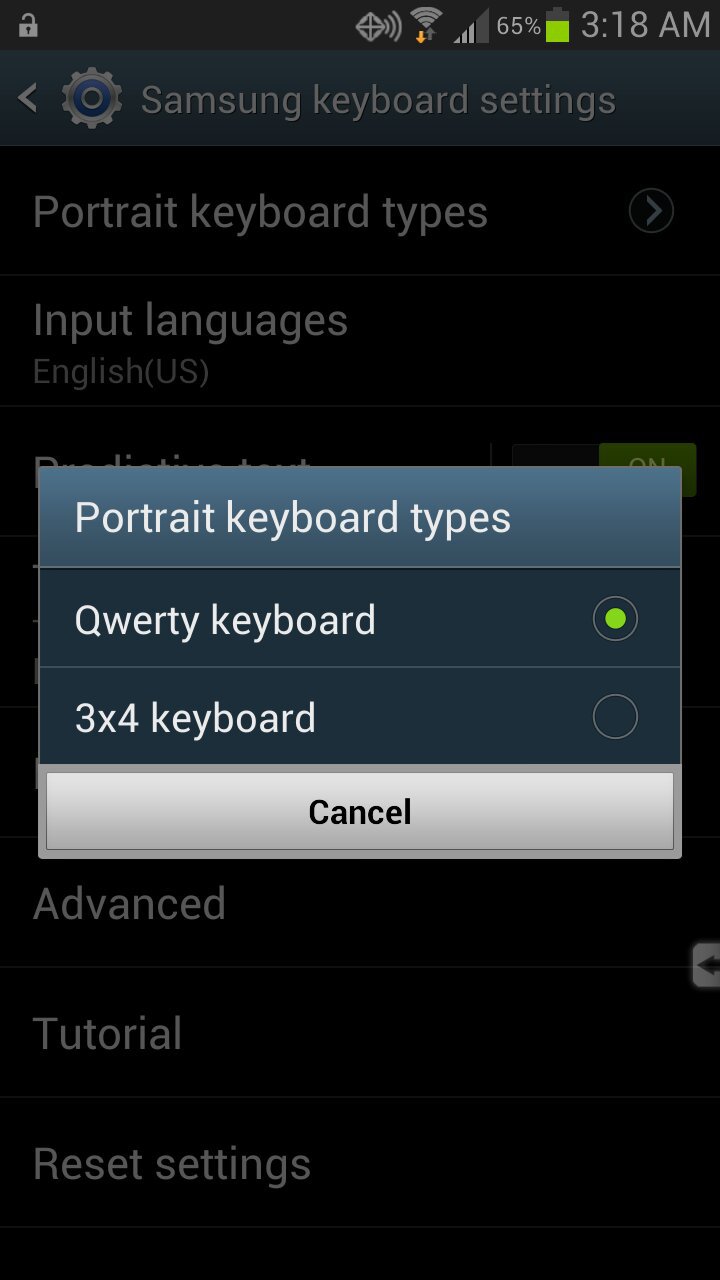
Assuming that you're using the stock Samsung keyboard, go to Settings -> Language and input -> select the gear icon at the far right of Samsung keyboard -> select Portrait keyboard types -> select 3x4 keyboard
qa9u3uja.jpg
Sent from my rooted, debloated, deodexed Sinclair ZX-80 running CM 10.2 using Tapatalk 4
 
Thanks for screen shot. After pressing gear icon I don't get the portrait keyboard option. . .

am using the standard keyboard
 
After pressing gear icon I don't get the portrait keyboard option. . .am using the standard keyboard
Sorry, that was from 4.1.2 MF1 - guess they removed it in 4.3.

Sent from my rooted, debloated, deodexed Sinclair ZX-80 running CM 10.2 using Tapatalk 4
 
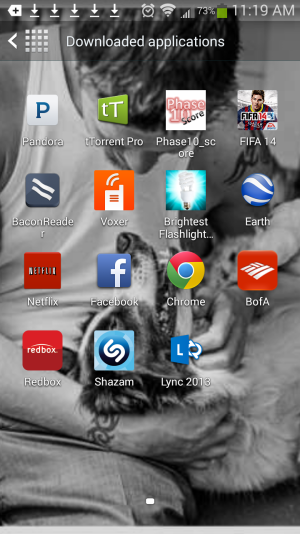
I go to my apps, slect the Download button in the upper right hand corner... but there is no Other Downloads button in the upper right corner. Any ideas?
 

Attachments

  • Screenshot_2013-12-27-11-19-38.png
    Screenshot_2013-12-27-11-19-38.png
    569.8 KB · Views: 18
I go to my apps, slect the Download button in the upper right hand corner... but there is no Other Downloads button in the upper right corner. Any ideas?

Its an actual app. The download folder is an app that is a black box with arrow in it pointing down.

Posted via Android Central App
 
When and how did the OP get Android 4.4 on a GS3? :eek::confused::what:

Sent From Inside The TARDIS in a Galaxy S4 Away!
 

Trending Posts

Forum statistics

Threads
959,841
Messages
6,980,356
Members
3,164,313
Latest member
xooah2