Nova questions

joedm126

Well-known member
Feb 21, 2013
83
0
0
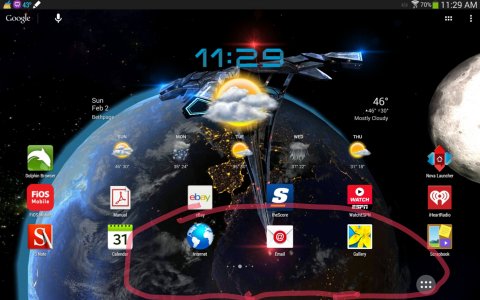
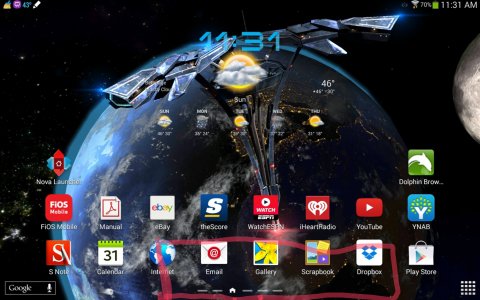
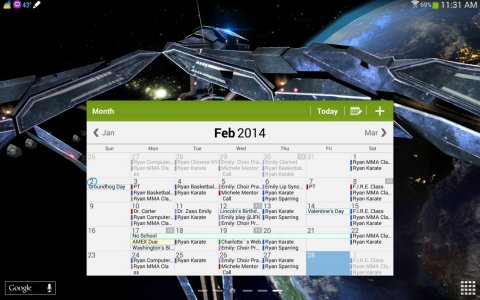
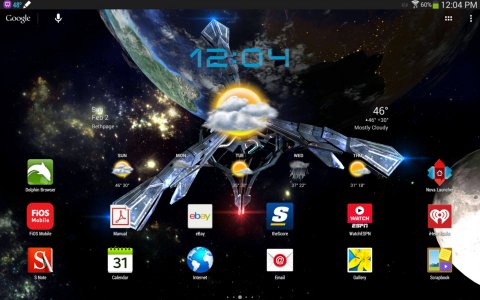
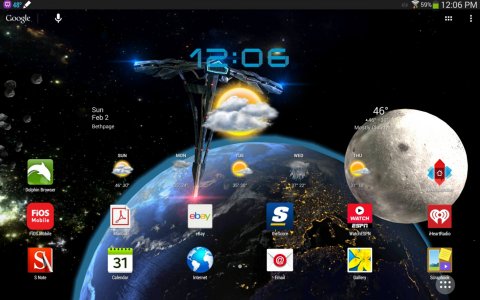
I just installed Nova including Nova Prime and I have a few questions at least for now. Is there a way to reduce the dock size hight to small? I only see a medium and large setting for the hight and the screen now looks smaller. I like the touch wiz better in this regard. See the below examples. Also as far as the monthly calendar goes it looks like the widget is lost but I really like it and miss it. Is there a way to get it back? If not is the another app that has the same type of widget that links to Google calendar and can link multiple calendars? Seethe below example. Thank you.
 

Attachments

  • 2014-02-02-11-30-59.jpg
    2014-02-02-11-30-59.jpg
    473.6 KB · Views: 31
  • 2014-02-02-11-31-29.jpg
    2014-02-02-11-31-29.jpg
    529.7 KB · Views: 31
  • 2014-02-02-11-31-45.jpg
    2014-02-02-11-31-45.jpg
    497.6 KB · Views: 31
You are going to lose some widgets just by shifting to a new launcher. I know Accuweather was one on my S3, and in your case, the calendar.
I don't think you can do what you would like, because of Nova. Nova has to accommodate other devices and the Dock size may be one limitation. However, have you tried clicking Small Icons? That might trim down the dock height margin a little.
 
Do you even have the dock enabled? This looks like you don't, because your home screen scroll indicator is below your icons. when the dock is enabled, the home screen scroll indicator is between the icons and dock, like this:

dock.jpg
 
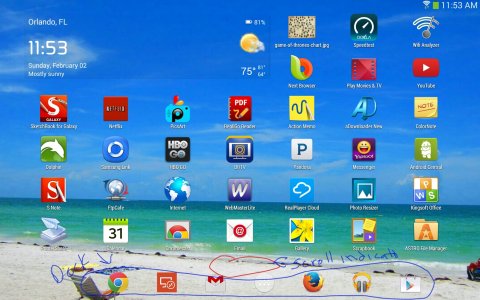
Yes it is enabled. Here are two screen shots one with it disable and one with the overlay feature.
 

Attachments

  • 2014-02-02-12-05-00.jpg
    2014-02-02-12-05-00.jpg
    480.8 KB · Views: 28
  • 2014-02-02-12-06-08.jpg
    2014-02-02-12-06-08.jpg
    472.9 KB · Views: 28
ahh I think I missed seeing what you are showing on your original screen shots. You were showing nova vs tw. I see now on the nova pic you only have the app drawer item on your dock,

try adjusting your home screen icon height margins