Been trying to find a way to put the phone on a screen like the weather for example. Don't know if I'm just not coordinated enough or if this isn't an option but so far no luck. Anyone know?
For notifications, you can tap on the phone icon at the end of the notification to open it on the phone. But for general apps, it is app specific. For example, some watch apps like ebay app let you open the app on the phone but most don't.
Been trying to find a way to put the phone on a screen like the weather for example. Don't know if I'm just not coordinated enough or if this isn't an option but so far no luck. Anyone know?
If I'm understanding correctly you want to put your phone app on a widget scroll screen like you can with weather, music player, etc.
If that is what you're asking I don't think it's possible at this time but perhaps a firmware update in the future might add that ability.
The only thing I know of at this time would be set a stock clock that has the 3 shortcuts on its bottom that you can set to the 3 apps you want shortcuts for.
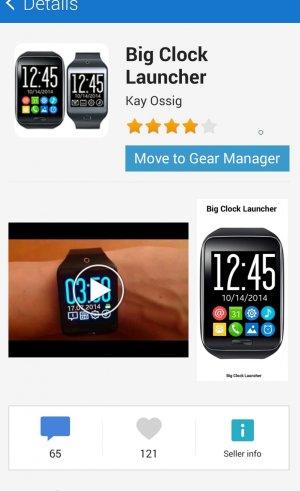
I bought an app , Big Clock Launcher for the ability to add my phone and more than 3 icons to my home screen. I'm with you,I want stuff I can get to quickly like on my phone.
There is a built-in contacts widget that you can use. It allow you to put up to 4 contacts on the widget screen. You can tap those contacts and tap the phone number to dial. That's the closest to what you want. Or you can assign phone app to the double press home button action.





 Facebook
 Twitter
 Instagram