S3 Battery Drain!!!

Flamer256

Member
Oct 22, 2013
7
0
0
My dear S3, dies every six hours, no matter what i do, power saving mode spare a few minutes, but it is really annoying!!

Just because lf this i have a portable charger/battery/emergenxy battery or whatever it's called so it survives until i get home from school.

I can't post screenshots right now, but right now Android OS is at 28% , Android-System is at 12%, Google services at 9% and Screen at 6%. Five others are lower than 5%.

Please help me :-)

Posted via Android Central App
 
My dear S3, dies every six hours, no matter what i do, power saving mode spare a few minutes, but it is really annoying!!

Just because lf this i have a portable charger/battery/emergenxy battery or whatever it's called so it survives until i get home from school.

I can't post screenshots right now, but right now Android OS is at 28% , Android-System is at 12%, Google services at 9% and Screen at 6%. Five others are lower than 5%.

Please help me :-)

Posted via Android Central App

Have you tried to clear cache in recovery?
Here is how: http://forums.androidcentral.com/sa...ing-into-recovery-mode-galaxy-s2-s3-tab2.html
 
Thanks for reply, but it's not working, it still dies after six hours.

Posted via Android Central App
 
get a big battery from Seidio or Mugen and your problem will be solved. There is no other way to help android with battery drain, at least I don't know one. I've tried every "save your battery life" trick there is on my Note 2 and it did not work until I got an extended battery
 
There is a way to increase your battery life :)
I also had this problem. Install Juice Defender Ultimate and Greenify. Your S3 will now live for 24 hours. :p
 
It's possible that the battery is going bad - how long have you had the phone?

Have you tried rebooting the phone?

If you really want help with battery issues, there are three screenshots that you need to post from your battery stats:
adezyjyh.jpg
6ere9una.jpg
u6u8a5y6.jpg
You could also try installing GSam Battery Monitor Pro: http://market.android.com/details?id=com.gsamlabs.bbm.pro (there's also a free version) and include a screenshot of the Phone Radio detail
qabeju8u.jpg
Finally, you can install Wakelock Detector: http://market.android.com/details?id=com.uzumapps.wakelockdetector to see if you can identify what might be keeping the phone awake when it should be sleeping.

Note that you'll want to fully charge the phone and then let it deplete to less than 40% before you gather those screenshots.

Sent from my rooted, debloated, deodexed Sinclair ZX-80 running CM 10.2 using Tapatalk 4
 
I've got a very strange battery site....
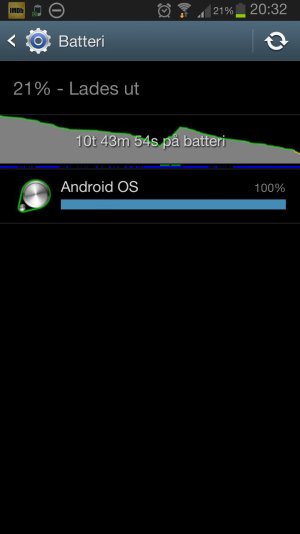
Right now it shows 100% Android OS and nothing else. I don't know how to add screenshots on this app...

Posted via Android Central App
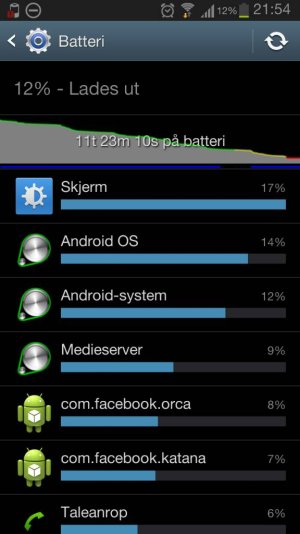
 
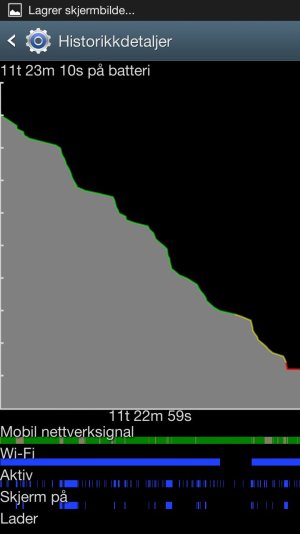
I found out how, here you are:
(Its Norwegian by the way)

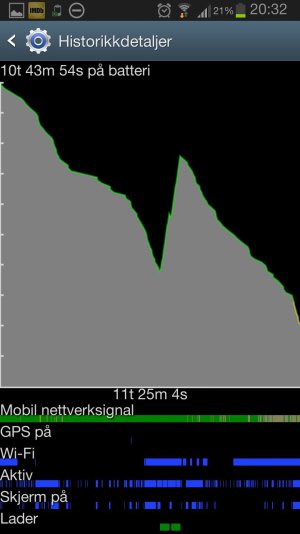
Do note:
- The two dots of Charging (Lader) is my portable charger
- I uninstalled two apps (Go Locker and App Locker) and have won about two hours of battery

Sent from my GT-I9300 using AC Forums mobile app
 

Attachments

  • 1384630561574.jpg
    1384630561574.jpg
    53.1 KB · Views: 13
  • 1384630575097.jpg
    1384630575097.jpg
    74.7 KB · Views: 14
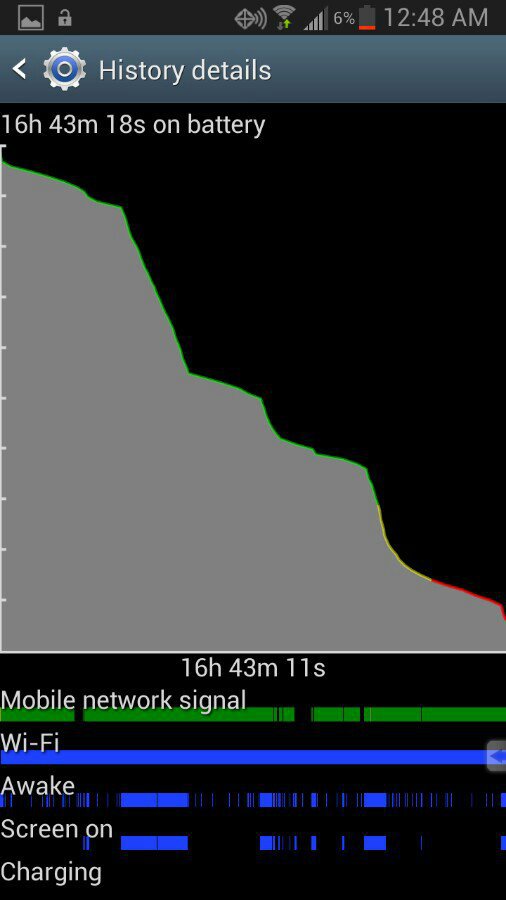
Sorry for the battery help, i know its been beaten like a dead horse but im desperate (desperate enough to maybe switch to iphone!) I fully charged my phone last night and have been sitting home with very light use and I've lost over 50% Connected to wifi and in very good service area. I'm stumped. I've closed everything and nothing is running in background. 4.1.2 on ATT

Screenshot_2013-11-16-15-15-29_resized.png
Screenshot_2013-11-16-15-15-36_resized.png
 
Flamer259,
1. There's definitely something jacked up with your data - there should never just be one item in the list. I assume that you actually used the phone to make calls, send messages, play games or surf the Web?
2. Never charge the phone in the middle of a data run - it totally invalidates the time factor.
3. The phone was awake more than the screen on time would warrant - you need to install Wakelock Detector and see if it can identify some rogue app that's keeping the CPUs from going into deep sleep.
4. It may be time for a Factory Reset.

Sent from my rooted, debloated, deodexed Sinclair ZX-80 running CM 10.2 using Tapatalk 4
 
Stags10,
1. You didn't include all of the data requested - there's no screenshot of your Screen On time.
2. You'll want to install GSam and use it to gather the Radio Detail - based on your expanded view I'd have to disagree with your assessment about being in a good service area: there's a big block of dingy yellow, indicating a marginal cellular signal, and even a block of black, indicating no cellular signal - that'll kill a battery like nothing else.
3. Facebook - ugh! That app is nothing but trouble - look at the Google Play Store ratings if you don't believe me - it doesn't even score a 4.0.

Sent from my rooted, debloated, deodexed Sinclair ZX-80 running CM 10.2 using Tapatalk 4
 
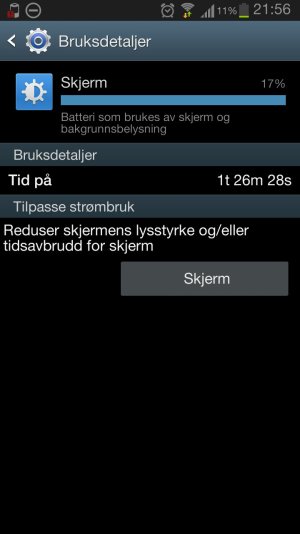
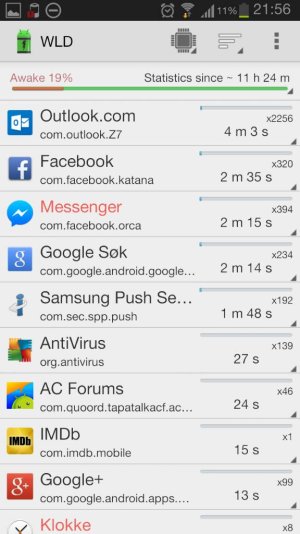
Here is my battery page for today.
And i am surprised, it lives much longer now, but still, take a look:

Sent from my GT-I9300 using AC Forums mobile app
 

Attachments

  • 1384721908971.jpg
    1384721908971.jpg
    52.5 KB · Views: 8
  • 1384721920792.jpg
    1384721920792.jpg
    66.9 KB · Views: 7
  • 1384721941410.jpg
    1384721941410.jpg
    75.9 KB · Views: 7
  • 1384721967598.jpg
    1384721967598.jpg
    70.6 KB · Views: 7
I've never used Outlook on my phone, but that seems to be what's constantly waking your phone. You'll want to see if there's a setting in Outlook to decrease the polling interval.

Facebook is also a lousy app, but don't take my word for it - just look at the ratings in the Google Play Store.

Considering that you only had 1.5 hours of screen on time, I would have expected better battery life. Of course, you didn't start out at 100% charge. And mediaserver shouldn't have been chewing up that big a chunk unless you were streaming music/videos.

Sent from my rooted, debloated, deodexed Sinclair ZX-80 running CM 10.2 using Tapatalk 4
 
I would get an OEM replacement battery or the official Samsung extended battery. I don't really have a problem with battery life right now. I use Facebook a bit and Twitter much more. Sounds like a rogue app is running in the background :-\

Sent from my S3 using Tapatalk

Find me on Twitter @Ichi_Bear