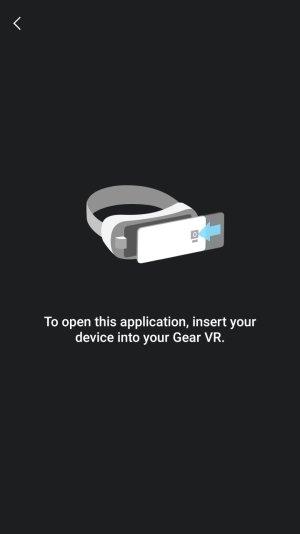
A anon(10193589) New member Mar 17, 2017 2 0 0 Mar 17, 2017 #1 When I take a screenshot, then click the image to open, I get asked to open with gear VR. How do I stop this so that I can open with regular Gallery? Attachments Screenshot_20170317-075025.jpg 43.6 KB · Views: 8
When I take a screenshot, then click the image to open, I get asked to open with gear VR. How do I stop this so that I can open with regular Gallery?
J jhickin Active member May 27, 2015 42 0 0 Mar 17, 2017 #2 Have you tried clearing the defaults for Gear VR? (Settings > Applications > Gear VR Service > Set as Default > Clear Defaults)
Have you tried clearing the defaults for Gear VR? (Settings > Applications > Gear VR Service > Set as Default > Clear Defaults)





 Facebook
 Twitter
 Instagram