Setting a lock screen photo

Shaun Osborn

Member
Sep 20, 2013
8
0
0
When I go to change my lock screen wallpaper it says save but not done if I hit save it doesnt do anything
Thanks shaun


Sent from my GT-I9300 using Tapatalk
 
You're wanting to use a camera picture as your lockscreen wallpaper? I was under the impression that pictures had to be cropped to a certain size to be used as wallpaper.

Edit: well, I just tried it and the default crop worked with no issues. I went to Settings -> Display -> Wallpaper -> Lock screen; in the 'Select wallpaper from' dialog I chose Gallery; then I navigated to a folder and picked a camera picture; this time I moved the cropping grid around; then selected 'Done' in the upper right corner. I was rewarded with a 'Setting wallpaper' pop-up and when I checked the lockscreen it was there.

This is on a Verizon SCH-i535 (4.1.2, MF1).

2nd Edit: do you have the Swipe option enabled, or only a pattern/PIN/password?

Sent from my rooted, debloated, deodexed Sinclair ZX-80 running CM 10.2 using Tapatalk 4
 
Last edited:
I would like to use a picture I took of my dog on the Samsung galaxy s3 and I have a swipe option and pin

Sent from my GT-I9300 using Tapatalk
 
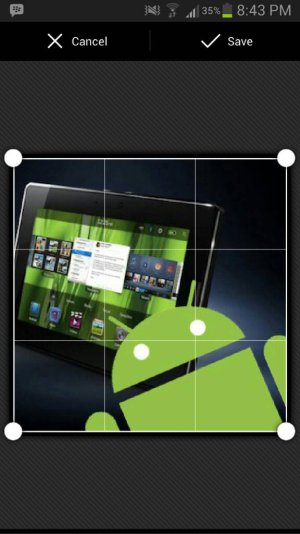
It says google+ crop is this why
Beats me - I have Google+ disabled.

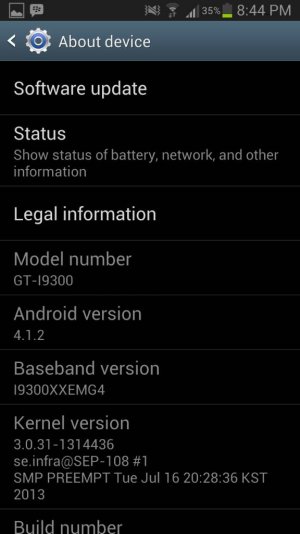
What firmware are you on?
Were you able to follow the steps I outlined? If so, did you just get stuck on the cropping step?
7erenapy.jpg


Sent from my rooted, debloated, deodexed Sinclair ZX-80 running CM 10.2 using Tapatalk 4

 
Does this help how do I disable google crop


Sent from my GT-I9300 using Tapatalk
 

Attachments

  • uploadfromtaptalk1386967571161.jpg
    uploadfromtaptalk1386967571161.jpg
    47.6 KB · Views: 7
  • uploadfromtaptalk1386967589879.jpg
    uploadfromtaptalk1386967589879.jpg
    56.9 KB · Views: 7
(Blasted thumbnail attachments - they don't show up reliably in Tapatalk for some reason.)

You could try just clearing the defaults for Google+ - go to Settings -> Application manager, scroll down until you find Google+ and open it, then select the 'Clear defaults' button.

If that doesn't make any difference, follow the same steps as above but choose the 'Disable' button (or you may have to choose 'Uninstall updates', then once that's done you can choose 'Disable').

Sent from my rooted, debloated, deodexed Sinclair ZX-80 running CM 10.2 using Tapatalk 4
 
(Blasted thumbnail attachments - they don't show up reliably in Tapatalk for some reason.)

You could try just clearing the defaults for Google+ - go to Settings -> Application manager, scroll down until you find Google+ and open it, then select the 'Clear defaults' button.

If that doesn't make any difference, follow the same steps as above but choose the 'Disable' button (or you may have to choose 'Uninstall updates', then once that's done you can choose 'Disable').

Sent from my rooted, debloated, deodexed Sinclair ZX-80 running CM 10.2 using Tapatalk 4
It worked

Sent from my GT-I9300 using Tapatalk
 
Yes!
This helped a lot. Recently I accidentally changed the photo cropping defaults so i could no longer change my lock screen wallpaper, clearing the defaults for Google+ totally fixed this.
A big thanks! :-*
 
how do i get my crop options to have all 6 dots to adjust the crop on the pic? mine only has the four on each corner.
 
how do I get my cropping to look like yours? Mine only has the four on each corner. I've tried going in my settings but I'm not sure where to look to change it.
 

Forum statistics

Threads
960,429
Messages
6,982,361
Members
3,164,513
Latest member
GermanAndroid2403