Simple Text help please!

gone down south

Well-known member
Jul 24, 2012
2,040
0
0
I've figured out out how to give apps and shortcuts custom text icons using Simple Text, and but I'm stuck trying to do the same for folders. Is there something obvious I'm overlooking, or is that not possible?

Sent from my Nexus 4 using Android Central Forums
 
A custom launcher such as Apex, or Nova will allow you to set custom icon for a folder.
If you haven't already, I recommend switching, you don't lose anything from stock as they're based on it, you only gain more customisation and power.

Once using these launchers, long clicking the folder will provide the option to edit.
 
A custom launcher such as Apex, or Nova will allow you to set custom icon for a folder.
If you haven't already, I recommend switching, you don't lose anything from stock as they're based on it, you only gain more customisation and power.

Once using these launchers, long clicking the folder will provide the option to edit.

This.

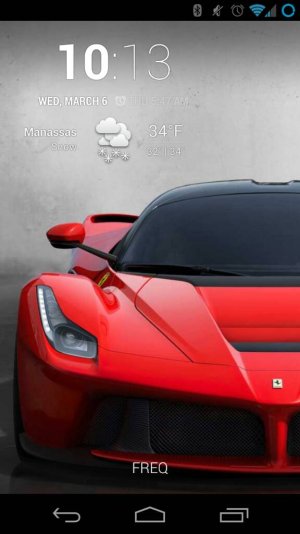
FREQ has 16 apps in it :).

uploadfromtaptalk1362610818867.jpg

Sent from my Galaxy Nexus using Xparent Cyan Tapatalk 2
 
A custom launcher such as Apex, or Nova will allow you to set custom icon for a folder.
If you haven't already, I recommend switching, you don't lose anything from stock as they're based on it, you only gain more customisation and power.

Once using these launchers, long clicking the folder will provide the option to edit.

I'm on Nova already ;-)

The issue is that Simple Text icons are super teeny tiny. It's widgets allow you to have more than 4 or 5 letters and still be readable, but I can only get those widgets to work on apps and shortcuts, not folders.


Sent from my Nexus 4 using Android Central Forums
 
I'm on Nova already ;-)

The issue is that Simple Text icons are super teeny tiny. It's widgets allow you to have more than 4 or 5 letters and still be readable, but I can only get those widgets to work on apps and shortcuts, not folders.


Sent from my Nexus 4 using Android Central Forums

It takes a lot of messing around with the settings, but it can be done.
 
All of the icons on my home page are folders and all were made with simple text - - some with titles, some without. I use apex launcher and the folders were made in Folder Organizer. FO is always one of the first five apps that go into any new mobile, even before I decide on a launcher. I try making a folder icon without FO and if I learn anything, I'll post back.

Sent from my unrooted 32 GB Polish Samsung Galaxy GT I9300 running 4.1.2.
 
OK, Folder Organizer seems to require the paid version to do anything interesting, so I'm back on the hunt!

I've refined my thinking on the issue a bit. After playing around a lot, it seems that standard icons are one so wide - 4 or 5 letters of standard font pretty much fill the alloted space. If I want much longer text (say NAVIGATION instead of just NAVS) I have two choices - make the font so small as to be almost unreadable, or have half the letters cropped out.
Any thoughts on how to make a single icon cell wider?
 
Can't you just change your grid settings for your launcher to have fewer columns? I don't know this will solve your issue but it's what I'd try...
 
But then all his icons will be stretched. My solution has been to sometimes go with tiny lettering, sometimes go with abbreviations, sometimes use a synonym or a word from another language. And, depending on how much you want to fiddle, you could also use Desktop Visualizer to create icons of various sizes without changing the whole grid.

I find it doesn't matter what the icon says, because, after using them for a while, I remember them by their position on the page.

Also, to get even more complicated (and probably expensive), Zooper Widget will do the job and a whole lot more.


Sent from my unrooted 32 GB Polish Samsung Galaxy GT I9300 running 4.1.2.
 

Trending Posts

Forum statistics

Threads
961,179
Messages
6,985,254
Members
3,164,670
Latest member
Danielymusic