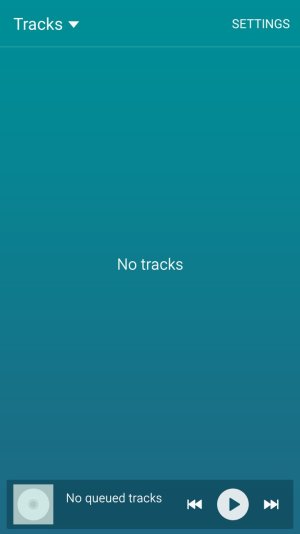
Stock Samsung Apps don't have any content

Erm10

Well-known member
Nov 11, 2012
277
0
0
This is a very strange issue. Just noticed but my stock music and video player and stock photo gallery don't have access to the pictures music or video stored on my phone. I downloaded several third party apps and can still access the content. Has anybody else seen this?
 

Attachments

  • 1435170835402.jpg
    1435170835402.jpg
    51.1 KB · Views: 17
  • 1435170845335.jpg
    1435170845335.jpg
    23.5 KB · Views: 17
Go into settings, applications, application manager, then slide to all. Find those apps and clear cache and data. Reboot phone. See if that helps.

Posted via the Android Central App
 
After some research I found this, and it took awhile to find all of these .nomedia files but once I got rid of them all my content is back in teh stock media players and gallery:

Check if you have a hidden file named .nomedia (double check also for uppercase name) on device memory (storage folder) and delete.

Go to Settings > Apps -> ALL -< Media Storage. Select Clear data + Clear defaults. Disable the App.

Reboot the device. Now enable again Settings > Apps -> ALL -< Media Storage. Wait a couple of minutes (so it should reindex files). I think all files should be now again in Gallery. Note: Do not try to run any rescan App, just follow the above steps.

Here's the link to full article which describes the same problem I had:

5.0 lollipop - Images have disappeared from gallery, but still in "My Files" (Samsung Galaxy S6 Edge, 5.0.2) - Android Enthusiasts Stack Exchange
 

Trending Posts

Forum statistics

Threads
961,049
Messages
6,984,718
Members
3,164,631
Latest member
z1hallitsee