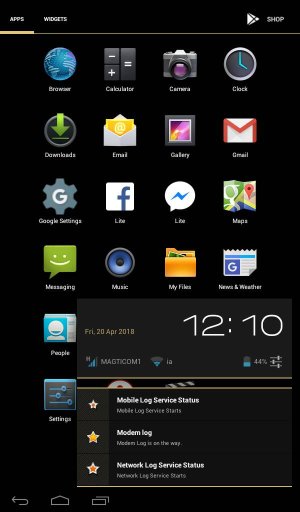
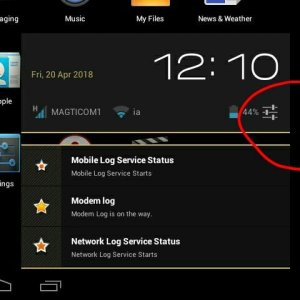
what are these 3 stars?

tiny violet

Member
Apr 18, 2018
10
0
0
It's been days these stars are here, sometimes it says that it's stopped but everything's starting again idk what should I do about it
 

Attachments

  • Screenshot_2018-04-20-12-10-39.jpg
    Screenshot_2018-04-20-12-10-39.jpg
    53.3 KB · Views: 16
Do you get that menu on every screen or only on the app drawer? Boot in safe mode and see if it's still there, this will tell us if that menu is caused by the system or by a third party app that you downloaded.
 
no I had app drawer opened while screening it.....and what is "boot"? I'm ignorant in this case -_- and by tapping on that icon I just go to usual settings nothing special
 
Safe mode disables temporarily any third party app that you downloaded. It's a basic troubleshooting tool that can give more details of what's causing any issue. I can't find the right steps for your device, it's a Lava Qpad, right?

Another thing you can try. While on your home screen long press that window and see if it can be removed or dragged around.
 
btw idk what those stars meant or what process was going on but if anyone faces the same problem just open the running apps in your device and stop it there...stars will disappear
 
btw idk what those stars meant or what process was going on but if anyone faces the same problem just open the running apps in your device and stop it there...stars will disappear
Excellent! Glad you figured it out and thanks for the follow up! See you around the forums.
 

Trending Posts

Forum statistics

Threads
962,128
Messages
6,989,166
Members
3,164,776
Latest member
Casperxx99