- 01-18-2013, 04:34 PM
Thread Author #1
How can I set a whole image as a wallpaper??
Even with wallpaper scrolling set to "off", there's no way for me to be able to set a whole image as a wallpaper--the + shape still shows up, preventing you from doing so. I created a wallpaper to fit perfectly with the dimensions, but even with QuickPic Wallpaper I can't get it to set! QuickPic does some funny thing where you can't physically increase the area, it just changes the shape of the area (i.e. large box or skinny box, neither covers the entire image). Is there any way to do this without downloading yet another app?? I'm loathe to download tons of little apps just to overcome tons of minute issues like this.
Since the stock gallery app can't recognize anything I download, is there any way to get other gallery apps to recognize "messages" as a send option? I tend to send a lot of pics, and for every image I want to send that the stock HTC gallery doesn't recognize, I have to go into File Manager and move it around a bunch of times. Gets tiring. - 01-18-2013, 04:58 PM #2
Re: How can I set a whole image as a wallpaper??
I just Google the image and find the ones that are the same resolution as the screen.. You could try to find the stock gallery apk nd use that. But that's weird it doesn't read your downloads. Also you may have to be rooted to get the apk to download.
Sent from my HTC6435LVW using Android Central ForumsPrivacy is overrated :P - 01-18-2013, 05:13 PM
Thread Author #3
Re: How can I set a whole image as a wallpaper??
Like the stock raw android gallery app? I'll look into that, thanks. It only recognizes JPG/PNG's I downloaded directly from a web browser--unfortunately, most of the time I use my cloud storage (Box.com) because a lot of the images I've been dl'ing are just aesthetic modifications (icons, wallpapers, etc). It also doesn't recognize downloaded email attachments.
I created a wallpaper that was 1080x1920, the dimensions of my screen. So if I *could* have it fit my whole screen, it would be perfect. But it doesn't work w/the stock wallpaper app bc of the crosshair thing (ironically it can't scroll wallpapers.. I guess HTC just doesn't play well with other launchers), and I can't get it to work on QuickPic wallpaper, which is what I see most people doing (e.g. folks on mycolorscreen). - 01-18-2013, 05:15 PM #4
- 01-18-2013, 06:03 PM #5
Re: How can I set a whole image as a wallpaper??
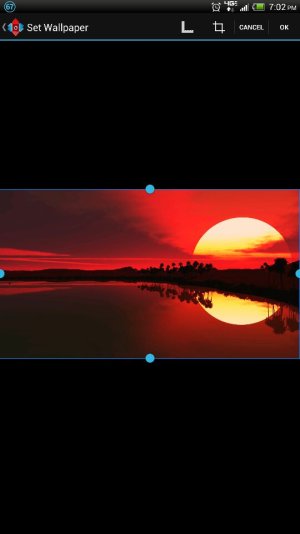
Try cropping in landscape
Sent from my HTC6435LVW using Android Central ForumsPrivacy is overrated :P - 01-20-2013, 01:41 AM
Thread Author #6
Re: How can I set a whole image as a wallpaper??
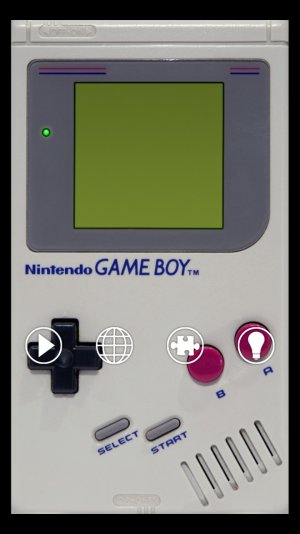
Thanks! I tried this app, but no matter what I did I couldn't get the wallpaper to fit exactly. I made it 1080x1920, which are the dimensions of my screenshots. The closest I could get (see pic) had a margin on all sides. I disabled the notifications bar on Nova, so everything *should* fit exactly. The gameboy wp was just a test lol, but it does have the correct dimensions.
This is driving me crazy--it's impossible to do custom homescreens if I can't even get the wallpaper to fit. I tried another app--Image 2 Wallpaper--but that didn't work either. Has anyone been able to get their wallpapers to fit exactly like they should? - 01-20-2013, 01:48 AM #7
- 01-20-2013, 02:07 AM
Thread Author #8
Re: How can I set a whole image as a wallpaper??
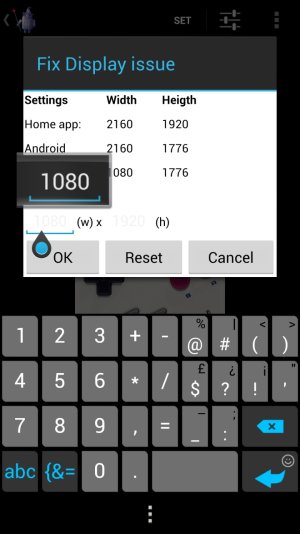
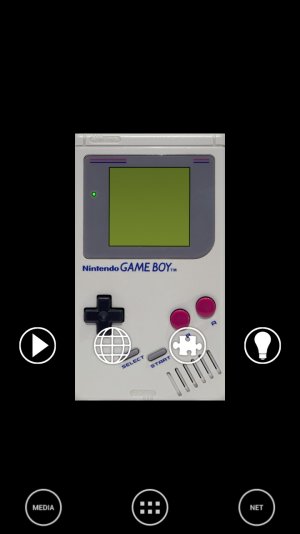
Yep, I changed it to 1080x1920 and it didn't do anything. I'm beginning to wonder if the app just doesn't play nice with the DNA (I've had that happen to quite a few apps now, and I think that's why the QuickPick wallpaper doesn't work either). I tried "fix black screen" and that didn't work either. When I do "exact" for wp, it comes out tiny like in the below pic.
Based on other wallpaper-related threads for the DNA, I don't think anyone's been able to get their custom wp's to fit exactly. - 01-20-2013, 02:16 AM #9
Re: How can I set a whole image as a wallpaper??
Contact the Dev, they're pretty quick to reply with a real answer.
Similar Threads
-
Can I set external SD card as default media storage?
By lochdo in forum T-Mobile Galaxy S IIReplies: 7Last Post: 11-05-2012, 08:50 PM -
How to set image as a wallpaper on a single home screen
By Jalpa Bhaliya in forum General Help and How ToReplies: 0Last Post: 11-01-2012, 06:50 AM -
How can I set specific sounds?
By caracena in forum General Help and How ToReplies: 4Last Post: 12-28-2011, 05:10 PM -
How can I set up my own 3G proxy server to use the internet?
By jobzombi in forum General Help and How ToReplies: 3Last Post: 05-28-2011, 06:00 PM -
how can i set up custom notifications?
By ltracte in forum General Help and How ToReplies: 2Last Post: 06-05-2010, 01:40 PM


Reply