[Ascend XT] Unable To Change Lock Screen Wallpaper

RebmaKar

New member
Dec 4, 2016
3
0
0
Hello! I have a new Huawei Ascend XT with Android Marshmallow installed. It seems, however, that I do not have the option to change my lock screen unless I make it the same as my home screen. Is there any fix to this?
 
Hello! I have a new Huawei Ascend XT with Android Marshmallow installed. It seems, however, that I do not have the option to change my lock screen unless I make it the same as my home screen. Is there any fix to this?

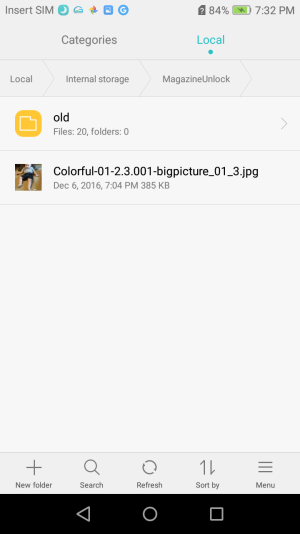
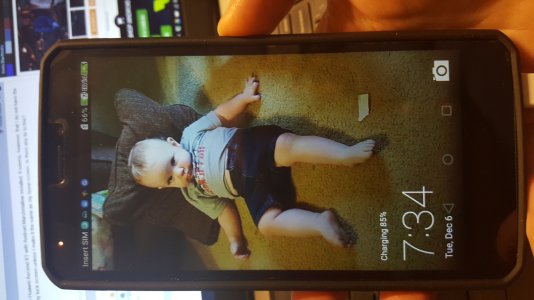
I found a way, but it is not easy. Launch the Files app, on internal storage goto to MagazineUnlock folder and move all files to another folder. Copy your .jpg file to MagazineUnlock, it is best that the files are 720X1280 in resolution, if you use a different resolution, the file may display rotated. Rename the .jpg files to Colorful-01-2.3.001-bigpicture_01_X.jpg, where X is a number such as 3. This name should be just like the ones that you moved out of this folder.


Told you it will not be easy. ;-)

Screenshot_2016-12-06-19-32-24.png20161206_193436.jpg
 
Or instead of wasting your time like I just did doing that, you may launch your theme app, click customize at the bottom, then click SECOND bubble down on left that says lock screen customize, click more.on bottom and from there you may go to your gallery and pic any photo you want!
 
Or instead of wasting your time like I just did doing that, you may launch your theme app, click customize at the bottom, then click SECOND bubble down on left that says lock screen customize, on the bottom click more and from there you may go to your gallery and pic any photo you want!
 

Trending Posts

Forum statistics

Threads
961,182
Messages
6,985,273
Members
3,164,671
Latest member
certifiedenergysolutions