
- Dec 7, 2010
- 114
- 0
- 0
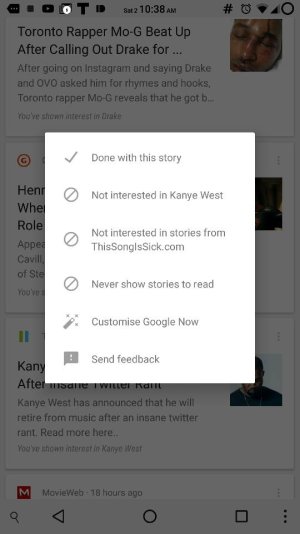
Sorry if I sound entitled or anything, just this is starting to bug me. There will *never* be a point in time that I will want Google to automatically fetch news for me. I disabled those cards, as I just want traffic/weather reports, and things that *I* ask it to search for. Now, I'm getting "News" spamming my GNow pane on my two Marshmallow devices. I can't find the setting to get rid of it. I've been submitting feedback, but still nothing. Can anyone point me to where this setting is?
tldr, I *just* want Weather/Traffic in GNow, but it's giving me other stuff.
Edit: I think I figured it out. Either Google is *incredibly* stupid, or intentionally deceptive. It says I need Web History *on* to turn this off. If I then turn it back off, the "News" shows back up. I'm hoping this is a bug... Otherwise, not sure what happened to "Don't be evil".
tldr, I *just* want Weather/Traffic in GNow, but it's giving me other stuff.
Edit: I think I figured it out. Either Google is *incredibly* stupid, or intentionally deceptive. It says I need Web History *on* to turn this off. If I then turn it back off, the "News" shows back up. I'm hoping this is a bug... Otherwise, not sure what happened to "Don't be evil".
Last edited:





 Facebook
 Twitter
 Instagram