
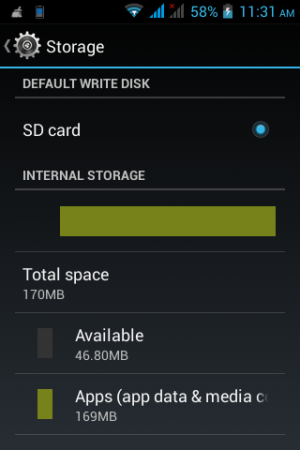
Hello, everyone. I have a Qmobile Noir A110 mobile phone (local Pakistani brand). I deleted Whatsapp yesterday to reinstall the newer version, but for some strange reason, i cant do that. As you can see you from the screenshot below, i have a lot of free space - i deleted a few apps too.
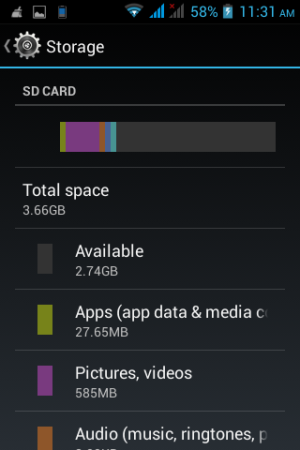
Here is my SD card space -
So this is what happens . I go to the app store and it starts installing. I noticed something very strange . while it is installing, i open the upper notification bar and it shows the progress bar of the installation. However, the progress bar is downloading it rapidly (contd) -
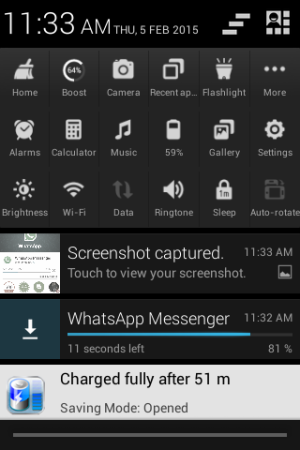
.....While the app store's progress bar is far behind and slower ...
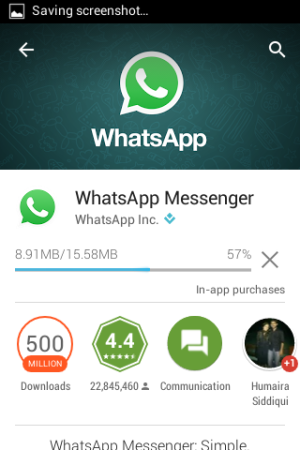
And then, as soon as the notification bar's progress bar is completed to a 100%, this is error message i get in the app store window -
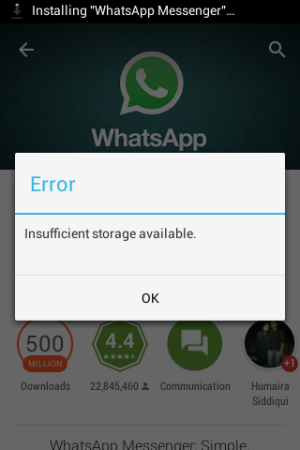
Can someone help please ? I just want to install whatsapp as i have to talk to my colleagues about work. if anyone knows the solution, please help me out .
Here is my SD card space -
So this is what happens . I go to the app store and it starts installing. I noticed something very strange . while it is installing, i open the upper notification bar and it shows the progress bar of the installation. However, the progress bar is downloading it rapidly (contd) -
.....While the app store's progress bar is far behind and slower ...
And then, as soon as the notification bar's progress bar is completed to a 100%, this is error message i get in the app store window -
Can someone help please ? I just want to install whatsapp as i have to talk to my colleagues about work. if anyone knows the solution, please help me out .



 Facebook
 Twitter
 Instagram