Can't synchronize android chrome bookmarks

NahdarVebb

New member
Feb 8, 2014
3
0
0
Hello,
I have come across a problem that I am unable to solve. It happened several days ago and firstly I didn't paid much attention to it however after another few days it became very frustrating. On my Android 4.3, chrome seems unable to synchronize bookmarks with it's desktop version. I don't remember if it was caused by android update (about a week ago; I think from 4.1.2 to 4.3). I tried to restart the phone, I updated chrome to its last version and as a last resort I deleted my google account from the phone and added it back. However after this procedure I no longer see an option to synchronize chrome in settings (it was there before I deleted/added the account). There are several totaly unsusable options but the one thata makes any sense is not there.

Any suggestions?

Thanks
 
When you open Chrome in Android you should see an icon in the lower right that looks like a folder with up and down arrows. What happens when you tap it? Mine says "sync'd 1 minute ago".
 
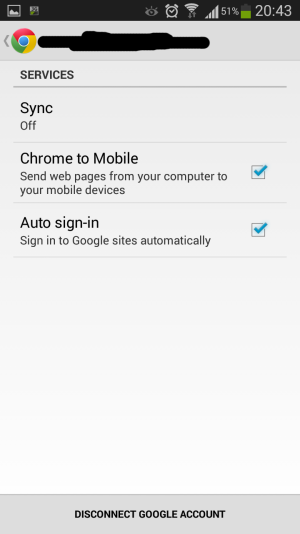
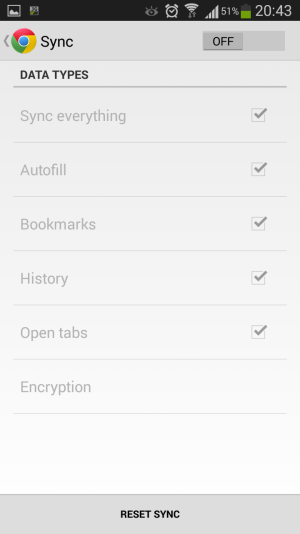
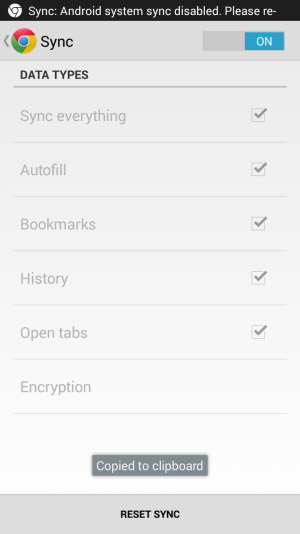
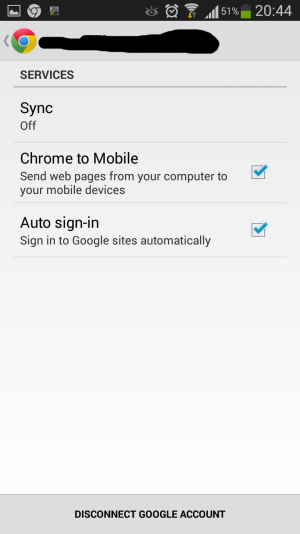
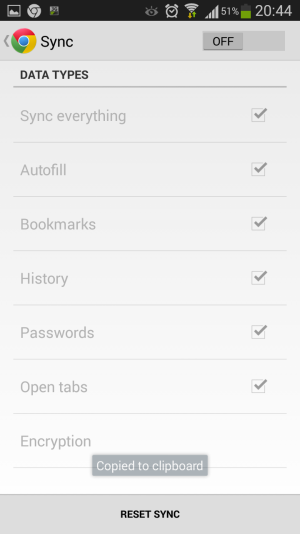
It says that I have to turn the sync on, but if I click the link, chrome notification appears in the bar - I click it again - it get me into all added accounts - I choose the one I am logged in my desktop account and all options that can be synced appears. However there isn't a chrome one, that has been there before I deleted the account. Also when I go to chrome (android) settings, I can't click on a single syns option because they are all greyed out, and the switch that switch syncing on and off all the time switchs back from on to off on its own.

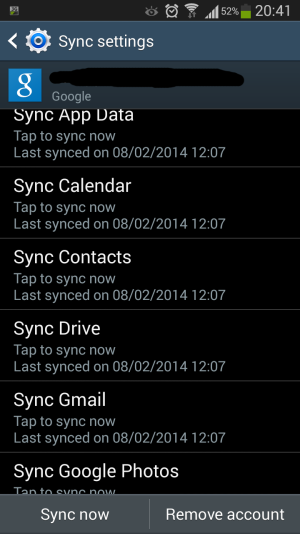
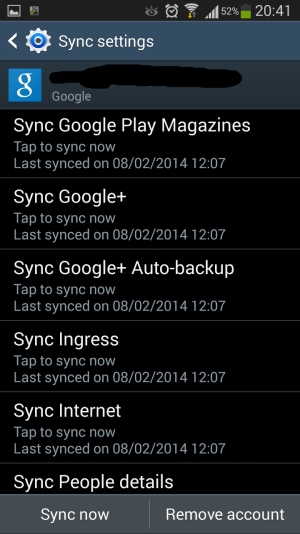
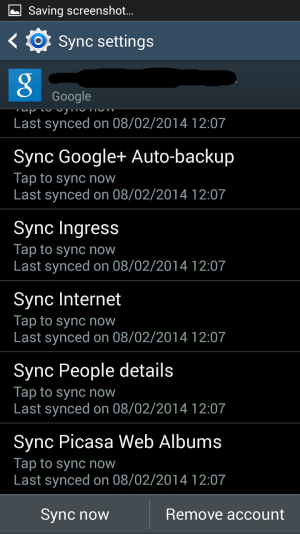
The first three sreenshots are the options I have in the account synchronization tab, the rest makes the exact timeline of what I do in chrome.
 

Attachments

  • Screenshot_2014-02-08-20-41-16.png
    Screenshot_2014-02-08-20-41-16.png
    172.8 KB · Views: 3
  • Screenshot_2014-02-08-20-41-22.png
    Screenshot_2014-02-08-20-41-22.png
    181.7 KB · Views: 3
  • Screenshot_2014-02-08-20-41-26.png
    Screenshot_2014-02-08-20-41-26.png
    182.5 KB · Views: 3
  • Screenshot_2014-02-08-20-43-50.png
    Screenshot_2014-02-08-20-43-50.png
    85.4 KB · Views: 3
  • Screenshot_2014-02-08-20-43-59.png
    Screenshot_2014-02-08-20-43-59.png
    62.8 KB · Views: 3
  • Screenshot_2014-02-08-20-44-03.png
    Screenshot_2014-02-08-20-44-03.png
    70.3 KB · Views: 3
  • Screenshot_2014-02-08-20-44-12.png
    Screenshot_2014-02-08-20-44-12.png
    87.4 KB · Views: 4
  • Screenshot_2014-02-08-20-44-18.png
    Screenshot_2014-02-08-20-44-18.png
    75.8 KB · Views: 3
Having the same problem I think. I go to the other devices tab but it only show the first tab that I had open on my desktop rather than all of them.
 
I'm having that problem too.
In my case, the synching stopped, (possibly due to the phone being "full") then reappeared, now stopped again. I cannot turn it on manually in the settings.
Anyone ?
 
It says that I have to turn the sync on, but if I click the link, chrome notification appears in the bar - I click it again - it get me into all added accounts - I choose the one I am logged in my desktop account and all options that can be synced appears. However there isn't a chrome one, that has been there before I deleted the account. Also when I go to chrome (android) settings, I can't click on a single syns option because they are all greyed out, and the switch that switch syncing on and off all the time switchs back from on to off on its own.

The first three screenshots are the options I have in the account synchronization tab, the rest makes the exact timeline of what I do in chrome.

I have a similar problem as described above. Bookmarks are synced but open tabs from other devices are not synced on my Galaxy S5.
 
I Found a solution for my problem. I hope that this helps others to.

At the top, the notifications bar. There are a lot of icons like wifi, mobile data, power saving and etc. I thought all was useless and only selected those I needed. Which I did not know I needed the sync settings for chrome and others like outlook. After I turn it on, my chrome sync works.

https://productforums.google.com/forum/#!topic/chrome/8UTdsgihO9Q

Its so simple if you know it ;)
 

Latest posts

Trending Posts

Forum statistics

Threads
959,763
Messages
6,980,120
Members
3,164,299
Latest member
sellhousefastmke