Facebook errors

robocp4

Well-known member
Feb 12, 2011
120
0
16
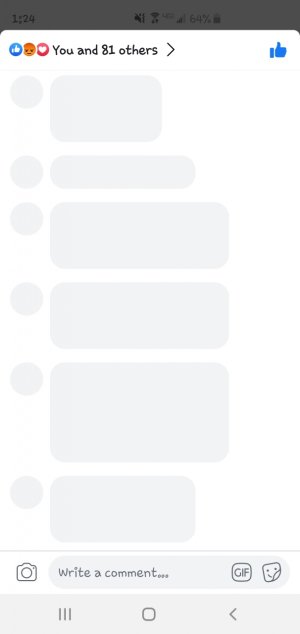
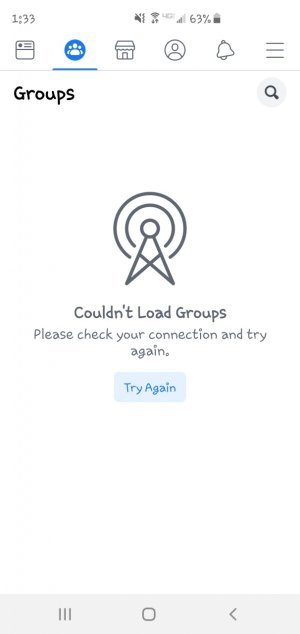
So I've had my + since March and no problems whatsoever until yesterday. I can not seem to be on Facebook on wifi. Fb tells me to check my internet connection, I can't see comments when I click on a post nor do my groups show up properly. If I am on my mobile network it seems to work fine.
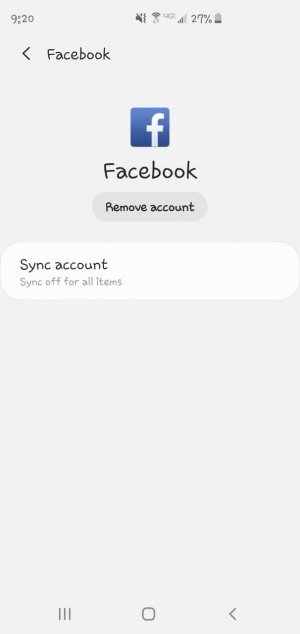
Also when I go into settings--> accounts--> Facebook it says sync off for all items. I also have no option to sync it.
Things I have done to try to fix it:
1. checked my wifi and it works fine. The husband can still access his fb on wifi no problem so I know it can't be the router. But I have reset it.
2. I have gone into settings and reset my network.
3. I have Uninstalled and reinstalled Facebook.
4. Changed my password to Facebook thinking I may have been hacked.

Anyone have any ideas or the same problem? I have attached photos so you can see what I get.
 

Attachments

  • Screenshot_20190601-132445_Facebook.jpg
    Screenshot_20190601-132445_Facebook.jpg
    63.9 KB · Views: 29
  • Screenshot_20190601-133324_Facebook.jpg
    Screenshot_20190601-133324_Facebook.jpg
    79 KB · Views: 29
  • Screenshot_20190601-212013_Settings.jpg
    Screenshot_20190601-212013_Settings.jpg
    59.1 KB · Views: 27
So I've had my + since March and no problems whatsoever until yesterday. I can not seem to be on Facebook on wifi. Fb tells me to check my internet connection, I can't see comments when I click on a post nor do my groups show up properly. If I am on my mobile network it seems to work fine.
Also when I go into settings--> accounts--> Facebook it says sync off for all items. I also have no option to sync it.
Things I have done to try to fix it:
1. checked my wifi and it works fine. The husband can still access his fb on wifi no problem so I know it can't be the router. But I have reset it.
2. I have gone into settings and reset my network.
3. I have Uninstalled and reinstalled Facebook.
4. Changed my password to Facebook thinking I may have been hacked.

Anyone have any ideas or the same problem? I have attached photos so you can see what I get.
Can try going into settings >apps>3 dots top right tap >look for reset app preference see if that helps.
 
So I've had my + since March and no problems whatsoever until yesterday. I can not seem to be on Facebook on wifi. Fb tells me to check my internet connection, I can't see comments when I click on a post nor do my groups show up properly. If I am on my mobile network it seems to work fine.
Also when I go into settings--> accounts--> Facebook it says sync off for all items. I also have no option to sync it.
Things I have done to try to fix it:
1. checked my wifi and it works fine. The husband can still access his fb on wifi no problem so I know it can't be the router. But I have reset it.
2. I have gone into settings and reset my network.
3. I have Uninstalled and reinstalled Facebook.
4. Changed my password to Facebook thinking I may have been hacked.

Anyone have any ideas or the same problem? I have attached photos so you can see what I get.
I am having the SAME exact issues and am on the S10 + as well. My husband, with the Note 9, says that the Facebook app has been giving him grief too lately. It seems to come and go on WiFi or Cellular for me. Almost like it manifests.

I JUST reset my phone fully last night and did not restore from backup. Even with a clean install, FB gives me random grief.

I think the problem may be closer to Facebook and not the device itself.
 
Although it's unlikely to be the issue for @techygeek82, for @robocp4 it's still worth rebooting your router by unplugging its power for 30 seconds. (It's possible for only a certain device to have issues with a wi-fi connection, which can often be resolved by rebooting the router.)
 
Although it's unlikely to be the issue for @techygeek82, for @robocp4 it's still worth rebooting your router by unplugging its power for 30 seconds. (It's possible for only a certain device to have issues with a wi-fi connection, which can often be resolved by rebooting the router.)
I think they tried that step , strange .
 
I'm starting think techygeek might be right , it could be a Facebook side bug
 
I'm starting think techygeek might be right , it could be a Facebook side bug

I actually came on originally today to ask if others were seeing this only to find it has been asked.

I'm planning on leaving WiFi off today and see if it manifests more or less on mobile. I've seen it in both situations, though definitely more pronounced on WiFi.
 
I actually came on originally today to ask if others were seeing this only to find it has been asked.

I'm planning on leaving WiFi off today and see if it manifests more or less on mobile. I've seen it in both situations, though definitely more pronounced on WiFi.
I did have that issue awhile back but I dont remember a update fix it or something but haven't had a issue since .
 
Although it's unlikely to be the issue for @techygeek82, for @robocp4 it's still worth rebooting your router by unplugging its power for 30 seconds. (It's possible for only a certain device to have issues with a wi-fi connection, which can often be resolved by rebooting the router.)

I have rebooted my router twice and still have the same issues
 
Ok, see what happens if you disable IPv6 temporarily in the router settings. See the router manual to learn how to access the router settings through your computer browser.
 
You don't have any data saver options turned on, do you?
 
data saver would restrict mobile data not wifi , it looks like either Facebook app problem or somehow app cant access wifi through a setting for some reason
