
- Jan 2, 2014
- 11
- 0
- 0
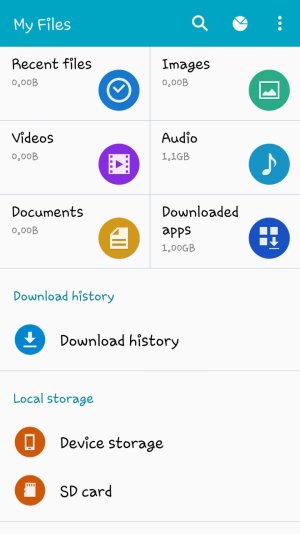
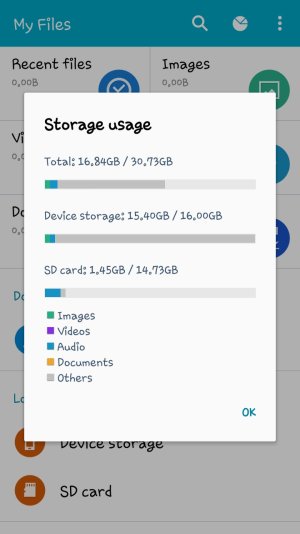
My Galaxy S5's storage is nearly completely full with only a few MBs I've managed to free up. I have a 16GB device capacity and 15.40 GBs have been used. However, I only have about 1 GB of downloaded apps (about 15 apps) and all my MP3s and JPGs are saved to SD card which is only maybe at 1/10th of its capacity.
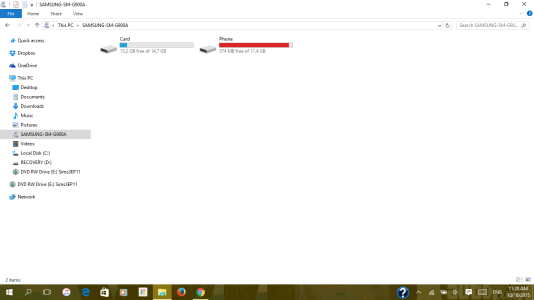
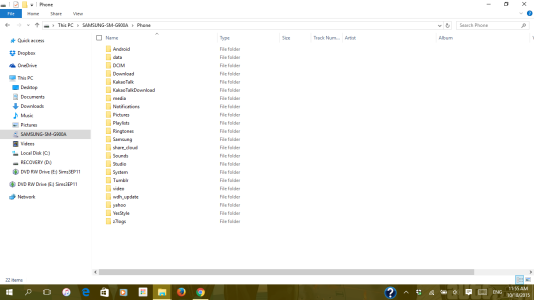
The amount of device storage that's used up just does not add up to the actual amount of apps and other data I have. I can't figure out what's taking so much data that I can't see. I've tried finding the largest apps on my phone storage and reset their data, disabled factory apps I don't use, cleared the cache of nearly everything I have installed and yet I still only have a mere few MBs of free device storage space. It's so little that I can never update apps, install new ones, or even fetch emails from the server because there's so little space. I've tried every way I could think of to reduce used space as well as another method someone suggested to me to dial *#9900# and delete dumpstate/logcat which did next to nothing for me. I opened my phone storage in windows file explorer and I see many folders most of them are empty and some are full of subfolders with a file that looks important to the function of the phone like System > Data.
In conclusion of not having any absolute way of clearing this data I've opted to back up all my files to my laptop and then factory reset my phone so that everything will be clear like it was when it was new, the just reinstall the things from my laptop. I would like to know if this is a good plan before I go resetting things or if anyone has any other ways of helping me clear device memory?
TL;DR: There's nothing I've installed that would be using this much space, yet most of the space is now occupied to the point where basic functions have become a 'Hunger Games' for free space. Would a backup then factory reset fix my storage issue? Or do you have another idea?
Below are relative captures of the device storage and the windows file explorer.
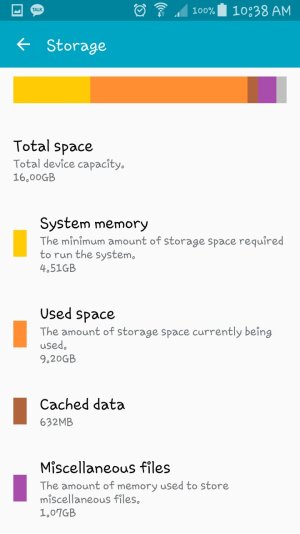
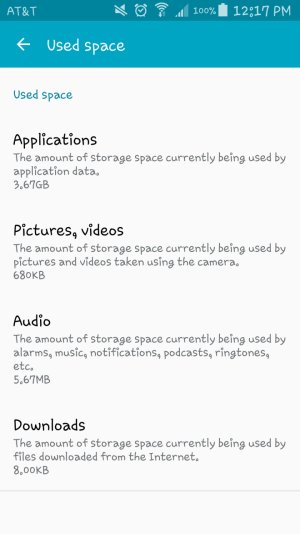
The amount of device storage that's used up just does not add up to the actual amount of apps and other data I have. I can't figure out what's taking so much data that I can't see. I've tried finding the largest apps on my phone storage and reset their data, disabled factory apps I don't use, cleared the cache of nearly everything I have installed and yet I still only have a mere few MBs of free device storage space. It's so little that I can never update apps, install new ones, or even fetch emails from the server because there's so little space. I've tried every way I could think of to reduce used space as well as another method someone suggested to me to dial *#9900# and delete dumpstate/logcat which did next to nothing for me. I opened my phone storage in windows file explorer and I see many folders most of them are empty and some are full of subfolders with a file that looks important to the function of the phone like System > Data.
In conclusion of not having any absolute way of clearing this data I've opted to back up all my files to my laptop and then factory reset my phone so that everything will be clear like it was when it was new, the just reinstall the things from my laptop. I would like to know if this is a good plan before I go resetting things or if anyone has any other ways of helping me clear device memory?
TL;DR: There's nothing I've installed that would be using this much space, yet most of the space is now occupied to the point where basic functions have become a 'Hunger Games' for free space. Would a backup then factory reset fix my storage issue? Or do you have another idea?
Below are relative captures of the device storage and the windows file explorer.



 Facebook
 Twitter
 Instagram