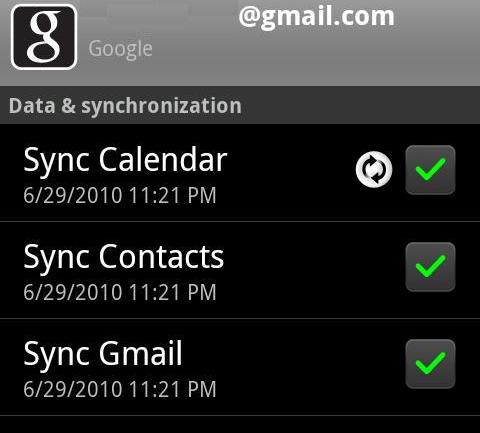
From Home Screen Menu>>Settings>>Accounts>>Click on your Gmail account.
Make sure this is what you see:
If that is not what you see make sure you check all the boxes. If that IS what you see then go to Settings-->Data Manager-->Data Delivery-->Background data.
When you uncheck that it says that some apps may still use background data to function. However GMAIL is not one of those apps. Check it. If it is checked then:
Make sure you have not turned off the sync with the standard android power management widget. If you tap and hold at an empty spot on the home screen, select android widgets and then power control. It has a on/off for syncing. If it is enabled then:
This will sound repetitive but...
Open Gmail>hard menu button>Accounts>hard menu button>Account settings
Make sure Background data and Auto-sync are both checked
Back all the way out
Go to My Accounts
Click your Google account
Make sure Sync Gmail is checked
Hope this helps!
My gmail works fine. But I know how frustrating it can be to not have a feature work...I came from the Eris. My guess is there is something in the ever growing line of syncing check points that is stopping it from working.





 Facebook
 Twitter
 Instagram