
- Nov 3, 2010
- 39
- 0
- 0
Hi guys,
I had this same "Unfortunately, Gallery has stopped" problem when I first got my phone early this year (on 4.2.1). After I modified the buildprop it worked (a long with pushing some lib files replacing the Gallery.apk)
Since I updated to 4.2.2 yesterday, this problem returned. I tried doing the same steps I took above to get it to work but with no avail. I would like to get the build.prop for 4.2.2 to see if it matches what I have (as last time I had a couple of lines missing and once added, the camera worked).
Can someone help solve this error please?!?!
Cheers!
I had this same "Unfortunately, Gallery has stopped" problem when I first got my phone early this year (on 4.2.1). After I modified the buildprop it worked (a long with pushing some lib files replacing the Gallery.apk)
Since I updated to 4.2.2 yesterday, this problem returned. I tried doing the same steps I took above to get it to work but with no avail. I would like to get the build.prop for 4.2.2 to see if it matches what I have (as last time I had a couple of lines missing and once added, the camera worked).
Can someone help solve this error please?!?!
Cheers!
 ) that it's somehow tied to you being rooted.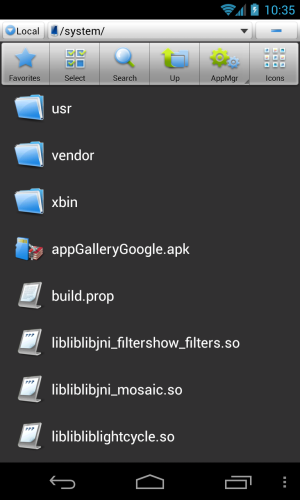



 Facebook
 Twitter
 Instagram