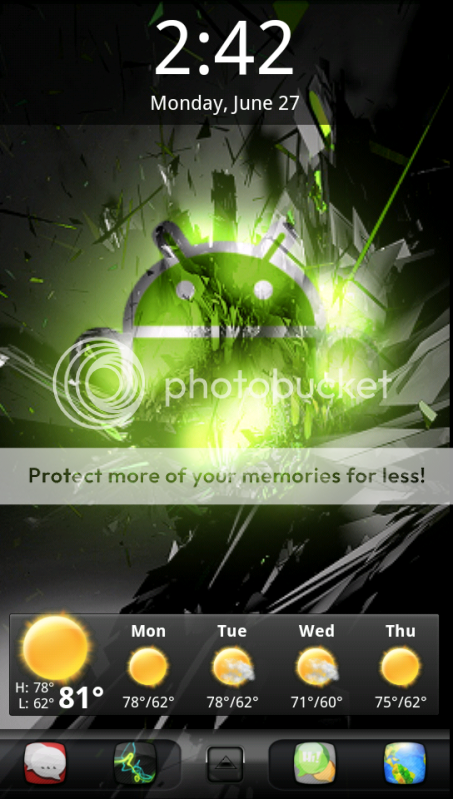
Homescreen Screen Shots on the EVO 3D

No root screenshot it. There is a little bit of setting up to do first but then it's just a great app. Developer is great to if you have any issues

EVO - LUTION 3D
 
Re: Home screen screen shots on the new 3D

i wanna see them (it says i need to post once to see attachments...).
 
Evo 3D Screen Shots

Here we go again guys and gals,

I figured I would make a follow up to the ever so popular Evo Screen Shots since I know we have a lot of new meembers coming from other devices, so why not let them in the fun as well.

Although there is no root method as of now (6.27.11) you may (or may not) be happy to know there is still a way to capture a screen shot which you can find here. Granted, some may think it's a bit much to go through just to take a picture of your screen, but as many can tell you, there are a lot of new apps, tips and tricks to be learned from others screens.

I will start you off with some nice links:

Here you can find a LOT of custom icons that you can use with a home replacement app such as LauncherPro or ADW

And here you can find custom docks.

With that said, I'll start off the fun with a simple shot.

e3d627.png


All I used here was
ADW EX
Beautiful Widgets
Digital Clock Widget

So go ahead! Install the SDK and get to showing off how creative you are.
 
  • Like
Reactions: VickMackey#AC
Re: Homescreen screen shots on the new 3D

This is my home screen. I do not have any icons on my homepage bc the pic looks amazing. Colors just POP, and also the widgets are transparent enough.
 
Here we go again guys and gals,

I figured I would make a follow up to the ever so popular Evo Screen Shots since I know we have a lot of new meembers coming from other devices, so why not let them in the fun as well.

Although there is no root method as of now (6.27.11) you may (or may not) be happy to know there is still a way to capture a screen shot which you can find here. Granted, some may think it's a bit much to go through just to take a picture of your screen, but as many can tell you, there are a lot of new apps, tips and tricks to be learned from others screens.

I will start you off with some nice links:

Here you can find a LOT of custom icons that you can use with a home replacement app such as LauncherPro or ADW

And here you can find custom docks.

With that said, I'll start off the fun with a simple shot.

e3d627.png


All I used here was
ADW EX
Beautiful Widgets
Digital Clock Widget

So go ahead! Install the SDK and get to showing off how creative you are.

There is a app for non root, it's called no root screenshot

EVO - LUTION 3D
 

Forum statistics

Threads
960,213
Messages
6,981,513
Members
3,164,435
Latest member
markhenry493