How do I get the settings colors to invert

Thebugmac87

Member
May 8, 2019
8
0
0
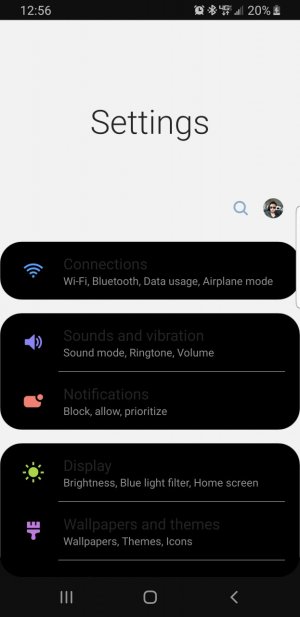
With android 9 out my background settings colors are inverted. Ive looked all over and cannot figure out how to switch it back
 

Attachments

  • Screenshot_20190508-125605_Settings.jpg
    Screenshot_20190508-125605_Settings.jpg
    97.5 KB · Views: 4
Last edited:
Welcome to Android Central! Which phone? If it's a Samsung, have you already tried different themes?
 
Are these all official Samsung themes, or 3rd party ones? It's a well-known issue that many 3rd party themes have not been properly updated for OneUI/Pie.
 
Sorry, I'm not directly familiar with Samsung's theme app -- are you certain the themes are from Samsung themselves, or can 3rd party developers submit themes that can be downloaded via the app?
 
yes, this happened when Android 9 was released, I dont know how to disable all themes and get just a blank stock image to see if it changes
 
yes, this happened when Android 9 was released, I dont know how to disable all themes and get just a blank stock image to see if it changes
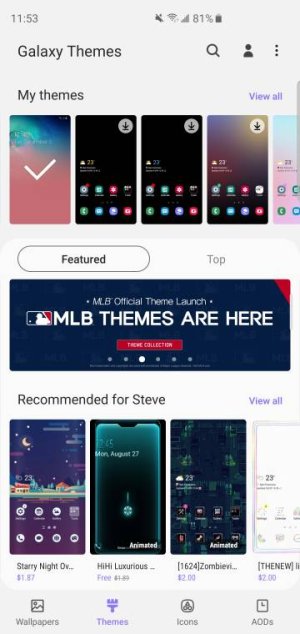
Long press the home screen , choose themes and it will take you to theme store , scroll down and your default theme is all the way to left corner where the check mark is just tap it.Screenshot_20190508-235305_Galaxy%20Themes.jpeg
 
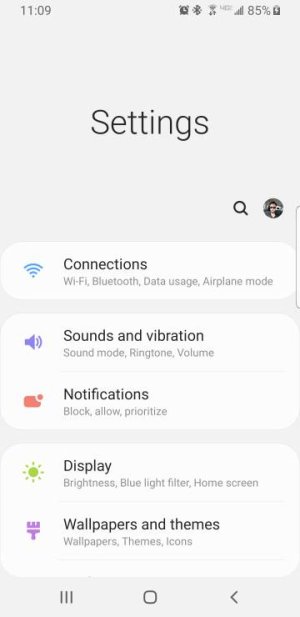
Ok that worked! Thanks. But how do i keep it with another theme
Your welcome
You can change ,wallpaper,icons while keeping it default otherwise you have to change to different theme if u want different theme .
 

Trending Posts

Forum statistics

Threads
959,764
Messages
6,980,123
Members
3,164,299
Latest member
sellhousefastmke