
- Mar 27, 2015
- 6
- 0
- 0
How to repartition a Dragon M10X tablet
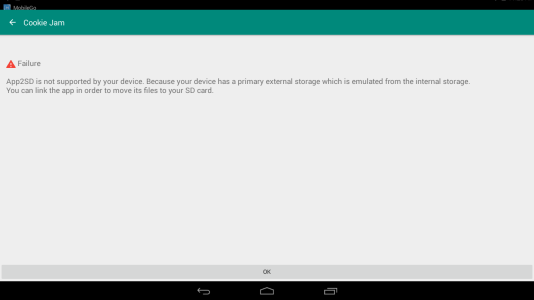
I have a new Dragon M10X 10" tablet from Amazon where they only repartition for one gig out of 16 possible for apps. So now, of course, it is full. I know I have to repartition it, but I do not know how. It is running Android 4.4.2. Does someone have to write something special to do this tablet, or does any repartitioned software thing work? I don't know much about it, although I've done it a long time ago in the past on a different tablet, but I swore I would not want to do it again, lol.
the tablet seems to otherwise have great build quality and everything is decent. I would like to keep it considering I only had to pay $140 for it new, but since email has already stopped working and as I said the app apps are full, I guess I will probably have to return it if I cannot repartition it.
thanks for your help!
I have a new Dragon M10X 10" tablet from Amazon where they only repartition for one gig out of 16 possible for apps. So now, of course, it is full. I know I have to repartition it, but I do not know how. It is running Android 4.4.2. Does someone have to write something special to do this tablet, or does any repartitioned software thing work? I don't know much about it, although I've done it a long time ago in the past on a different tablet, but I swore I would not want to do it again, lol.
the tablet seems to otherwise have great build quality and everything is decent. I would like to keep it considering I only had to pay $140 for it new, but since email has already stopped working and as I said the app apps are full, I guess I will probably have to return it if I cannot repartition it.
thanks for your help!




 Facebook
 Twitter
 Instagram