You've already tried Smart Switch to update the firmware?
Depends what firmware they flashed on it if it a older bootloaderSometimes I hear they just need a SIM card from the original carrier in them, even if it's not activated. Do you still have your old Sprint SIM?
You could always go the nuclear route - back up your data and grab the full firmware for your model of device from sammobile.com I believe they even have instructions for flashing it. Those firmware files are the official firmware, not a 3rd-party ROM.
Does this require a computer,
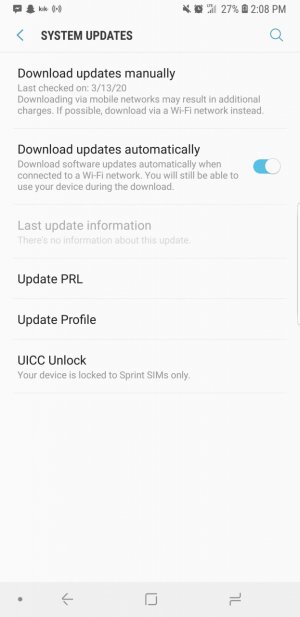
Can you get screenshot of about phone>softwareIt says its locked to sprint sims
It would, as would the SmartSwitch option noted by others...
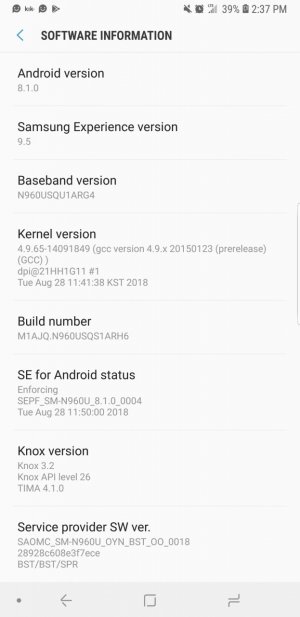
Can you get screenshot of about phone>software
There we goHere you go
There we go
Your on 8.1 oero this device is sprint
You will need to flash through Odin no smart switch will fix this
I don't know how to use Odin sadly
That's outdatedI'm sure there's a YouTube video on how to do that but I can't find one for you as work has blocked that site currently. Actually.. we have a how-to on this! https://forums.androidcentral.com/a...tock-rom-via-odin-new-interface-new-post.html
As for the cable - you'll need to find a USB-A to USB-C cable to plug the phone into the computer.
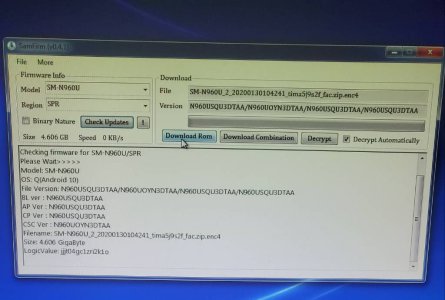
This is the tool with information I putYou will need windows computer
Download odin 3.13.1
Download sam firm tool v0.4.1
In this put SM-N960U MODEL
REGION SPR
Download rom push button and extract the firmware zip from computer be 4 files then go Odin extract and open will be 4 slots put each firmware file in corresponding slots like this
BL
AP
CS
CSC USE HOME TO SAVE DATA
USE 7zip to extract firmware and tool
You'll be all set