How to use screen write with scroll?

  • Thread starter Thread starter Android Central Question
  • Start date Start date
A

Android Central Question

I don't get how to use this properly. If I capture a whole article or something then it squeezes it all on to the screen as a really thin tiny capture so makes it impossible to write on and doesn't seen like it's possible to zoom in. Am I doing something wrong?
 
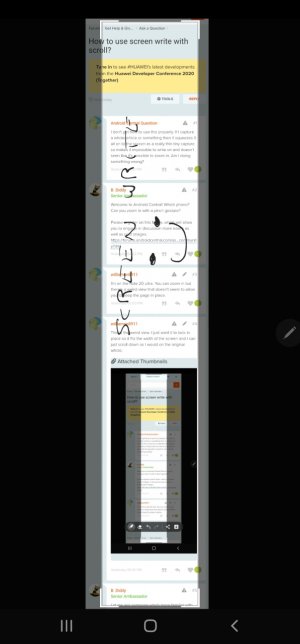
I'm on the note 20 ultra. You can zoom in but there's a weird view that doesn't seem to allow you to keep the page in place.
 
This is the weird view. I just want it to lock in place so it fits the width of the screen and I can just scroll down as I would on the original article.
 

Attachments

  • Screenshot_20201018-230306_Samsung capture.jpg
    Screenshot_20201018-230306_Samsung capture.jpg
    135 KB · Views: 22
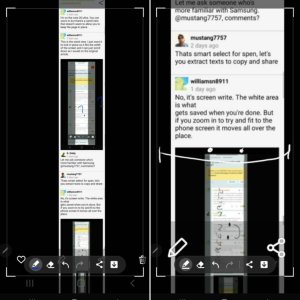
No, it's screen write. The white area is what
gets saved when you're done. But if you zoom in to try and fit to the phone screen it moves all over the place.
 

Attachments

  • Screenshot_20201019-213939_Samsung capture.jpg
    Screenshot_20201019-213939_Samsung capture.jpg
    118.3 KB · Views: 19
Move the corner of the highlighted area in or out (white corner bars). Kinda like resizing a window on a computer screen.
 
Yeah, I can move the white area, but when I zoom in or out the white area doesn't stay with the area of the image. And also, the whole image shifts around rather than just scrolling up and down as it would on the original article/webpage.
 
Yeah, I can move the white area, but when I zoom in or out the white area doesn't stay with the area of the image. And also, the whole image shifts around rather than just scrolling up and down as it would on the original article/webpage.
Try resetting Air Command , go settings >apps >air command tap it> storage and clear data/cache then force stop it .
 
Yeah, I can move the white area, but when I zoom in or out the white area doesn't stay with the area of the image. And also, the whole image shifts around rather than just scrolling up and down as it would on the original article/webpage.

I think that you are expecting the selection area to grow/shrink along with the picture underneath when you are resizing that picture?
That is not the normal photo editor behavior. When you edit an image in gallery, if you zoom in on a picture the selection size does not track the outside of the photo. The selection area remains the same and it results in a cropped image.
 
I'm not having your problem if I'm understanding correctly. My edges stay wide and don't change when I pinch in to write. They stay the same when I don't pinch and then when I do. See attached photo.

What phone, provider, etc.? Mine is tmobile, USA, locked.

eta just thought. Are you pinching with the spen or your fingers? I'm using my fingers.
Also, are you pinching in the center and not the side? When I pinch with my fingers on the side, the white edges move. Otherwise it stays to the edges.
 

Attachments

  • 7546.jpg
    7546.jpg
    54.1 KB · Views: 12
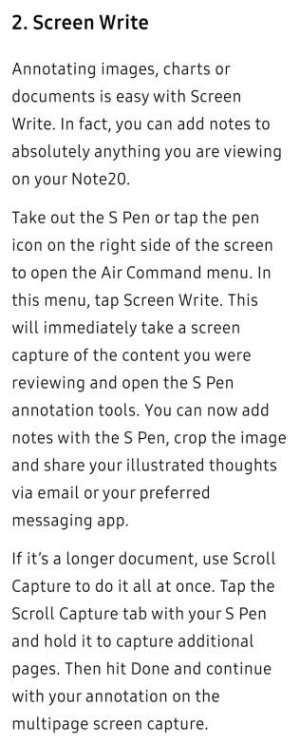
On mine, if you go to "Air Command" and click "Screen Write" there, there's a tab for "Scroll Capture" that pops up and all you do is either keep tapping it until you've got all you want or just hold it down if you want the entire page! Then, you just hit save!!! Instruction jpg attached!IMG_20201027_174038.jpeg