Is a black background in S-Note Possible?

caliskimmer

Retired Moderator
Jul 11, 2010
1,869
24
0
Hi, guys

I just bought a new Samsung Galaxy Note 10.1 for taking notes during lectures in university. I really like the S Note app, but I noticed that there is no way to change the background to a darker color. Is this possible in S-Note or do I have to get an alternative app?

I did some basic searching, but I am in a rush, so if a similar question has been posted already, I apologize. Thanks in advance!

 
Hi, guys

I just bought a new Samsung Galaxy Note 10.1 for taking notes during lectures in university. I really like the S Note app, but I noticed that there is no way to change the background to a darker color. Is this possible in S-Note or do I have to get an alternative app?

I did some basic searching, but I am in a rush, so if a similar question has been posted already, I apologize. Thanks in advance!

Well, for a quick solution that isn't very 'elegant', but it's fast. You can try what I did, see attached. I used a broad brush stroke and literally colored the background black. Then I wrote on it using red and a finer line. Almost looks neon. If you do try this approach, you won't want to use the eraser tool. It will erase the black background too. Try using the back arrow to undo whatever mistake you'd like to correct.
Idea note black.jpg
 
Hi, guys

I just bought a new Samsung Galaxy Note 10.1 for taking notes during lectures in university. I really like the S Note app, but I noticed that there is no way to change the background to a darker color. Is this possible in S-Note or do I have to get an alternative app?

I did some basic searching, but I am in a rush, so if a similar question has been posted already, I apologize. Thanks in advance!

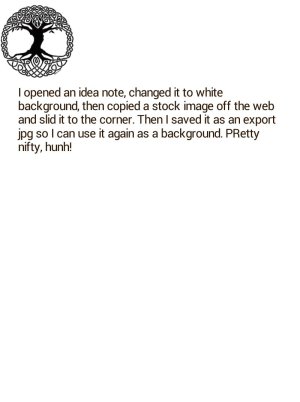
AFter I wrote the previous message I remembered that when I first played around with the Snote, I'd stumbled across a way to change the background beyond the stock set. SO to make a black background, or any background of your choice, first create or find a jpg to be the background. YOu can search images online, or for black in your case, color in an Snote. THen export the Snote as a jpg. WHen you're creating a new Snote, open the menu and choose change background. THen on the screen that shows the stock backgrounds, click the upper right icon to look for other images. THen you can choose the jpg you created. SOmetimes this tablet just amazes me with it's features!
 

Attachments

  • Idea note_6_01(1).jpg
    Idea note_6_01(1).jpg
    57.7 KB · Views: 31
AFter I wrote the previous message I remembered that when I first played around with the Snote, I'd stumbled across a way to change the background beyond the stock set. SO to make a black background, or any background of your choice, first create or find a jpg to be the background. YOu can search images online, or for black in your case, color in an Snote. THen export the Snote as a jpg. WHen you're creating a new Snote, open the menu and choose change background. THen on the screen that shows the stock backgrounds, click the upper right icon to look for other images. THen you can choose the jpg you created. SOmetimes this tablet just amazes me with it's features!

Bam, this is EXACTLY what I needed. Many thanks indeed!
 
You could insert a black picture and stretch it to fit the screen. Just make sure to "move it to the back or back- ground." I have done this many times!
 
I know you made this post a while ago so I don't know if this information will make it to you. What I have found to work best for me is to search the web for printable lined college ruled (whatever you like to have) paper. Download it and save it as a jpg. Then I use the lined paper as a new background in Snote and apply it to all of the following pages. I have enjoyed this the most.
 

Trending Posts

Members online

Forum statistics

Threads
961,383
Messages
6,986,217
Members
3,164,709
Latest member
mathewsjamie138
