Is the G Flex camera this terrible?

Pre Productions Software. It'll get better with an update at some point. The g2 will have the same camera software. So it's just customizing to the Flex.
 
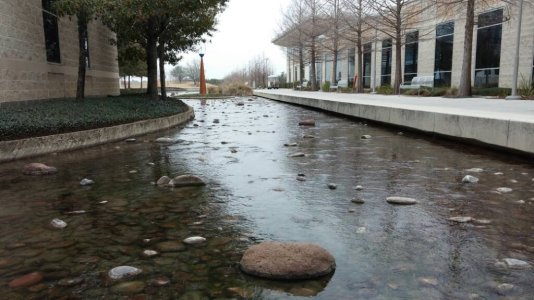
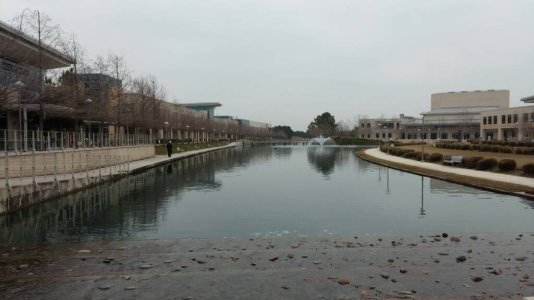
Here are some shots I took with my flex yesterday while at my college. uploadfromtaptalk1391937658568.jpguploadfromtaptalk1391937676815.jpg

Sent from my LG-D950 using Tapatalk
 
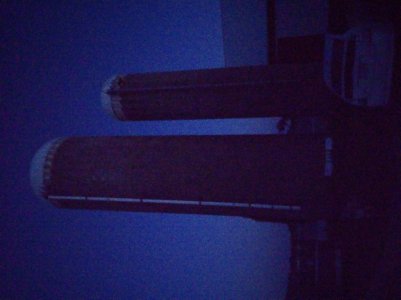
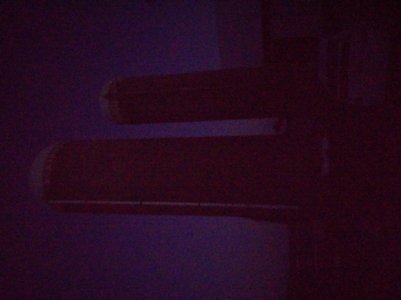
I'm defiantly not happy with the G Flex's camera. All of my photos have bluish Blacks. I have adjusted everything. The options only allow so much adjustment. And the stupid onscreen menu is not see through so when you adjust an option you can't see the change until you exit the menu because the menu takes up the entire screen. Just a terrible setup. My friends S5 next to mine displayed a pure Black. I am still on 4.2.2. Perhaps the kitkat 4.4.2 update addressed this issue?
 
I'm defiantly not happy with the G Flex's camera. All of my photos have bluish Blacks. I have adjusted everything. The options only allow so much adjustment. And the stupid onscreen menu is not see through so when you adjust an option you can't see the change until you exit the menu because the menu takes up the entire screen. Just a terrible setup. My friends S5 next to mine displayed a pure Black. I am still on 4.2.2. Perhaps the kitkat 4.4.2 update addressed this issue?

Would love if you could upload a sample or two. Preferably using a free file host, Dropbox etc so there's no massive rescaling losses.

Certainly the Flex is not a great night camera but I did not think my blacks were bluish...
 
Would love if you could upload a sample or two. Preferably using a free file host, Dropbox etc so there's no massive rescaling losses.

Certainly the Flex is not a great night camera but I did not think my blacks were bluish...

I didn't notice it til I was taking pictures and video next to friends S5.. But, you can see it for yourself very easily.. Just point your camera at your TV and the TV Blacks will look Bluish on the G Flex.
 
I didn't notice it til I was taking pictures and video next to friends S5.. But, you can see it for yourself very easily.. Just point your camera at your TV and the TV Blacks will look Bluish on the G Flex.

Ah yeah the usage pattern matters. G Flex is a tad bluer and maybe more realistic, S5 tends to compensate and saturate colors. But probably if blacks on your TV are bluish on the Flex they are not true black. When all the lights are off, does black on your TV still glow a little?

I will post some images in a day or so when I get home, I got a flat screen with greyish blacks to test on. I have 4.4

And I do remember at least one reviewer claiming that sometimes too much blue was added. It seems they changed the software again with the G3 because some shots from it looked like they had a blown out red value.
 
Yes, I read about the G3 update hopefully LG is looking at tweaking the rest of their line as well.
 
Last edited:
Yes, I read about the G3 update hopefully LG is looking at tweaking the rest of their line as well.

Ah ah I remembered a trick, for low light when there is too much blue.

1) open the camera
2) switch Mode to "Intelligent Auto"
3) select whatever Mode you prefer

There seems to be a blue gain bug if the light levels are low enough, but you can clear it by switching camera modes. I had totally forgotten about this but it is still present in the camera on 4.4 Kit Kat thus far.

20140713_215018_HDR.jpg
Normal
20140713_215033.jpg
Intelligent Auto
20140713_215043.jpg
Normal after switching back from IA.

Notice anything?
 
Thanks for the Tip.....

I solved my issue.. My bluish Blacks were due to a small square piece of clear plastic that I did not notice covering the camera lens. It was placed there by the factory to protect the lens during shipping. Once I removed it all was good. :)
 
Last edited:

Forum statistics

Threads
961,341
Messages
6,985,932
Members
3,164,700
Latest member
Juanjosedag