
This mess is just another reason why my next phone will NOT be a Samsung.
The phone's are ok, but the service is terrible!
Below is a transcript of my damn chat session earlier today.
Of course, nothing was resolved.
-----------------------------------------
This is around 5 minutes after trudging through the crappy AI Chatbot
Samsung: Thanks for contacting Samsung Customer Support, Corey. This is Muratoty, your Samsung Pro, I’m here to help. Please 2-3 minutes to review the information above quickly.
11:43 AM
Me: Ok
11:44 AM
Samsung: Thanks for being online.
I understand that you are unable to login into your Samsung account. Is that correct?
11:47 AM
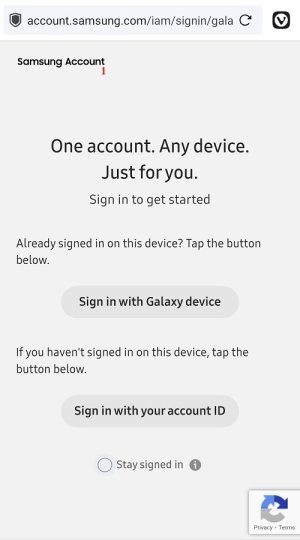
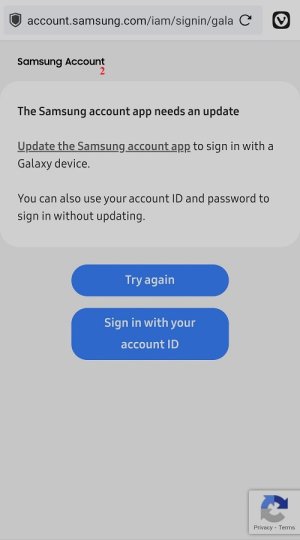
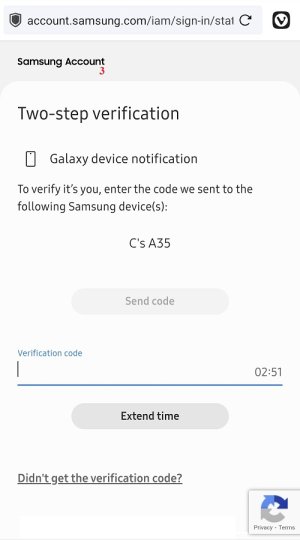
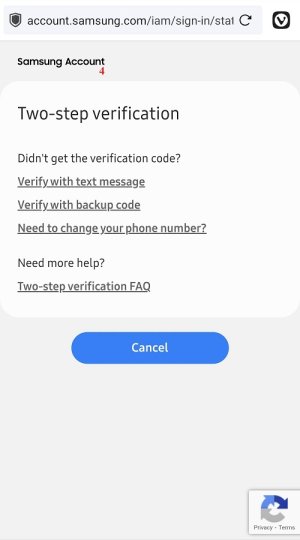
Me: Last week I had to Factory Reset my phone. Ever since then, when I try to add my Samsung Account to the phone, I type in my username & password, but I NEVER get a return code sent to my phone! And now, I'm having the same problem on the website. No code is EVER sent.
11:48 AM
Samsung: Thanks for letting us know your concern, let's check with the possible options to help you out.
11:49 AM
Samsung: Is this the email address - (removed by me) set up on your Samsung account?
11:50 AM
Me: Yes
11:50 AM
Samsung: Do you have access to the registered email address to send & receive emails?
11:51 AM
Me: Yes I do.
11:51 AM
Samsung: Okay, May I please have the phone number registered on your Samsung account?
11:51 AM
Me: (removed by me)
11:52 AM
Samsung: I see that this is the phone number - 184**10**98 registered on your Samsung account. Do you remember this?
11:55 AM
Me: That is NOT my number & I have no idea what it is or where it came from!
11:56 AM
Samsung: Okay, I will help you out with the process to update the phone number.
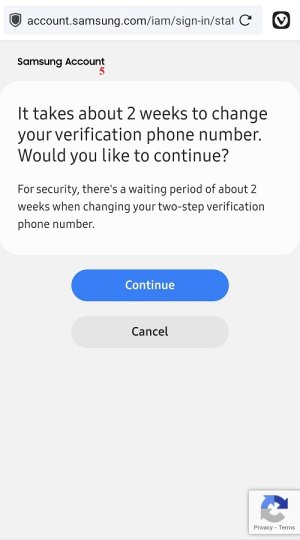
Samsung came up with an easy process to update the phone number from your end by raising a request which will take 2 weeks of time.
I will help you out with few options please check & let us know if you have access to them.
12:00 PM
Samsung: Because the options that I am going to share with you may give you instant access on your Samsung account if you have enabled them.
12:01 PM
Me: Ok
12:02 PM
Samsung: Please let us know do you have access to Samsung Back up codes?
12:02 PM
Me: 1 question. Why would it take 2 weeks when my phone number & account were working just fine BEFORE my Factory Reset?
No I don't have backup codes.
12:03 PM
Me: I was never prompted about backup codes!
12:04 PM
Samsung: Regarding your question: since a different phone number is registered to your Samsung account, the verification code will be sent to that number. Once you log in to your Samsung account on your device, it won’t keep asking for the code repeatedly.
12:08 PM
Samsung: So that is reason if the phone number is changed your Samsung account is still logged in until the factory reset is done.
We see that you have enabled 16 devices as trusted devices you can log in to your Samsung account with the Samsung ID & password directly on these trusted devices it does not ask for a two-step verification code.
Do you have access to anyone of these devices
12:09 PM
Me: I don't know what 16 devices are listed. I have 2 devices: my phone & my desktop computer!
12:10 PM
Samsung: You can check with any devices of yours that are already logged in with your Samsung account, any trusted browsers where you left your Samsung Account logged in? It might be your PC, Laptop or another smartphone.
12:11 PM
Me: I only use my phone & desktop computer. And I cannot get into my Samsung account on either of them right now!
12:14 PM
Samsung: Since we've explored all possible options to help you regain access to your Samsung account as do not have access to them, I will provide you with two additional options that might help you locate the registered phone number.
12:16 PM
Me: Why can you not send a new code to the number that is listed ON MY PHONE!!!
12:17 PM
Samsung: I would have surely done that for you if I have option, Two-step verification process is automated & the code is sent the phone number which is registered on your Samsung account.
12:19 PM
Me: When I open Settings & About Phone, I see ‘eSIM 1 Phone number: (removed by me) ’. This is my registered phone number. This is the number where I receive & make calls from!
12:20 PM
Me: WHY DID SAMSUNG PUT THE 184**10**98 NUMBER ON MY ACCOUNT THEN? I SURELY DID NOT!
12:21 PM
Samsung: Please note that Samsung does not have access to edit the information on your Samsung account.
I will provide you with two additional options that might help you locate the registered phone number.
12:22 PM
Me: Ok
12:23 PM
Samsung: Please check your previous carrier bills, which may contain the full phone number. You can look through any bills where you have used this number & if there are any soft copies of the bills in your email, you can check there as well.
12:23 PM
Samsung: You may also get the old phone number from your carrier provider, please get in touch with them once.
12:24 PM
Me: I'm checking now.
12:28 PM
Samsung: Please check, I will be on hold for you.
12:28 PM
Me: I'm logged into my carrier’s website, what am I looking for?
12:29 PM
Samsung: Please check for the phone number - 184**10**98.
12:30 PM
Me: That is what I'm trying to convey. That number is NO WHERE in my carrier's account!
12:33 PM
Samsung: I want you to please call them & check if there are any phone numbers linked with your account.
12:35 PM
Me: I'm calling, but this is wasting BOTH of our times!
12:42 PM
Me: My carrier cannot find 184**10**98 anywhere in my account.
12:43 PM
Samsung: I request you to please check for the phone number - 184**10**98 with your friends & family members as well they might have access to it.
Because the verification page on Samsung requires the old phone number, it just asks for the phone number it will neither send a confirmation text nor a code to the old phone number.
12:44 PM
Me: Is there a name connected with that supposed phone number?
12:45 PM
Me: Can you give me the full phone number, because I don't even see those numbers in my Contacts list.
12:46 PM
Samsung: I would have surely shared you, the digits which I am seeing the same I have shared with you, Corey.
12:47 PM
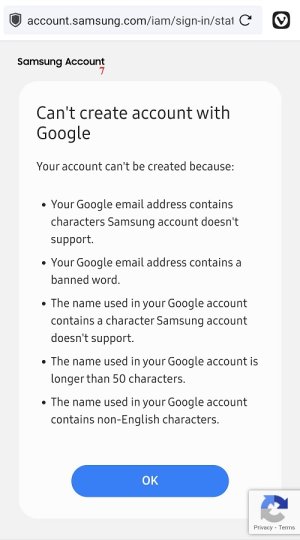
Samsung: As you have seen we have tried with every possibility to retrieve the phone number & check with the other options to regain access on your Samsung account as you do not have accessibility, I request you to please create a new Samsung account with alternatives email address. We surely help you if we have alternatives in this regard.
12:48 PM
Me: If I create a new account, there will STILL be my original account with MY information, which I STILL will not be able to get into!
12:53 PM
Samsung: Yes, The account will be deleted after a certain time period.
12:58 PM
Me: So in the meantime, I have NO access to MY account! Thank you Samsung.
I have to go, late for errands, thanks to Samsung.
1:00 PM
Me: Thank you for trying to help & I hope you have a better rest of your day.
1:01 PM
Samsung: You are welcome, Corey.
1:01 PM
Samsung: I appreciate your patience & cooperation throughout the conversation.
1:02 PM
-----------
As you can see from the time stamps, this crap chat was over 75 minutes long & my problem was not resolved in that time!
So, if I do create a new Samsung account, how exactly am I supposed to get all my original account’s information back?
The phone's are ok, but the service is terrible!
Below is a transcript of my damn chat session earlier today.
Of course, nothing was resolved.
-----------------------------------------
This is around 5 minutes after trudging through the crappy AI Chatbot
Samsung: Thanks for contacting Samsung Customer Support, Corey. This is Muratoty, your Samsung Pro, I’m here to help. Please 2-3 minutes to review the information above quickly.
11:43 AM
Me: Ok
11:44 AM
Samsung: Thanks for being online.
I understand that you are unable to login into your Samsung account. Is that correct?
11:47 AM
Me: Last week I had to Factory Reset my phone. Ever since then, when I try to add my Samsung Account to the phone, I type in my username & password, but I NEVER get a return code sent to my phone! And now, I'm having the same problem on the website. No code is EVER sent.
11:48 AM
Samsung: Thanks for letting us know your concern, let's check with the possible options to help you out.
11:49 AM
Samsung: Is this the email address - (removed by me) set up on your Samsung account?
11:50 AM
Me: Yes
11:50 AM
Samsung: Do you have access to the registered email address to send & receive emails?
11:51 AM
Me: Yes I do.
11:51 AM
Samsung: Okay, May I please have the phone number registered on your Samsung account?
11:51 AM
Me: (removed by me)
11:52 AM
Samsung: I see that this is the phone number - 184**10**98 registered on your Samsung account. Do you remember this?
11:55 AM
Me: That is NOT my number & I have no idea what it is or where it came from!
11:56 AM
Samsung: Okay, I will help you out with the process to update the phone number.
Samsung came up with an easy process to update the phone number from your end by raising a request which will take 2 weeks of time.
I will help you out with few options please check & let us know if you have access to them.
12:00 PM
Samsung: Because the options that I am going to share with you may give you instant access on your Samsung account if you have enabled them.
12:01 PM
Me: Ok
12:02 PM
Samsung: Please let us know do you have access to Samsung Back up codes?
12:02 PM
Me: 1 question. Why would it take 2 weeks when my phone number & account were working just fine BEFORE my Factory Reset?
No I don't have backup codes.
12:03 PM
Me: I was never prompted about backup codes!
12:04 PM
Samsung: Regarding your question: since a different phone number is registered to your Samsung account, the verification code will be sent to that number. Once you log in to your Samsung account on your device, it won’t keep asking for the code repeatedly.
12:08 PM
Samsung: So that is reason if the phone number is changed your Samsung account is still logged in until the factory reset is done.
We see that you have enabled 16 devices as trusted devices you can log in to your Samsung account with the Samsung ID & password directly on these trusted devices it does not ask for a two-step verification code.
Do you have access to anyone of these devices
12:09 PM
Me: I don't know what 16 devices are listed. I have 2 devices: my phone & my desktop computer!
12:10 PM
Samsung: You can check with any devices of yours that are already logged in with your Samsung account, any trusted browsers where you left your Samsung Account logged in? It might be your PC, Laptop or another smartphone.
12:11 PM
Me: I only use my phone & desktop computer. And I cannot get into my Samsung account on either of them right now!
12:14 PM
Samsung: Since we've explored all possible options to help you regain access to your Samsung account as do not have access to them, I will provide you with two additional options that might help you locate the registered phone number.
12:16 PM
Me: Why can you not send a new code to the number that is listed ON MY PHONE!!!
12:17 PM
Samsung: I would have surely done that for you if I have option, Two-step verification process is automated & the code is sent the phone number which is registered on your Samsung account.
12:19 PM
Me: When I open Settings & About Phone, I see ‘eSIM 1 Phone number: (removed by me) ’. This is my registered phone number. This is the number where I receive & make calls from!
12:20 PM
Me: WHY DID SAMSUNG PUT THE 184**10**98 NUMBER ON MY ACCOUNT THEN? I SURELY DID NOT!
12:21 PM
Samsung: Please note that Samsung does not have access to edit the information on your Samsung account.
I will provide you with two additional options that might help you locate the registered phone number.
12:22 PM
Me: Ok
12:23 PM
Samsung: Please check your previous carrier bills, which may contain the full phone number. You can look through any bills where you have used this number & if there are any soft copies of the bills in your email, you can check there as well.
12:23 PM
Samsung: You may also get the old phone number from your carrier provider, please get in touch with them once.
12:24 PM
Me: I'm checking now.
12:28 PM
Samsung: Please check, I will be on hold for you.
12:28 PM
Me: I'm logged into my carrier’s website, what am I looking for?
12:29 PM
Samsung: Please check for the phone number - 184**10**98.
12:30 PM
Me: That is what I'm trying to convey. That number is NO WHERE in my carrier's account!
12:33 PM
Samsung: I want you to please call them & check if there are any phone numbers linked with your account.
12:35 PM
Me: I'm calling, but this is wasting BOTH of our times!
12:42 PM
Me: My carrier cannot find 184**10**98 anywhere in my account.
12:43 PM
Samsung: I request you to please check for the phone number - 184**10**98 with your friends & family members as well they might have access to it.
Because the verification page on Samsung requires the old phone number, it just asks for the phone number it will neither send a confirmation text nor a code to the old phone number.
12:44 PM
Me: Is there a name connected with that supposed phone number?
12:45 PM
Me: Can you give me the full phone number, because I don't even see those numbers in my Contacts list.
12:46 PM
Samsung: I would have surely shared you, the digits which I am seeing the same I have shared with you, Corey.
12:47 PM
Samsung: As you have seen we have tried with every possibility to retrieve the phone number & check with the other options to regain access on your Samsung account as you do not have accessibility, I request you to please create a new Samsung account with alternatives email address. We surely help you if we have alternatives in this regard.
12:48 PM
Me: If I create a new account, there will STILL be my original account with MY information, which I STILL will not be able to get into!
12:53 PM
Samsung: Yes, The account will be deleted after a certain time period.
12:58 PM
Me: So in the meantime, I have NO access to MY account! Thank you Samsung.
I have to go, late for errands, thanks to Samsung.
1:00 PM
Me: Thank you for trying to help & I hope you have a better rest of your day.
1:01 PM
Samsung: You are welcome, Corey.
1:01 PM
Samsung: I appreciate your patience & cooperation throughout the conversation.
1:02 PM
-----------
As you can see from the time stamps, this crap chat was over 75 minutes long & my problem was not resolved in that time!
So, if I do create a new Samsung account, how exactly am I supposed to get all my original account’s information back?







 Facebook
 Twitter
 Instagram