Marshmallow update + Good Lock UI!

That sounds interesting. How do we root the Note 4 and go about installing this Galaxy S7 ROM as u say? Also, what are the pros and cons of doing so? Thing is if no significant worthy updates are released I would after considering the above maybe install the ROM

Posted via the Android Central App

Galaxynote4root.com or check out Max Lee's YouTube channel. Its the same guy who runs the website and YT channel. He explains stuff clearly I find.

He released a video in the last week about the S7 Edge Port ROM and it looks great. Everything works he says except for screen off memo bit there's a fix coming.

Only really bad thing is that it trips Knox and maybe unable to use Android Pay. That's all really.

You get all side panels and theme store with Note 5 features too, all included in the same rom.
 
Galaxynote4root.com or check out Max Lee's YouTube channel. Its the same guy who runs the website and YT channel. He explains stuff clearly I find.

He released a video in the last week about the S7 Edge Port ROM and it looks great. Everything works he says except for screen off memo bit there's a fix coming.

Only really bad thing is that it trips Knox and maybe unable to use Android Pay. That's all really.

You get all side panels and theme store with Note 5 features too, all included in the same rom.

Thanks man let me check it out

Posted via the Android Central App
 
Thanks man let me check it out

Posted via the Android Central App

If you are seriously considering rooting your device, take the time to do the proper research. While rooting gives you total control over your device, I'd hate to see another "I've-ruined-a-perfectly-functioning-phone-helpzzz!" thread.

Note 4 910C 6.0.1 | Good Lock UI | Android Central App
 
I was asking if Butterfly2 was on Marshmallow. I know it only works on Marshmallow.

... no mention of this butterfly2 ...

Note 4 910C 6.0.1 | Good Lock UI | Android Central App
 

Attachments

  • Screenshot_2016-06-02-00-53-07.jpg
    Screenshot_2016-06-02-00-53-07.jpg
    17.6 KB · Views: 44
If you are seriously considering rooting your device, take the time to do the proper research. While rooting gives you total control over your device, I'd hate to see another "I've-ruined-a-perfectly-functioning-phone-helpzzz!" thread.

Note 4 910C 6.0.1 | Good Lock UI | Android Central App

It is quite easy really if done right. It's just that some of the guides people do go back and forwards. I done it with the S4 and worked through a walkthrough someone done and half way through they decided to tell you to download something you needed at the start, so I had to start over again.

I installed a new ROM on my S4 last night and it runs a beast and I now have the full theme store etc on it and edge panels.
 
What colour schemes have people gone with for their good lock anyway? I've gone solid blue.
 
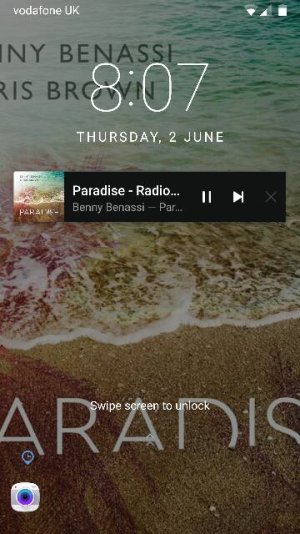
Spotify lockscreen album art seems to be back with Samsung Good lock! Good times!
 
Is there a way to change the default wallpaper shown on the lockscreen with this app?
 
Is there a way to change the default wallpaper shown on the lockscreen with this app?

Simply set any image as lockscreen wallpaper (either through gallery or system settings) and it will apply to good lock ui.

Note 4 910C 6.0.1 | Good Lock UI | Android Central App
 
Simply set any image as lockscreen wallpaper (either through gallery or system settings) and it will apply to good lock ui.

Note 4 910C 6.0.1 | Good Lock UI | Android Central App

This worked perfect, thank you.
 

Latest posts

Trending Posts

Forum statistics

Threads
960,688
Messages
6,983,237
Members
3,164,544
Latest member
bamboozled