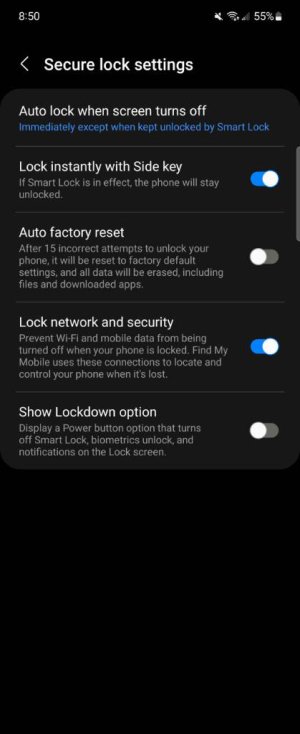
My Samsung phone display wont turn off.

Dendrobates

Member
Aug 27, 2022
14
0
0
My display sleep setting is on 15 sec but when I turn my phone off it stays on my lock screen and won't turn off
 
My display timeout is 15 seconds and my lock screen timeout is 5 seconds. I do have a magnet on my phone case but I've had this case since I got the phone. I'm not sure what safe mode is. I looked up in settings and couldn't find it.
 
Booting into Safe Mode temporarily disables any 3rd party apps you installed. This can help troubleshoot if an issue is due to something you installed vs the system itself. The steps in the link I shared above are how to boot into Safe Mode.

Just to check, try also removing the case and see if the problem persists.
 
Safe mode for Android 10 and up is long press power button when on your display pops up turn off then long press that on your display until safe mode appears and reboot

I would take the case off Incase magnet messing with this
 
Welcome to Android Central! It could very well be the case, even if you've had it for a while. Perhaps take it off and see if the issue persists?
 
I try about 4 times to put it in safe mode and it didn't work. I didn't see the symbol to put it into safe mode. I took the case off for 20 minutes and the display still wouldn't turn off do you think I need to leave it off for longer?
 
I try about 4 times to put it in safe mode and it didn't work. I didn't see the symbol to put it into safe mode. I took the case off for 20 minutes and the display still wouldn't turn off do you think I need to leave it off for longer?

It seems as though the case may not be the culprit. Just a suggestion: what happens when you fiddle with the screen settings? I know some phones light up if they *think* they register your face/eyes.
 
I try about 4 times to put it in safe mode and it didn't work. I didn't see the symbol to put it into safe mode. I took the case off for 20 minutes and the display still wouldn't turn off do you think I need to leave it off for longer?

Do you have developer options enabled? There's a settings in there called stay awake where your phone won't go to sleep while it's plugged in. If your charge port were damaged it might think it's plugged in when in fact it isn't. Just going out on a limb here....
 
I try about 4 times to put it in safe mode and it didn't work. I didn't see the symbol to put it into safe mode. I took the case off for 20 minutes and the display still wouldn't turn off do you think I need to leave it off for longer?