Mystery floating 'bar' filled with ads. 'Want to leave fun now?' upon exit

radicaldream

Member
Oct 16, 2018
12
0
0
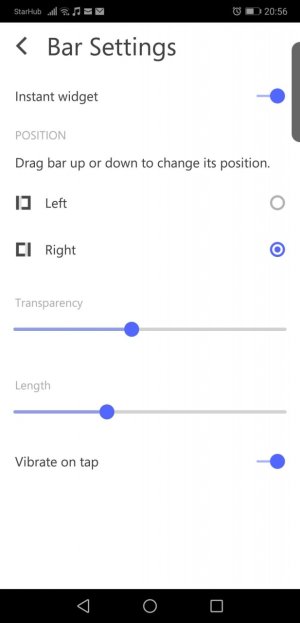
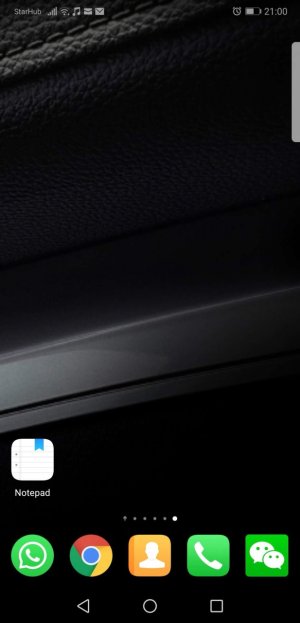
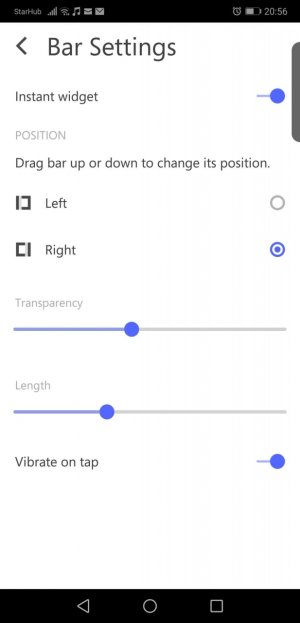
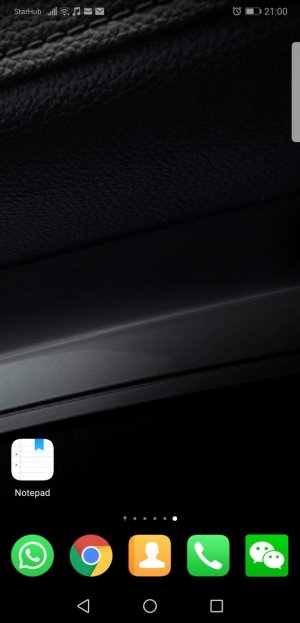
I have this mysterious semi transparent bar appeared on my screen's top right hand corner. If I accidentally press it, it will brings me to a page filled with videos and ads. If I press back and exit, it will prompt: "Want to leave fun now?".

Interestingly there's a setting tap in the mystery app. there's settings to "widget settings", follow by "Bar settings".

I've tried to locate the culprit and uninstall any unwanted app, I can't find in my phone nor googling for "fun" or "bar" or "bar widget" etc. I've browsed through my installed app and widget and I can't find anything suspicious

Please help!
WeChat Image_20181016212332.jpgWeChat Image_20181016212347.jpg
WeChat Image_20181016212353.jpgWeChat Image_20181016212357.jpg
 
(removed screenshots)
 

Attachments

  • WeChat Image_20181016212332.jpg
    WeChat Image_20181016212332.jpg
    108.9 KB · Views: 4
  • WeChat Image_20181016212347.jpg
    WeChat Image_20181016212347.jpg
    82.4 KB · Views: 4
  • WeChat Image_20181016212353.jpg
    WeChat Image_20181016212353.jpg
    174.1 KB · Views: 4
  • WeChat Image_20181016212357.jpg
    WeChat Image_20181016212357.jpg
    232.9 KB · Views: 4
Welcome to the forums. What phone do you have? Tap that bar and when the ad page pops up open the recent apps. See if the last card is related to that page, long press the small icon top left on that card and then tap the "i" (info) icon to see which app is the culprit.
 
Welcome to the forums. What phone do you have? Tap that bar and when the ad page pops up open the recent apps. See if the last card is related to that page, long press the small icon top left on that card and then tap the "i" (info) icon to see which app is the culprit.

Thanks for the response!

1) Huawei P20 Pro
2) Tapped app, and it didn't appear in the recent app
 
Thanks for the response!

1) Huawei P20 Pro
2) Tapped app, and it didn't appear in the recent app
The culprit should be an app that you downloaded. Check that thread I linked above for different ideas. Also, check your 'running services' and see what's listed in there after you tap that widget. I'm not sure about your model but in most recent devices you can find this setting in the Developer Options.
 
The culprit should be an app that you downloaded. Check that thread I linked above for different ideas. Also, check your 'running services' and see what's listed in there after you tap that widget. I'm not sure about your model but in most recent devices you can find this setting in the Developer Options.

I went through the "running services" under developer option, i closed one by one and i found it.. interestingly its an app i installed long ago. Also, judging by the similar sympton from different users yet the culprit apps are different.. this maybe a new malware that disguise itself or hide under some existing app..
 
I went through the "running services" under developer option, i closed one by one and i found it.. interestingly its an app i installed long ago. Also, judging by the similar sympton from different users yet the culprit apps are different.. this maybe a new malware that disguise itself or hide under some existing app..
Excellent! Glad you managed to find the culprit! Which app was it? Your feedback will be very helpful for other users with a similar issue.

About being an old app, it's possible that widget was included in a recent update.
 
Excellent! Glad you managed to find the culprit! Which app was it? Your feedback will be very helpful for other users with a similar issue.

About being an old app, it's possible that widget was included in a recent update.

For my case its the "Z Camera". The other people however have "QR Code Scanner", other misc whatever.

One thing I observed, when I see 'Running services', there are more than 1 "Z Camera", I think the culprit randomly disguise itself as something in the phone.
 
For my case its the "Z Camera". The other people however have "QR Code Scanner", other misc whatever.

One thing I observed, when I see 'Running services', there are more than 1 "Z Camera", I think the culprit randomly disguise itself as something in the phone.
Oh, that Z Camera app has been reported several times for pushing ads and weird overlay menus. My advice, kill it with fire :)
 

Trending Posts

Forum statistics

Threads
963,183
Messages
6,992,802
Members
3,164,987
Latest member
pramanj96