No Option to switch off mobile data -Tmobile unlocked

krishnansasikumar

Well-known member
Sep 20, 2015
339
0
0
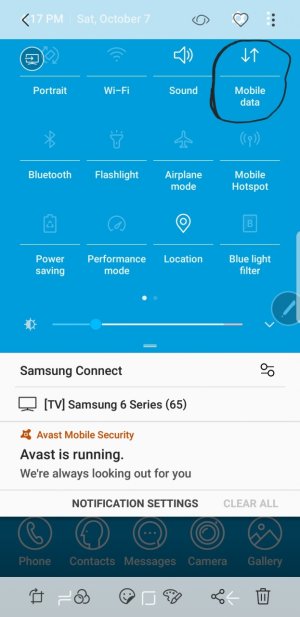
On my T-mobile unlocked Note 8, I don't see an option to switch on/off the mobile data.

Since I'm using an MVNO operator, I don't have unlimited data. Hence I usually like to switch it off when not required.

So, how can I enable the mobile data option on the quick settings screen
 
On my T-mobile unlocked Note 8, I don't see an option to switch on/off the mobile data.

Since I'm using an MVNO operator, I don't have unlimited data. Hence I usually like to switch it off when not required.

So, how can I enable the mobile data option on the quick settings screen

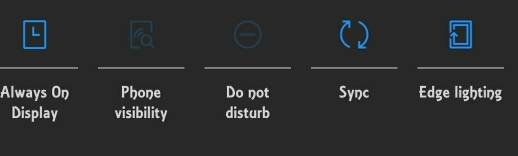
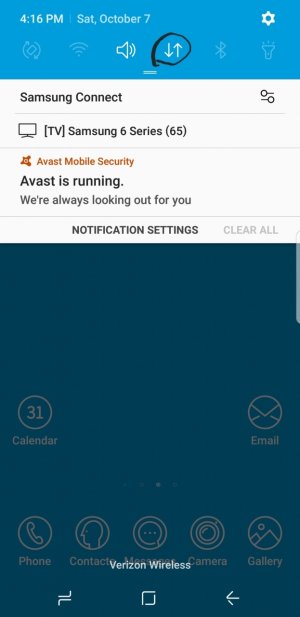
Try this: do you have down and up arrow settings when you pull down screen? If not try settings>connections>data usage>turn on/off mobile data
 

Attachments

  • Screenshot_20171007-161708.jpg
    Screenshot_20171007-161708.jpg
    113 KB · Views: 12
  • Screenshot_20171007-161815.jpg
    Screenshot_20171007-161815.jpg
    145 KB · Views: 12
Last edited:
There is no option to turn off mobile data either on my T-Mobile Note 8. You won't find it in the drop down while using T-Mobile.
 
There is no option to turn off mobile data either on my T-Mobile Note 8. You won't find it in the drop down while using T-Mobile.

Sorry on Verizon and was hoping the op had just missed it. But seriously? That is stupid. Lol. Sorry. That would not be ok with me. I like to be able to turn it off/on
 
On my T-mobile unlocked Note 8, I don't see an option to switch on/off the mobile data.

Since I'm using an MVNO operator, I don't have unlimited data. Hence I usually like to switch it off when not required.

So, how can I enable the mobile data option on the quick settings screen
Sorry ignore my first post.
 
I have a factory unlocked S8+ that I'm also using on T-Mobile and it does have the mobile data option in the pull down. Even if you have a T-Mobile Note that is unlocked, is still a T-Mobile phone.

You can flash the official Samsung firmware that their US unlocked Note 8s run and you will have that option.
 
Also if you are not aware, there is a data saver option in settings/connections that you can use to turn on/off any apps that you don't want to use data. when you turn data saver off, all apps go back to normal.
 
Thanks for the replies. I'm used to factory unlocked phones before. Its weird that carriers remove basic options like this. One big reason that I respect Apple. No one can fool around.

Guess the option would be to flash unlocked firmware on the phone.
 
Airplane mode does not stop all apps from using data in background. That needs to be done app by app.
 
Flashed the unlocked firmware and it's all back to how it should be.

Nice. Flashing the unlocked firmware will always work on these phones no matter what carrier and it will not void the warranty because it's still the official Samsung firmware. And, it's not Apple. :D
 

Latest posts

Trending Posts

Forum statistics

Threads
963,224
Messages
6,992,885
Members
3,164,991
Latest member
slackingfred