
I'm not sure if my being a new member disallows me posting pictures, which is a shame, but basically...
Just this morning, I bought the Huawei Y6 II Compact, running 6.0 Marshmallow.
I am not at all new to Android, I know the grill, I wished to move some bulky applications onto my SD card...
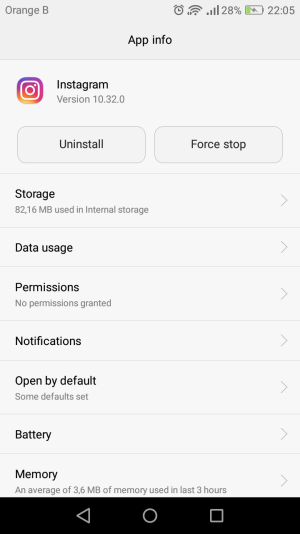
Apps > (selected app) > Storage > Change
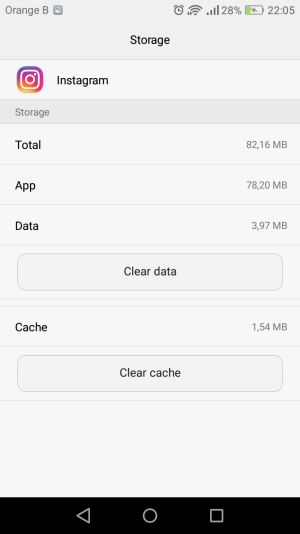
... Except, there is no change option. It tells me the app is in my "Internal storage"- but when I click on that to change this, as I have done with all of my previous mobile phones, no "Change" option is displayed. "Total", "App", "Data", "Cache", options to clear the latter two, but nothing else.
Is this something I can fix, or is the device manufactured in a way that forbids moving applications?
Thank you very much.
Just this morning, I bought the Huawei Y6 II Compact, running 6.0 Marshmallow.
I am not at all new to Android, I know the grill, I wished to move some bulky applications onto my SD card...
Apps > (selected app) > Storage > Change
... Except, there is no change option. It tells me the app is in my "Internal storage"- but when I click on that to change this, as I have done with all of my previous mobile phones, no "Change" option is displayed. "Total", "App", "Data", "Cache", options to clear the latter two, but nothing else.
Is this something I can fix, or is the device manufactured in a way that forbids moving applications?
Thank you very much.



 Facebook
 Twitter
 Instagram