mhunter6378
Well-known member
- May 15, 2013
- 1,482
- 0
- 0
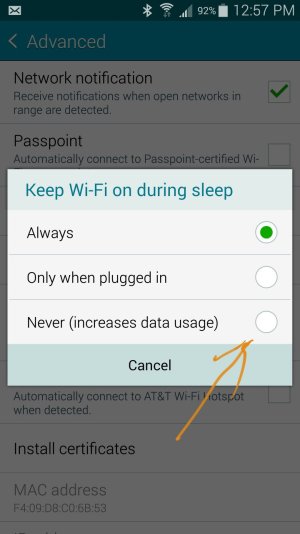
I believe I tried that, and it still happens (not sure). But do you know if checking Never, may prevent e-mails from going thru during the day, when the wifi is on but the screen is off (in my pocket, during work hours). I hate to have to keep switching this setting in the day time to Always, and at night to Never.
The Blocking mode doesn't do it, as the issue is not the phone, it is the pebble watch. While the phone follows the blocking mode restrictions, the watch doesn't. {There is a blocking mode time on the watch also, however that disables ALL notification}. So my only solution is to block data/wifi, the question is how to stop the auto reconnect to wifi. I agree with clevin it has to be a setting configiration in the wifi advanced screen. And I am on Sprint so the TMO management option is not available for me.
That or you could also use ultra power saving mode and just turn off data/WiFi before you do it. It should stay off. It will also keep your battery.
From my smokin' hot Note 4
Glad it worked for you!Happy to report that the Ultra Power mode worked. The only drawback is that I am unable to use the music app at the same time with Ultra mode, I like to listen to music as I drift to sleep. Oh well I guess I will have to resort to counting sheep instead![]()