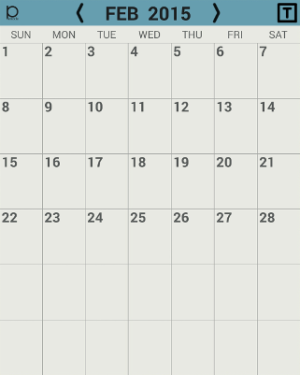
Penocle - New calendar/notepad/organizer application for Galaxy Note devices

zmiter freeman

New member
Oct 27, 2013
0
0
0
If you are looking for some easier way to create notes, tasks, reminders, and activities than using built-in S Note/S Planner, you can take a look at Penocle. Its first public version has just been released (October 24, 2013), new features are being added, so your questions/comments/suggestions are appreciated.

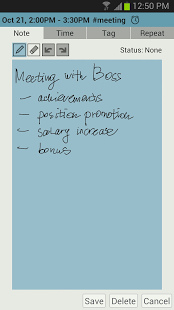
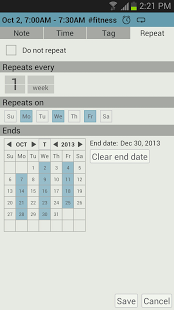
Some screenshots:
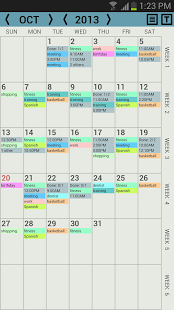
1.png 2.png 3.png

Penocle on Google Play: https://play.google.com/store/apps/details?id=com.zmiterfreeman.penocle
(or just use Google Play search)
 
Last edited:
Hi, the store says the app is not compatible with note 10.1 (not 2014 edition) Running 4.1.2 :( so sad, seemed to be exactly what I was looking for.
 
A trial version of Penocle has been released on Google Play.
Multiple performance and UX improvements.

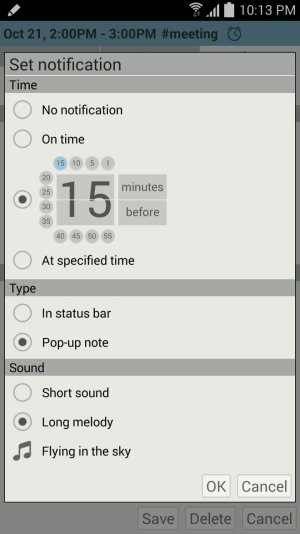
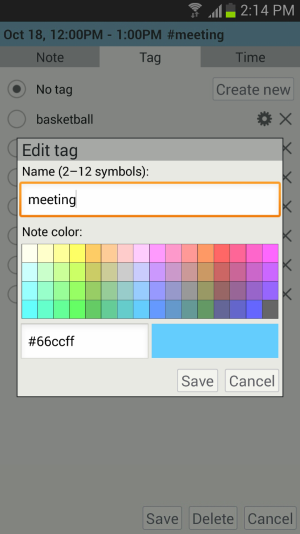
A couple of new screenshots:

promo_set_notification_4.1.2.jpg promo_edit_tag_4.1.2.png
 
i would like to see you open this up to all Android devices. as a Developer - why limit your market?

the current gold standard Calendar App is Jorte IMO.

good luck.

Actually Penocle should work well on any Android device, you just can't create graphic notes if the device does not support S Pen. Probably you are right, it is not a problem to add simple drawing features for other devices, but the key point of Penocle is ability to manage all your items (notes, tasks, activities, etc.) in the same simple way as on a paper planner.

Thanks for your comment!
 
Actually Penocle should work well on any Android device, you just can't create graphic notes if the device does not support S Pen. Probably you are right, it is not a problem to add simple drawing features for other devices, but the key point of Penocle is ability to manage all your items (notes, tasks, activities, etc.) in the same simple way as on a paper planner.

Thanks for your comment!

1. i installed your App on my Nexus 5 and did not see any of my Google Calendar events in your App. i looked through your settings and saw no setting to select which Calendars to show. is Google Calendar shown by default? if so - it is not working on my Nexus 5.
2. enable a "finger paint" for Notes which will not require a stylus.
 
1. i installed your App on my Nexus 5 and did not see any of my Google Calendar events in your App. i looked through your settings and saw no setting to select which Calendars to show. is Google Calendar shown by default? if so - it is not working on my Nexus 5.
2. enable a "finger paint" for Notes which will not require a stylus.

1) Seems like you were confused by the word calendar in the thread title. I meant you can create notes, events, etc. in the app and put them on the calendar, but there is no import/synchronization from other calendars. Though, you can back up all the Penocle items and restore them on the same/other device. I will change the title and specify the exact list of features as soon as I am able to edit posts containing links.
2) That's a way to go. But it will probably require many other UI changes, because at this point Penocle is optimized for stylus use.

Thanks for your attention. Any other comments?
 
1) Seems like you were confused by the word calendar in the thread title. I meant you can create notes, events, etc. in the app and put them on the calendar, but there is no import/synchronization from other calendars. Though, you can back up all the Penocle items and restore them on the same/other device. I will change the title and specify the exact list of features as soon as I am able to edit posts containing links.
2) That's a way to go. But it will probably require many other UI changes, because at this point Penocle is optimized for stylus use.

Thanks for your attention. Any other comments?

no synchronization with Google Calendar? no synchronization with the Cloud? are you serious? what year is this 1998? is this App for a PalmPilot Organizer?
 
no synchronization with Google Calendar? no synchronization with the Cloud? are you serious? what year is this 1998? is this App for a PalmPilot Organizer?

At this point you can only back up all the items and preferences to Google Drive and restore them on any other device, so it is about 2012. I got your message, thanks.
 
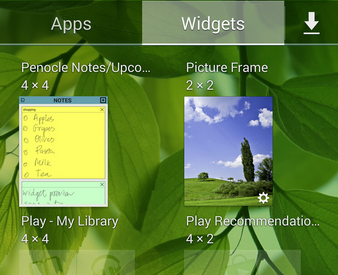
Penocle 1.5.0 has finally been released with new home screen widget displaying the upcoming calendar events and notes!
 
Penocle 1.5.1 has been released.

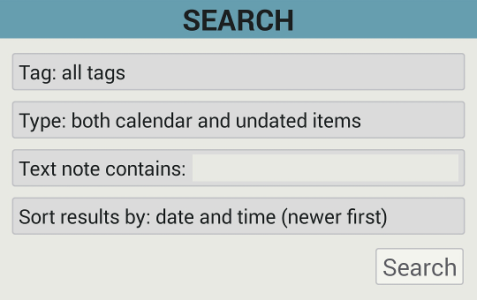
Added search functionality.
Added "Sort search results by" preference.
Added "Default notification time" preference.
Added "Default activity duration" preference.

search_form.png