robcassman Well-known member Feb 23, 2011 149 1 0 Nov 16, 2014 #1 How do I take a picture of text (on a dryers board for instance) and then convert that into editable text? Posted via the Android Central App
How do I take a picture of text (on a dryers board for instance) and then convert that into editable text? Posted via the Android Central App
B BaldwiJ7 Active member Mar 23, 2011 30 1 0 Nov 16, 2014 #2 If you take a picture and then use the s pen to select the area of the photo with text, I think it will become editable text. Sent From My Galaxy Note 4
If you take a picture and then use the s pen to select the area of the photo with text, I think it will become editable text. Sent From My Galaxy Note 4
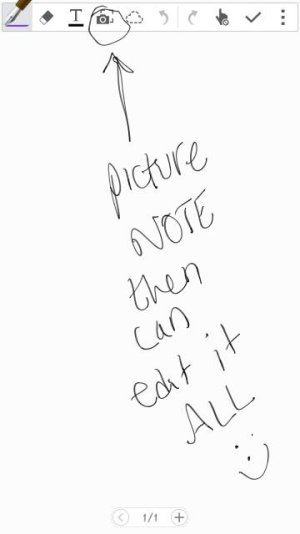
K Kingb1186 Well-known member Dec 8, 2013 137 0 0 Nov 16, 2014 #3 You can also use photonote. Go to s note, hit plus sign for new and then hit camera button Posted via the Android Central App Attachments Screenshot_2014-11-16-09-38-53.jpg 15.2 KB · Views: 50
You can also use photonote. Go to s note, hit plus sign for new and then hit camera button Posted via the Android Central App
S saiyyasuka pon Well-known member Nov 17, 2013 84 0 0 Nov 16, 2014 #4 Use smart select. Posted via the Android Central App





 Facebook
 Twitter
 Instagram