Question about Microsoft Exchange Account

raf66

Well-known member
Jul 16, 2010
189
0
0
I don't know if anyone uses a Microsoft Exchange ActiveSync account for emails, but when I try to setup this account as I've done on my iPhone and many of my office colleagues have done on their iPhones and Windows phones, I'm getting a rather scary warning about the security protocols I'm agreeing to.

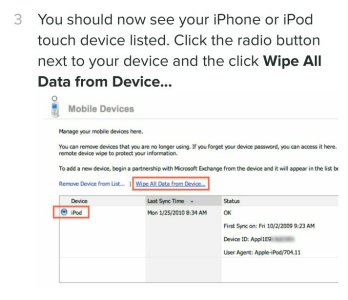
For instance, the permissions provide that I agree to allow a 3rd party to remotely wipe my phone, restrict the number of attempts to login to my phone, and remote into my phone from offsite at their discretion, whoever "they" are. These are only a few examples.

None of these draconian "permissions" were thrust upon me or my office mates when we set up this type of email account before. By the same token, however, none of us did prior setups on Android devices either. It is vitally important that I have access to this type of email account as I have to have office emails, calendar items and contact lists routed to my phone, and my firm uses Microsoft Outlook and Office 365.

Has anyone else encountered this? Is this specific to Android devices? Am I overreacting and need to readjust my tinfoil hat?
 
Yes, these are set by the administrators of the ME account, typically Employers. So if one wants to access work email, then one would have to agree on these terms...
 
Thanks for your response, kostisa. I figured that was the case, but I'm confused as to why these aren't the same permissions that I agreed to on my iPhone.
 
Yes, to expand a little on the above reply those permissions have nothing to do with Android or the native email app, they're strictly for the permissions your administrator has for your company's MS Exhange email.
 
To the OP, you can choose to use this email account in KNOX if you wish so that your employer can only wipe or access that portion of your phone. As others said, it is your employer's requirement for the permissions for the security of business data and employee data as well.
 
I don't do iStuff but from what I have seen on my kid's and friend's phones you probably accepted the permissions without knowing it or something. In fact because of what mty msi said and my own situation you must have. I have Office #^% and Exchange for my company and I AM the administrator. I haven't set or changed any policies and I have to accept all that stuff every time I set up a new phone or tablet. What you are seeing are default settings.

It doesn't mean your fears should be erased but it does mean this is nothing new for you.

Your iPhone probably said something simple like "I agree to whatever my Administrator's Exchange policies are."

Thanks for your response, kostisa. I figured that was the case, but I'm confused as to why these aren't the same permissions that I agreed to on my iPhone.
 
Thanks again for the responses. I've talked to our administrators and none of them are aware of these policies and all of them said that the policies are set by Microsoft. They also claim that they cannot be changed in-house. Interestingly, while trying to get this straightened out, and before I even agreed to the security policies and hit "activate" on my phone, I received an email from Microsoft telling me that my phone had been quarantined and I'm blocked from accessing anything until access had been granted by my administrator.

This is crazy. No one else in my law firm has this problem and no other attorneys or paralegals ever received these warnings when we went with this product (Office 365) 3 months ago.
 
I believe the only difference is Android tells you it could be wiped using exchange mail where iPhone can also be wiped they're just not telling you.

Posted via the Android Central App from the beast A.K.A. Note 4.
 

Attachments

  • Screenshot_2014-10-24-16-16-36.jpg
    Screenshot_2014-10-24-16-16-36.jpg
    45.1 KB · Views: 12
I ultimately got it resolved. I talked to my administrator again and he explained that the protocols ARE ours, and that we put them in place for client confidentiality. I worked on the project so I guess I should've remembered that. In my defense, however, these are the security protocols for office COMPUTER use and off-site VPN use, and I assumed they were limited to those areas rather than including attorney smartphone and tablet devices for use while out of the office. I guess I should've paid more attention in all those meetings I attended. :-)

Anyway, as it turns out the permissions are really nothing more than a blanket set of what-ifs and are not actually things we will do. Microsoft, as it turns out, had less to do with this mess than we (I?) did.

So I activated it and agreed to the permissions and everything is fine. My new gadget didn't blow up and the NSA did NOT come knocking on my door.
 
Sounds like you got it sorted, but for what it's worth, I encountered the same at my workplace. Turns out most people have company iPhones and Apple somehow hides all the security permissions you agree to when you have a corporate email on your phone. I accepted the scary list of restrictions and nothing changed on my phone.
 

Trending Posts

Members online

Forum statistics

Threads
960,802
Messages
6,983,735
Members
3,164,574
Latest member
welma969