S Notes won't go to home screen. [FIXED]

1812dave

Well-known member
Sep 9, 2010
3,133
35
0
When I'd create a list (shopping list, e.g.), I'd immediately send the s note to a home page. Now when I try to do that I get an error (while in S note after choosing Menu>Set as Shortcut>OK) that there is no more room even if the home screen is empty. I am using Nova but wouldn't think that's the cause. Keep in mind, this used to work.


EDIT: nova launcher updated their app to fix this issue
 
Last edited:
Re: S Notes won't go to home screen.

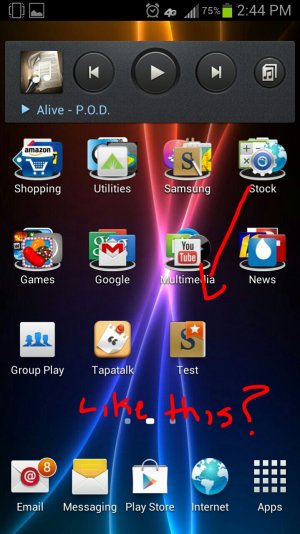
Just checked it with touchwiz and it works just fine. Are you leaving the file names generic or changing it something shorter?

Sent from my SAMSUNG-SGH-I317 using Tapatalk 4 Beta
 

Attachments

  • 2013-05-31-14-45-35.jpg
    2013-05-31-14-45-35.jpg
    264.1 KB · Views: 33
Re: S Notes won't go to home screen.

both. never had to change default file names in the past for shortcuts-to-homescreen feature to work.
 
Re: S Notes won't go to home screen.

Weird. Have you updated your phone recently or has your launcher updated. Could be broken at the moment due to incompatibilities

Sent from my SAMSUNG-SGH-I317 using Tapatalk 2
 
Re: S Notes won't go to home screen.

I don't know exactly when Nova updated; nor do I know when shortcuts to home screen from S Pen app, quit working. I don't use it frequently. Do you know of a way to TEMPORARILY remove Nova launcher without royally screwing up nova's settings? If I revert back to touchwiz homescreens and S pen shortcuts work, then I'd email Nova. Otherwise I'm stuck in limbo.

I don't want to spend huge amounts of time getting my Homescreens back the way they are now, once I go back to Nova Launcher. I did make a backup of Nova settings today, but I don't see how to disable Nova. I'd rather not have to uninstall it.
 
Re: S Notes won't go to home screen.

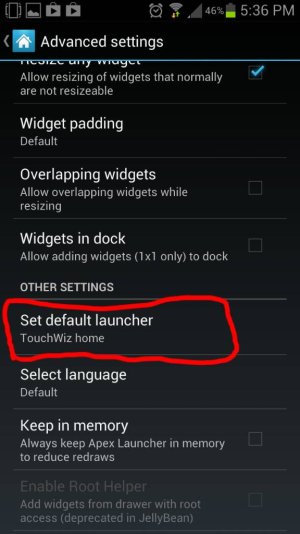
Ive never used nova launcher before but I have used a few others. You can change your launcher at anytime in settings. You can quickly load touchwiz or load nova and it SHOULD be fine. First id thoroughly scour nova settings page to see if there is a way to backup all your settings, Apex has this hopefully nova does too. Check nova for sonething similiar to this option.

Sent from my SAMSUNG-SGH-I317 using Tapatalk 2
 

Attachments

  • uploadfromtaptalk1370039959696.jpg
    uploadfromtaptalk1370039959696.jpg
    59.7 KB · Views: 21
Re: S Notes won't go to home screen.

Got it. Nova is the issue

Sent from Note 2
 
Re: S Notes won't go to home screen.

How do you get it to go the home screen?

~Jae, tap'n on my Galaxy Note 2~owned since 5-30-13
 
Re: S Notes won't go to home screen.

Never mind

~Jae, tap'n on my Galaxy Note 2~owned since 5-30-13
 
Re: S Notes won't go to home screen.

very simply if using Touchwiz. Note>Menu>Set as shortcut>OK
 
Re: S Notes won't go to home screen.

Here's what you can do:
1. Create your S Note
2. Long press on Nova homescreen, select Widgets
3. Select "S Note", then "S Note (page)"
4. Select your note, then a page from your note
5. Long press on the new widget, resize to 1x1.

Voila! Keep in mind you're making a 4x4 widget then resizing it, so make sure you do this on a screen with enough space at first.:cool:
 
Re: S Notes won't go to home screen.

Nova launcher just released an update that fixed the shortcut issue from 3rd party apps. Yeah!

Sent from my SCH-I605 using AC Forums mobile app
 

Forum statistics

Threads
961,372
Messages
6,986,115
Members
3,164,708
Latest member
Cara Penutupan Adakami