
- Feb 5, 2015
- 11
- 0
- 0
Hello
This is my first application. Any feedback would be appreciated.
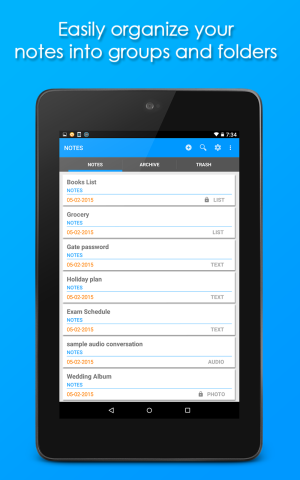
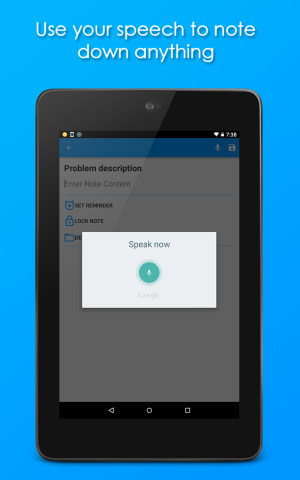
Simnote is a simple note taking application for making notes, lists, photo album, and audio note. It’s simple and uncluttered interface helps you to be make and edit notes faster than ever.
Simnote enables you to make notes quickly and efficiently and share them with your friends. You can also protect your notes with a password.
-------------
Features
-------------
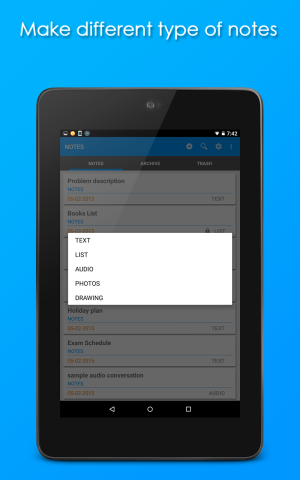
1. Create different types of notes – text, list, photo, audio, drawing.
2. Make check-lists and shopping list
3. Use repetitive reminders.
4. Passwords protect your notes.
5. Backup up your notes
6. Create short-cut for any note
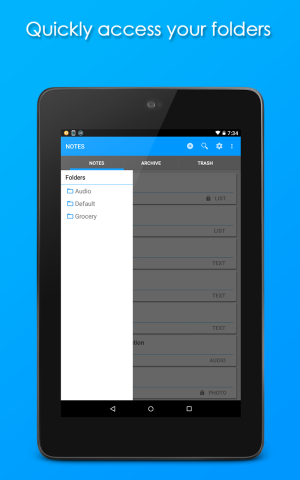
7. Organize your notes into groups like archives, and trash, and make folders for easy management.
8. Email you note to anyone.
---------------
Backup
---------------
You can make backup of your notes. Every backup overwrites your previous one. This feature may be used for transferring notes from one device to another. This features requires READ and WRITE External storage permissions.
---------------
Folders
---------------
You can organize your notes into folders. To put a note in a folder, just press the ‘Default’ during editing tour note. Add a new folder and select it.
Folder does not need to be deleted; if a folder is empty it will automatically be deleted.
Please give feedback for my application. Thanks
Here is the link to my application :
https://play.google.com/store/apps/details?id=com.ribeltun.notethemdown
Thanks.
This is my first application. Any feedback would be appreciated.
Simnote is a simple note taking application for making notes, lists, photo album, and audio note. It’s simple and uncluttered interface helps you to be make and edit notes faster than ever.
Simnote enables you to make notes quickly and efficiently and share them with your friends. You can also protect your notes with a password.
-------------
Features
-------------
1. Create different types of notes – text, list, photo, audio, drawing.
2. Make check-lists and shopping list
3. Use repetitive reminders.
4. Passwords protect your notes.
5. Backup up your notes
6. Create short-cut for any note
7. Organize your notes into groups like archives, and trash, and make folders for easy management.
8. Email you note to anyone.
---------------
Backup
---------------
You can make backup of your notes. Every backup overwrites your previous one. This feature may be used for transferring notes from one device to another. This features requires READ and WRITE External storage permissions.
---------------
Folders
---------------
You can organize your notes into folders. To put a note in a folder, just press the ‘Default’ during editing tour note. Add a new folder and select it.
Folder does not need to be deleted; if a folder is empty it will automatically be deleted.
Please give feedback for my application. Thanks
Here is the link to my application :
https://play.google.com/store/apps/details?id=com.ribeltun.notethemdown
Thanks.



 Facebook
 Twitter
 Instagram