step 1. use an app to input apn or do it your self. build prop editor add ril.sales_code=lol ro.csc.sales_code=lol do not reboot.
step 2. enter service mode. *#0011# menu back menu select 0*
step 3. now you will be at main menu. pick 3 LTE
step 4. pick Pref mode set. then pick 1 GSM/WCDMA. (do not reboot)
step 5. go back to main menu then 1-1-6-7-1 (you will be in GCF) now pick GSM/(E)GPRS/WCDMA REL 8 reboot phone here
step 6. input apn if you haven't already. menu key setting then pick more networks then pick mobile networks then access point name. then menu add new APN.
if its not working make sure all these match.
*#0011#
Press menu and back then menu key input 0 now you are at the main menu and select [1]UMTS, then select [1]DEBUG SCREEN, then select [6]PHONE CONTROL, then select [3] NAS CONTROL. We are going to check a few different settings in this menu so remember how to get here.
[1] CIPHERING CONTROL = ON
[2] INTEGRITY CONTROL =ON
[3] SIM CLASS CONTROL = UMTS
[4] REVISION CONTROL = rev level sniffer
[5] RRC(HSPA) CONTROL = Release 8
[6] DUALMODE IMPROVEMENT CONTROL= Not acting
[7] NAS AVOID SECURITY CONTROL= Not acting
[8] BIP BLOCK = 1
another thing I did change was the AQUISTION ORDER don't know if it matters. *#0011#
Press menu and back then menu key input 0 now you are at the main menu and select [1]UMTS, then select [1]DEBUG SCREEN, then select [6]PHONE CONTROL, then select [7] network control, Then select [4] AQUISTION ORDER, then select [3] UMTS_GSM

![Screenshot_2014-02-19-10-44-20[1]sgh.jpg](https://androidcentral-data.community.forum/attachments/58/58170-99a7e07d48c14b13607a39b9442f915e.jpg?hash=mafgfUjBSx "Screenshot_2014-02-19-10-44-20[1]sgh.jpg")
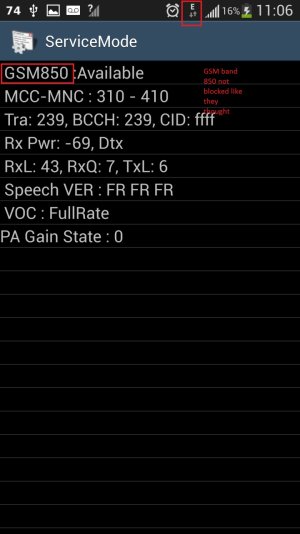
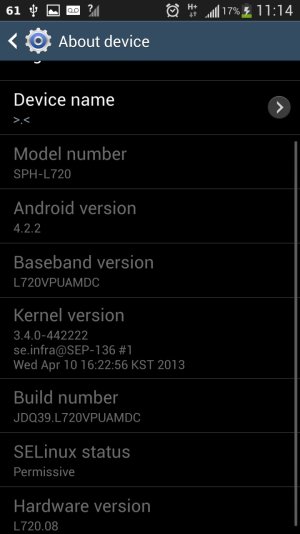
![Screenshot_2014-02-19-10-44-20[1]sgh.jpg](https://androidcentral-data.community.forum/attachments/58/58171-9002ac39c926ae074a3c7bc5b7c3b3ca.jpg?hash=kAKsOckmrg)



 Facebook
 Twitter
 Instagram