Sync Do Not Disturb with Android phone

bobdrad

Active member
Jan 13, 2011
30
0
1
I have a new Galaxy Watch 8 and an Android 16 Pixel phone. When I put my phone into Do Not Disturb mode at bedtime, my watch doesn't set the mode.
I'm not finding a setting to sync this behavior either in my watch settings or the Galaxy Wearable app settings.
How can I set my watch to follow the DND mode setting on my phone?
 
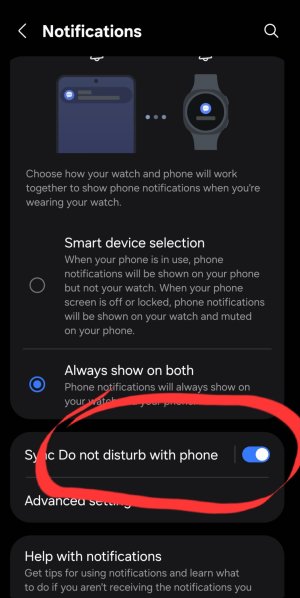
It's definitely there in the Wear Manager app for older versions, under notification settings.
 

Attachments

  • Watch5 Manager.jpg
    Watch5 Manager.jpg
    157 KB · Views: 6
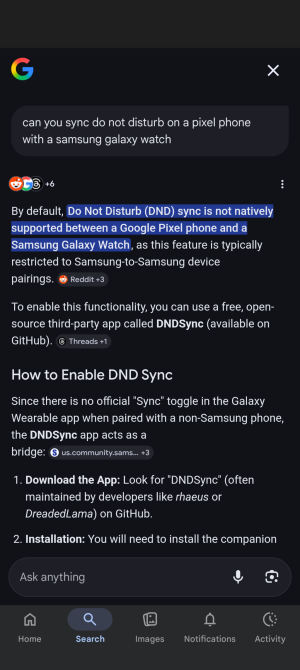
It's been a while since I used a Galaxy Watch with a Pixel device, but syncing DND and Modes was not an option when I did. You need a Samsung Galaxy phone in order to get this feature. It's a big reason why I moved to the Pixel Watch.
 
Just curious, are you using a Samsung phone or a Pixel?
Samsung phone. I didn't realize the DoNotDisturb sync was dependent on the phone being Samsung. The Wear Manager App I have is from Samsung, but from Play Store not Galaxy Store, and I don't have Samsung accounts on either of the devices. I figured the Wear Manager App would have been the same for all Android. Guess it's something special Samsung provides via the App only when both devices are Samsung? That's tricky of them, but I guess like others they're also trying to do things to push people towards all of their devices. It'd be a real pain in the butt for me if DoNotDisturb and a couple of modes I use wouldn't sync across both phone and watch.
 
Last edited:

Trending Posts

Members online

Forum statistics

Threads
961,381
Messages
6,986,205
Members
3,164,708
Latest member
mathewsjamie138