
- Oct 23, 2012
- 10
- 0
- 0
The other day my phone randomly bricked while I was hooking it up to my computer. It just boots to the Google logo with the soft buttons lit up at the bottom of the screen.
When boot into the bootloader it shows that it is locked.
When I attempt to go to the recovery screen I get the picture of the android laying on his back with a red triangular exclamation point coming out of his chest.
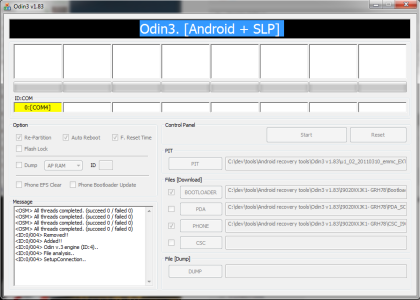
I wanted to try Odin to reflash it, however when I try to unlock the bootloader I get the "Unlock bootloader?" screen, but the yes/no options are not diplayed. So I can't get it to unlock the booloader.
I am pressing the center of the volume button, then either hit the power button, or plug in the USB. Either route yields the same result.
An incomplete rendering of the "Unlock Bootloader?" screen.
It is weird because I get the lock icon at the bottom, so it's not like it is stopping partially through the rendering of the screen. It is just not showing the yes/no options.
Also, right above the unlock screen there is the text :
USB Control Init
USB Control Init End
Any thoughts? Advice?
I originally posted this as a response to someone else's thread under the Sprint Nexus S forum. I then realized it was for the Sprint version, so I am moving this over there.
When boot into the bootloader it shows that it is locked.
When I attempt to go to the recovery screen I get the picture of the android laying on his back with a red triangular exclamation point coming out of his chest.
I wanted to try Odin to reflash it, however when I try to unlock the bootloader I get the "Unlock bootloader?" screen, but the yes/no options are not diplayed. So I can't get it to unlock the booloader.
I am pressing the center of the volume button, then either hit the power button, or plug in the USB. Either route yields the same result.
An incomplete rendering of the "Unlock Bootloader?" screen.
It is weird because I get the lock icon at the bottom, so it's not like it is stopping partially through the rendering of the screen. It is just not showing the yes/no options.
Also, right above the unlock screen there is the text :
USB Control Init
USB Control Init End
Any thoughts? Advice?
I originally posted this as a response to someone else's thread under the Sprint Nexus S forum. I then realized it was for the Sprint version, so I am moving this over there.




 Facebook
 Twitter
 Instagram