unfortunately samsung galaxy has stopped! why ? & how to fix it!

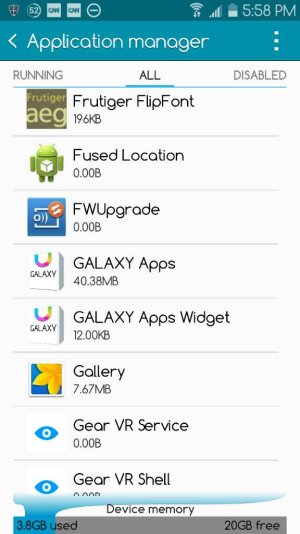
Has anyone tried going to the App Manager, selecting the Galaxy App Store, and Disabling it (or Turning Off), if possible? Obviously, this isn't a great solution if the Galaxy App Store is important to you, but I'd venture a guess that 90% of people don't care about the Galaxy App Store.

Obviouosly, I'm assuming here that "Samsung Galaxy" refers to the Galaxy App Store.

I don't know if its for the Galaxy App Store but it just says Samsung Galaxy:
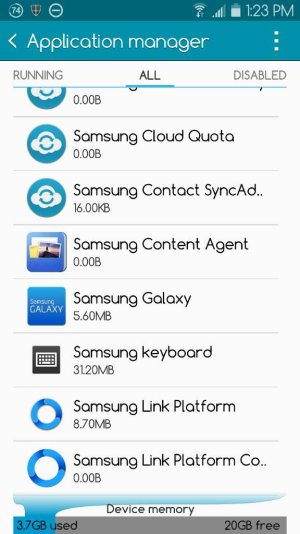
 

Attachments

  • 1422555905814.jpg
    1422555905814.jpg
    64.5 KB · Views: 11
Can you find any other app that represents the Galaxy App Store in that list?
 
Thanks for the steps mentioned.
I had experiencing the same problem mentioned and tested with the following steps & it works

- Go to settings, application manager
- Swipe left to go to all the apps
- scroll down to "Samsung Galaxy"
- clear cache WOULD DO, NO NEED TO CLEAR data
- RESTART the phone (hold button on right, then choose RESTART)

Hope abit of corrections in CAPS help the others
 
Ive had something similar pop up "unfortunately, samsung UI has crashed" and after u click ok, it pops up again a few seconds later, again n again. Even after a reboot, or wipe system cache, it doesnt help. Anyone know why this can be ?
 
Not long weeks ago its just happened to stopped my android mobile and until now i haven't use it?kindly please help me
:'(
 

Trending Posts

Forum statistics

Threads
960,480
Messages
6,982,551
Members
3,164,527
Latest member
Lilrose